Color Picker and Color Dropper icon

Color Picker and Color Dropper Chrome Extension Analysis

Developer & Designer Tools

Chrome extension ID: fcekakhpgmlaihglgajajbceajnhlgfn

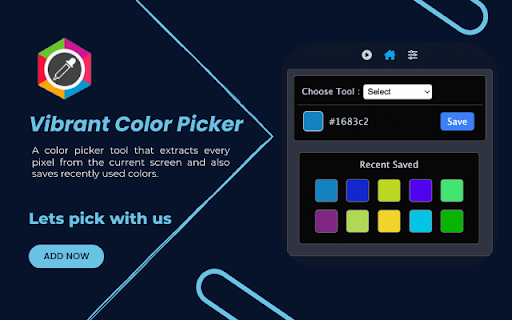
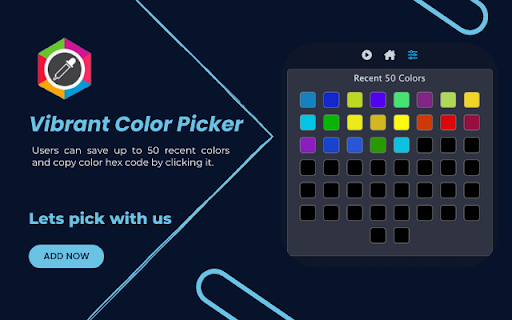
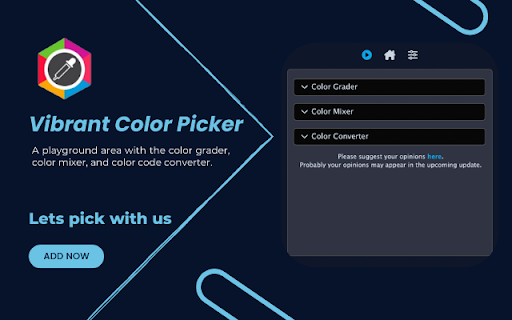
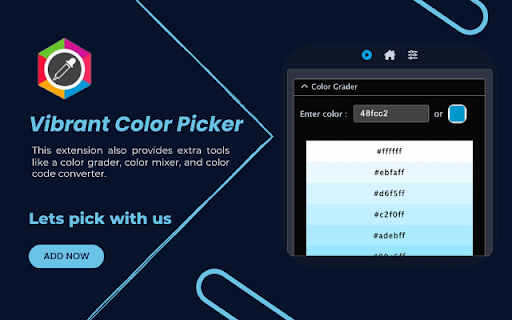
A productivity extension that allows users to capture hex colors from any part of their browser screen. It includes a history palette for the 50 most recent colors and auxiliary tools such as a color grader, namer, mixer, and code converter.

Developer:White Moon Inc
Version:1.0.2
Size:4.82MiB
Last updated:

Overview

Installs

10K+

Rating

4.6

11 reviews

Languages

55 locales

Includes Deutsch, English, English (Australia), English (United Kingdom)...

Market analysis

Review-backed positioning, friction, and market signals for this Chrome extension.

Backed by review samples

Macro category

Developer & Designer Tools

Pricing friction

Low review signal

Complaint intensity

Low review signal

Listing & review signals
Observed signals from store listing text and review samples.

Listing positioning

The product is positioned as a comprehensive color extraction utility featuring both an Eye Dropper and a Color Selector. It emphasizes its ability to work on restricted pages like Chrome settings and new tab pages, while highlighting efficiency through keyboard shortcuts.

Inferred product pattern

Single-purpose utility tool for web-based color extraction and palette management.

Review-backed pain points

Users report that the process of picking and copying a color is tedious, requiring multiple clicks (up to 4) rather than a streamlined one-click capture and copy action.

Observed feature gaps

Lack of a manual delete/clear option for saved colors in the recent palette and absence of automatic copy-to-clipboard functionality upon selection.

Tags
Color PickerEye DropperHex Code ExtractorWeb Design ToolColor Palette
Target users

- Web Developers

- UI/UX Designers

- Graphic Designers

- Web Content Creators

Primary use cases

- Extracting hex codes from websites

- Building color palettes from live pages

- Converting RGB values to hex

- Saving frequently used colors for quick access

Positive themes

- High reliability compared to other tools

- Useful recent color history feature

- Accurate color capture

Negative themes

- Inefficient user workflow

- Excessive number of clicks to complete a task

Observed friction

- No pricing friction observed; the tool appears to be free.

Evidence boundary: Analysis based on the store listing and a sample of 9 user reviews. Small total review count (11) may not represent all edge-case performance issues.
Complaint summaries
Review-backed complaint signals grouped by operational area.

Support

No support, account, or refund complaints observed.

Reliability

No reliability complaints; users specifically mentioned it works where other similar extensions failed.

Privacy

No privacy or security complaints observed.

Access & pricing

- Free usage observed

- No account requirement observed

- Free plan or free usage claimed

Store listing facts

Listing assets

- Screenshots: 4

- Videos: 0

- Languages: 55

Trust signals

- Developer contact

Store metadata

- Version: 1.0.2

- Size: 4.82MiB

- Last updated:

Listing SEO keywords

Search intent keywords
Keyword signals for evaluating how users may discover, compare, or search for this extension category.

Core discovery

Chrome color pickerweb color dropperextract hex code from websiteRGB color selector

Comparison

best chrome color pickercolor dropper extension comparison

Problem

how to find color of website elementextract hex code from chromeget color from webpage

Alternative

color picker extension alternativefree color dropper chrome

Similar extensions

Jump to related discovery paths:

Screenshots

Color Picker and Color Dropper screenshot

Recommended Chrome extensions

Related listings from the same category, trending peers, and the same publisher portfolio.

Browse developer