AI Chrome Extension powered by ChatGPT - Magictool AI icon

AI Chrome Extension powered by ChatGPT Chrome Extension Analysis

AI & Writing Assistants

Store listing title: AI Chrome Extension powered by ChatGPT - Magictool AI

Chrome extension ID: fedmdabgnkfghjplejeilojikdaopkpm

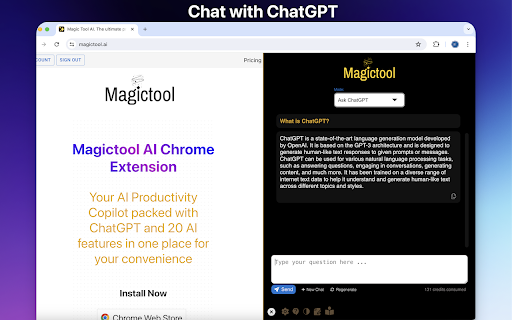
This extension functions as a browser sidebar and overlay tool powered by ChatGPT. Users can access various AI utility features to process text, scrape data, and summarize web content directly within their current tab.

Developer:Magictool.ai
Version:1.5.1
Size:339KiB
Last updated:

Overview

Installs

9K+

Rating

4.8

197 reviews

Languages

1 locales

Includes English

Market analysis

Review-backed positioning, friction, and market signals for this Chrome extension.

Backed by review samples

Macro category

AI & Writing Assistants

Pricing friction

High review signal

Complaint intensity

Moderate review signal

Listing & review signals
Observed signals from store listing text and review samples.

Listing positioning

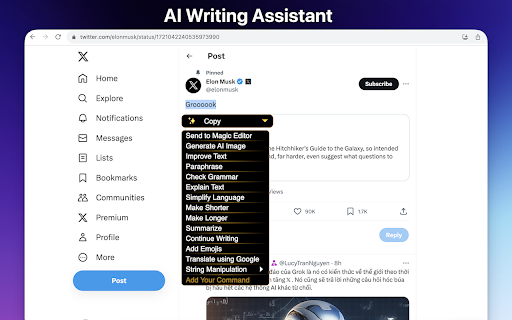
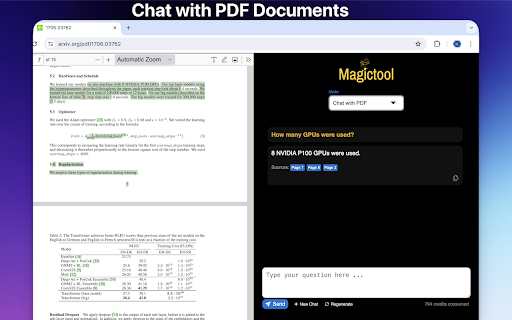
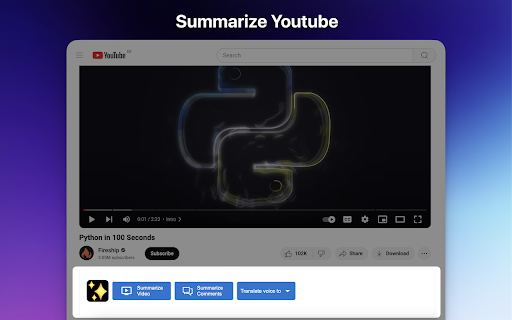
Magictool AI positions itself as an all-in-one productivity suite that integrates ChatGPT into the Chrome browser. It markets a broad range of features including grammar checking, YouTube summarization, PDF analysis, and AI-driven writing assistance for diverse professional and academic user groups.

Inferred product pattern

A 'wrapper' style AI extension that provides a centralized interface for multiple GPT-based utility tasks.

Review-backed pain points

Users have reported occasional API-related error codes (e.g., parameter errors) and accessibility issues with text contrast. Some users expressed dissatisfaction with the shift from a free experience to a limited trial model.

Observed feature gaps

Lack of MS Office integration and request for expanded video editing capabilities within the extension.

Tags
AI SidebarWriting AssistantContent CreationProductivity ToolPDF Summarizer
Target users

- Content Creators

- Researchers

- Students

- Software Engineers

- Business Professionals

Primary use cases

- Summarizing YouTube videos and web articles

- Proofreading and grammar correction

- Chatting with PDF documents

- Generating AI images

- Data extraction from webpages

Positive themes

- Intuitive user interface

- Time-saving workflow automation

- Useful integration for summarizing long-form content

- Faster response times compared to competitors

- High utility for writing assistance

Negative themes

- Feature limitations for free users

- Technical bugs and error codes during generation

- UI issues such as low-contrast text visibility

- Unexpected transition to paid tiers

Observed friction

- Payment required for meaningful usage

- Free-tier complaints detected

- Performance complaints detected

- Some users feel the transition from 'free' to a usage-limited trial is not transparent enough, noting that high-usage requirements become expensive.

Evidence boundary: Data derived from Chrome Web Store listing, developer disclosures, and a representative sample of 12 user reviews covering both high and low satisfaction levels. Review samples cover a span from 2023 to 2026; some technical feedback may refer to older versions or legacy model parameters.
Complaint summaries
Review-backed complaint signals grouped by operational area.

Support

No major support complaints, though users have reported technical error messages that require intervention.

Reliability

Occasional reports of generation errors and temporary service interruptions for features like summarizing and paraphrasing.

Privacy

No significant privacy complaints found; developer proactively addresses privacy in the listing by disclosing that data is sent to OpenAI.

Access & pricing

- Free entry with paid features

- Account required for core usage

- Limited free usage observed

Store listing facts

Listing assets

- Screenshots: 5

- Videos: 1

- Languages: 1

Trust signals

- Privacy policy

- Developer contact

- Official website

- Support link

Store metadata

- Version: 1.5.1

- Size: 339KiB

- Last updated:

Listing SEO keywords

Search intent keywords
Keyword signals for evaluating how users may discover, compare, or search for this extension category.

Core discovery

AI Chrome extensionChatGPT sidebarYouTube summarizerAI writing toolbrowser grammar checker

Comparison

Magictool vs ChatGPTAI assistant extension

Problem

fix writer's blocksummarize long PDFslow writing process

Alternative

JasperGrammarlyClaude extension

Similar extensions

Jump to related discovery paths:

Screenshots

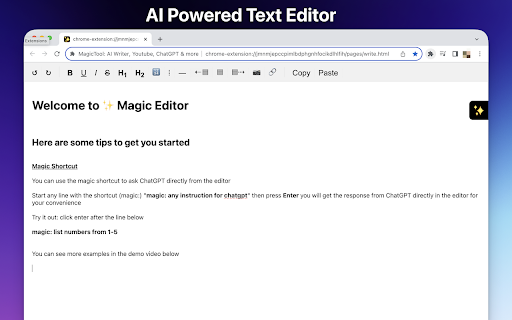
AI Chrome Extension powered by ChatGPT - Magictool AI screenshot

Links

Recommended Chrome extensions

Related listings from the same category, trending peers, and the same publisher portfolio.

Browse communication
FlowCrypt: Encrypt Gmail with PGP icon

FlowCrypt: Encrypt Gmail with PGP

flowcrypt-release

Simple end-to-end encryption to secure email and attachments on Google.

Installs

70K+

Rating

4.7

Grammar Checker and AI tool - Correcto icon

Grammar Checker and AI tool - Correcto

product-development-correcto

Improve your writing with the AI-powered online grammar and spelling checker in Spanish and our paraphrasing tool.

Installs

70K+

Rating

4.6

Share link via email icon

Share link via email

Cobote

Adds a button and context menu item to send the page URL or a link URL via email

Installs

70K+

Rating

3.9

MerciApp - AI Writing Assistant icon

MerciApp - AI Writing Assistant

MerciApp

Write better, faster, wherever you work.

Installs

60K+

Rating

4.5

Mail Merge for Gmail - Mailmeteor icon

Mail Merge for Gmail - Mailmeteor

Mailmeteor

Free mail merge & mass email tool for Gmail, with email tracking and auto follow-ups

Installs

60K+

Rating

4.8

Cursorful - Screen Recorder with Auto Zoom icon

Cursorful - Screen Recorder with Auto Zoom

Cursorful

Cursorful creates beautiful screen recordings with automatic zooms and pans that keep the viewer engaged.

Installs

60K+

Rating

4.9

Auto BCC for Gmail™ by cloudHQ icon

Auto BCC for Gmail™ by cloudHQ

cloudHQ

Setup automatic blind copies to your CRM or any other email address

Installs

60K+

Rating

4.2

Amazon Q Business icon

Amazon Q Business

Amazon Q Business by Amazon Web Services

An enterprise AI assistant available to assist you when browsing the web.

Installs

50K+

Rating

5.0

CrankWheel Screen Sharing icon

CrankWheel Screen Sharing

CrankWheel

Easier screen sharing. No app needed for viewers, even on their mobile. Record your screen or webcam.

Installs

50K+

Rating

4.8

Reminders for Google Calendar™ icon

Reminders for Google Calendar™

SMS Reminder for Google Calendar™

Send reminders by SMS/Text from your Google Calendar™. Use it for your customers or your own appointments.

Installs

50K+

Rating

3.6