Gyazo - Share new screenshots. Instantly. icon

Gyazo Chrome Extension Analysis

Automation & Workflow Efficiency

Store listing title: Gyazo - Share new screenshots. Instantly.

Chrome extension ID: ffdaeeijbbijklfcpahbghahojgfgebo

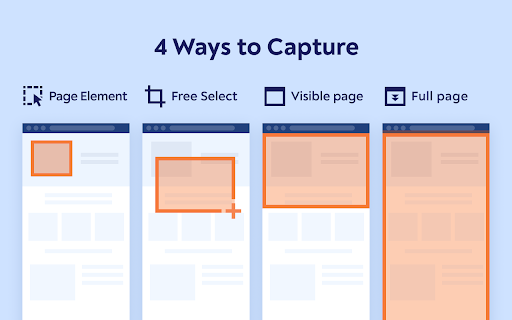
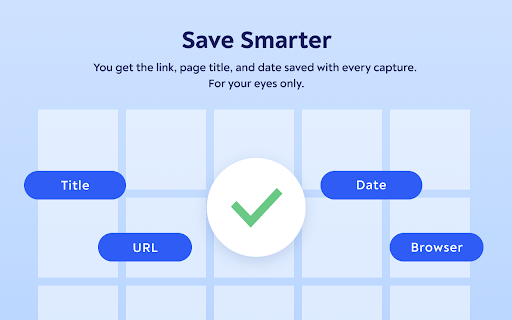
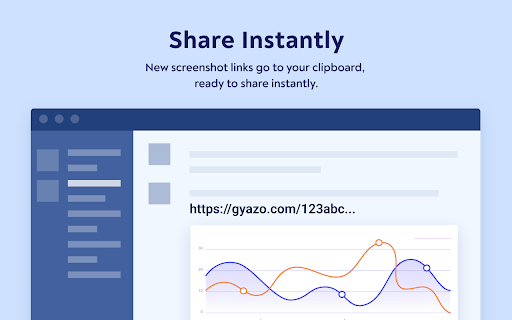
Gyazo is a browser extension that allows users to capture screenshots of web pages, including specific images, page elements, free selections, or the entire page. Captured images are instantly uploaded to gyazo.com with a unique link copied to the clipboard for easy sharing. It also offers hover previews for Gyazo links and saves metadata for organization.

Developer:Nota Inc.
Version:5.17.0
Size:182KiB
Last updated:

Overview

Installs

100K+

Rating

3.8

246 reviews

Languages

2 locales

Includes English, 日本語

Market analysis

Review-backed positioning, friction, and market signals for this Chrome extension.

Backed by review samples

Macro category

Automation & Workflow Efficiency

Pricing friction

High review signal

Complaint intensity

High review signal

Listing & review signals
Observed signals from store listing text and review samples.

Listing positioning

Gyazo is positioned as an easy-to-use Chrome extension for instantly capturing, sharing, and bookmarking screenshots directly from the browser. It emphasizes quick capture of various elements and provides instant previews of shared links.

Inferred product pattern

A free tool that transitioned to a freemium model with significant feature limitations and perceived degradation in core functionality, leading to user dissatisfaction.

Review-backed pain points

Users report significant issues with the extension's functionality, including glitches, phantom blocks over captured areas, and failures in capturing full pages or free selections. Access to historical captures and basic features are reportedly locked behind a paywall, leading to frustration.

Observed feature gaps

The extension appears to have lost the ability to reliably capture full pages or specific free selections, which were previously core functionalities. The transition to requiring payment for accessing older content or even basic capture functionality represents a significant change that users view negatively.

Tags
Screenshot ToolScreen CaptureImage SharingVisual Bookmarking
Target users

- Content creators

- Educators

- Designers

- Developers

- Anyone needing to quickly share visual information

Primary use cases

- Quickly sharing visual information

- Creating visual bookmarks

- Documenting web content

- Providing visual feedback

Positive themes

- Historically a great tool

- Useful for capturing images

Negative themes

- Recent functionality degradation and bugs

- Inability to capture certain elements or full pages

- Features locked behind a paywall

- Performance issues and high CPU usage

Observed friction

- Payment required for meaningful usage

- Free-tier complaints detected

- Performance complaints detected

- Users express significant dissatisfaction with features, including access to their own uploaded content, being locked behind a paywall, calling it a "cash grab." There are complaints about needing to pay to view captures older than a month.

Evidence boundary: Data was derived from user reviews on the Chrome Web Store, including both helpful and low-rating samples, as well as the product's store listing description. The review data reflects user sentiment at the time of writing and may not capture all aspects of the product. The number of reviews for specific themes is not quantified.
Complaint summaries
Review-backed complaint signals grouped by operational area.

Support

No direct support complaints were found, but users express frustration with the product's degradation and paywalling of features, implying a lack of responsive issue resolution.

Reliability

Multiple reviews indicate reliability issues, with the extension glitching, not capturing selected areas correctly, and failing to perform full-page captures. Some users report it does not work at all after installation.

Privacy

While the listing mentions permissions and links to a privacy policy, no direct privacy complaints were found in the provided reviews.

Access & pricing

- Free entry with paid features

- Account required for core usage

- Limited free usage observed

Store listing facts

Listing assets

- Screenshots: 3

- Videos: 0

- Languages: 2

Trust signals

- Privacy policy

- Developer contact

- Official website

- Support link

Store metadata

- Version: 5.17.0

- Size: 182KiB

- Last updated:

Listing SEO keywords

Search intent keywords
Keyword signals for evaluating how users may discover, compare, or search for this extension category.

Core discovery

screenshot extensionscreen capture chromeimage sharing toolweb page capturevisual bookmarking

Comparison

gyazo alternativebest screenshot tool

Problem

capture not workingscreenshots not loadingpaywall frustration

Alternative

lightshotawesome screenshot

Similar extensions

Jump to related discovery paths:

Screenshots

Gyazo - Share new screenshots. Instantly. screenshot

Links

Recommended Chrome extensions

Related listings from the same category, trending peers, and the same publisher portfolio.

Browse workflow