Tab Notes icon

Tab Notes Chrome Extension Analysis

Tab & Bookmark Productivity

Chrome extension ID: fiinodkfgdoljchgmojlnfijgmkmaiel

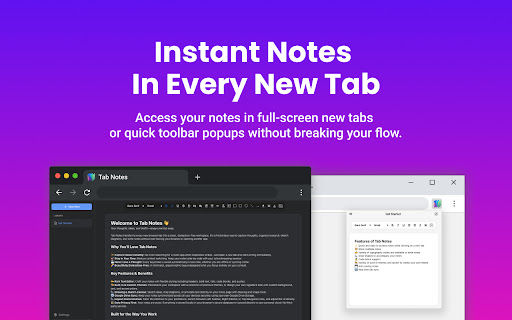
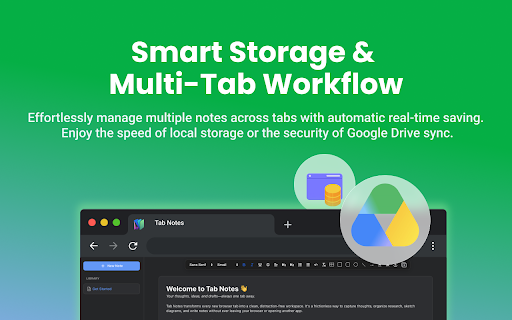
This extension replaces the default new tab page with a blank canvas for note-taking. It supports multiple notes, auto-saving, and real-time synchronization across sessions using local browser storage.

Developer:Vineeth TR
Version:2.0.2
Size:509KiB
Last updated:

Overview

Installs

497

Rating

3.8

18 reviews

Languages

1 locales

Includes English

Market analysis

Review-backed positioning, friction, and market signals for this Chrome extension.

Backed by review samples

Macro category

Tab & Bookmark Productivity

Pricing friction

Low review signal

Complaint intensity

High review signal

Listing & review signals
Observed signals from store listing text and review samples.

Listing positioning

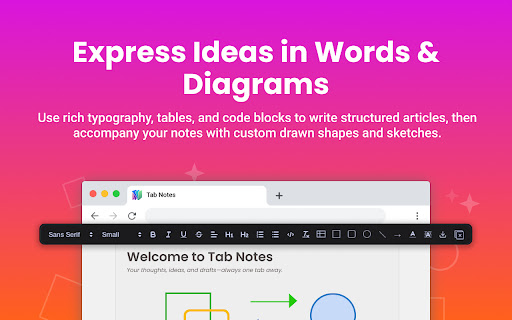
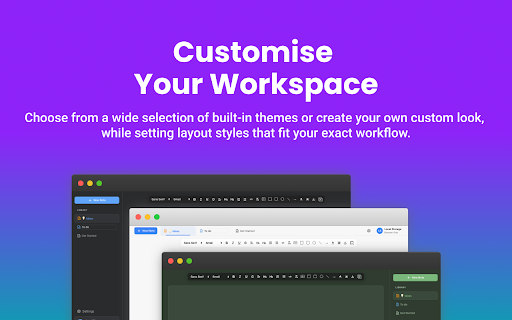
Tab Notes positions itself as a feature-rich note-taking tool integrated directly into the browser's new tab page. It emphasizes customizable typography, shape drawing, and built-in themes for organizing thoughts while browsing.

Inferred product pattern

Simple local-only browser utility that replaces the new tab page.

Review-backed pain points

The most significant pain point is the permanent loss of user data, coupled with a lack of cloud syncing, leading to high frustration for users who relied on it for important information.

Observed feature gaps

Users noted a lack of cloud backup mechanisms, missing Markdown support (auto-formatting), and the absence of page-specific annotation, which was a core expectation of the product name.

Tags
Note TakingBrowser ProductivityNew Tab Extension
Target users

- Productivity enthusiasts

- Students

- Researchers

- Casual internet users

Primary use cases

- Quick brainstorming

- Drafting articles

- Organizing daily thoughts while browsing

Positive themes

- Ease of access to notes

- Customizable styling options

- Helpful for organizing workflow

- Clean layout for planning tasks

Negative themes

- Critical data loss of saved notes

- Lack of cloud-based backup/sync

- Confusing functionality regarding page-specific annotation

- Interference with default browser behavior

Observed friction

- Performance complaints detected

- None observed; the product is positioned as a free tool without explicit payment gating.

Evidence boundary: Evidence is based on a mix of positive sentiment regarding utility and severe negative reports regarding data persistence and unexpected behavior. The sample size is small, and there is no public developer response or official roadmap to clarify future updates to data storage.
Complaint summaries
Review-backed complaint signals grouped by operational area.

Support

Support is non-existent in public forums, exacerbating user frustration regarding data recovery.

Reliability

Serious reliability issues cited, specifically regarding the automatic deletion or loss of user notes without recovery options.

Privacy

None observed.

Access & pricing

- Free usage observed

- No account requirement observed

- Free plan or free usage claimed

Store listing facts

Listing assets

- Screenshots: 5

- Videos: 1

- Languages: 1

Trust signals

- Privacy policy

- Developer contact

Store metadata

- Version: 2.0.2

- Size: 509KiB

- Last updated:

Listing SEO keywords

Search intent keywords
Keyword signals for evaluating how users may discover, compare, or search for this extension category.

Core discovery

note taking chrome extensionbrowser notepadtab productivity toolnew tab notes

Comparison

Tab Notes alternativebest notepad for chrome

Problem

lost my notes extensiondata loss chrome extension

Alternative

sticky notes for chromebrowser web clipper

Similar extensions

Jump to related discovery paths:

Screenshots

Tab Notes screenshot

Links

Recommended Chrome extensions

Related listings from the same category, trending peers, and the same publisher portfolio.

Browse workflow