Ruler Measurement icon

Ruler Measurement Chrome Extension Analysis

Developer & Designer Tools

Chrome extension ID: fkfkjailjcijmghkonghlclbjkopjbgh

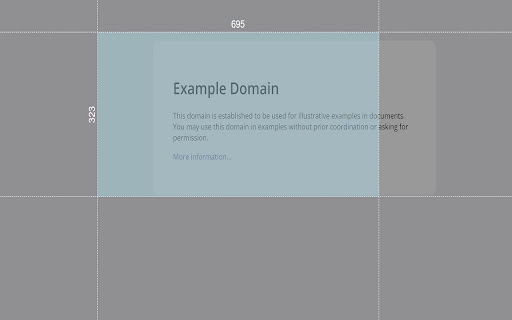
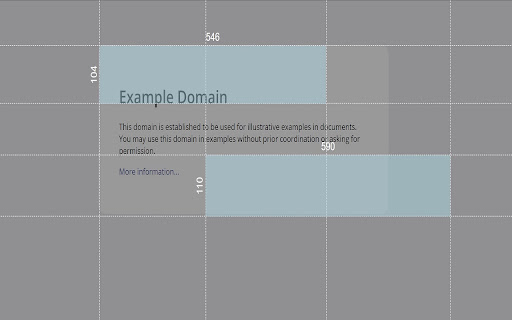
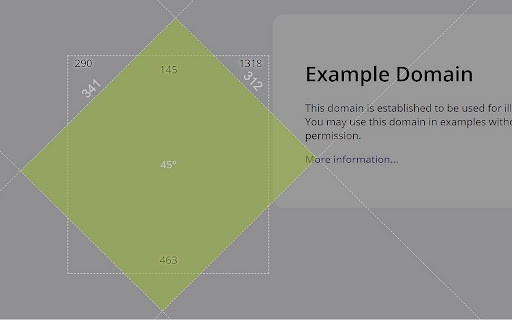
Ruler Measurement is a utility extension that provides an on-screen ruler for measuring web elements. It supports multiple rulers, rotation, offset information, and customizable themes and units.

Developer:Vadim Albarov
Version:3.0.1
Size:7.14MiB
Last updated:

Overview

Installs

10K+

Rating

3.4

43 reviews

Languages

1 locales

Includes English

Market analysis

Review-backed positioning, friction, and market signals for this Chrome extension.

Backed by review samples

Macro category

Developer & Designer Tools

Pricing friction

Low review signal

Complaint intensity

Moderate review signal

Listing & review signals
Observed signals from store listing text and review samples.

Listing positioning

The product is positioned as a powerful measurement plugin for Chrome that allows users to measure height and width on pages using grid lines. It emphasizes flexibility through draggable and resizable rulers and a set of keyboard shortcuts for efficiency.

Inferred product pattern

Visual overlay utility for browser-based layout and dimension analysis.

Review-backed pain points

Users frequently report that the extension 'doesn't work' because it requires a browser restart or page refresh to activate, and the necessary activation shortcut (Alt+Q) is not clearly communicated during onboarding.

Observed feature gaps

Missing an onboarding guide or 'get started' prompt to inform users about the required restart and keyboard shortcuts to initiate the tool.

Tags
Screen RulerLayout MeasurementWeb Design ToolPixel Ruler
Target users

- Web Developers

- UI/UX Designers

- Graphic Designers

- Web Content Creators

Primary use cases

- Measuring element dimensions on a webpage

- Checking layout alignment using grid lines

- Analyzing spacing and margins in web design

Positive themes

- Flexible selection adjustment with the mouse

- Useful for graphics and design projects

- Effective functionality on Brave browser

Negative themes

- Perceived failure to function upon installation

- Lack of clear instructions for activation

- Version-specific compatibility issues

Observed friction

- No pricing friction observed; the tool appears to be free.

Evidence boundary: Data extracted from the store listing and a sample of 11 reviews containing both high and low ratings. The sample of reviews is small; some reports of dysfunction are contradicted by users who found the solution to be a browser restart.
Complaint summaries
Review-backed complaint signals grouped by operational area.

Support

No formal support complaints, but users expressed frustration over the lack of instructions.

Reliability

Significant reports of the tool failing to launch or show an icon, though positive reviews suggest this is an activation/instruction issue rather than a total failure.

Privacy

No privacy or security complaints observed.

Access & pricing

- Free usage observed

- No account requirement observed

- Free plan or free usage claimed

Store listing facts

Listing assets

- Screenshots: 3

- Videos: 0

- Languages: 1

Trust signals

- Privacy policy

- Developer contact

Store metadata

- Version: 3.0.1

- Size: 7.14MiB

- Last updated:

Listing SEO keywords

Search intent keywords
Keyword signals for evaluating how users may discover, compare, or search for this extension category.

Core discovery

chrome screen rulerwebpage measurement toolpixel ruler extensionmeasure element size chrome

Comparison

best chrome rulerpage ruler vs ruler measurementon-screen measurement tool comparison

Problem

how to measure pixels on webpagemeasure element width chromeweb layout measurement tool

Alternative

chrome ruler alternativepage ruler alternativepixel measurement tool

Similar extensions

Jump to related discovery paths:

Screenshots

Ruler Measurement screenshot

Links

Recommended Chrome extensions

Related listings from the same category, trending peers, and the same publisher portfolio.

Browse developer