Screener - Auto Zoom Screen Recorder icon

Screener Chrome Extension Analysis

Automation & Workflow Efficiency

Store listing title: Screener - Auto Zoom Screen Recorder

Chrome extension ID: fndmnkkdpnecaoagekdjkimifgpbndfa

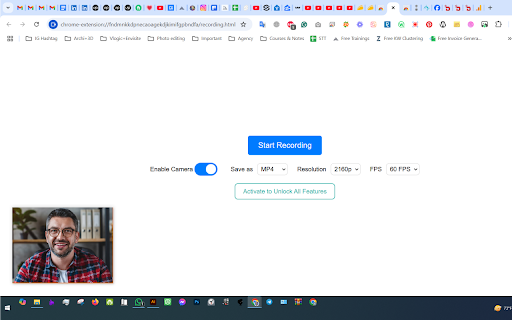
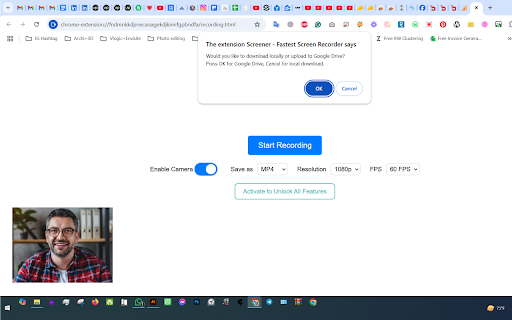
Screener is a browser-based screen recording utility that allows users to capture their screen, camera, and audio simultaneously. It supports high-resolution recording at 60fps and automates the storage process by saving files directly to Google Drive.

Developer:byteforgers
Version:1.4
Size:56.41KiB
Last updated:

Overview

Installs

78

Rating

5.0

2 reviews

Languages

1 locales

Includes English

Market analysis

Review-backed positioning, friction, and market signals for this Chrome extension.

Backed by review samples

Macro category

Automation & Workflow Efficiency

Pricing friction

Low review signal

Complaint intensity

Low review signal

Listing & review signals
Observed signals from store listing text and review samples.

Listing positioning

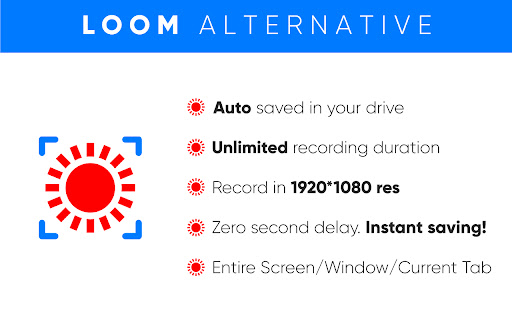
The store listing positions Screener as a high-performance, free alternative to Loom, emphasizing 4K recording capabilities and zero-latency capture. It highlights seamless integration with Google Drive for instant cloud saving and encourages its use as a meeting replacement tool for asynchronous communication.

Inferred product pattern

Utility-focused browser extension for asynchronous media capture and cloud synchronization.

Review-backed pain points

Review-backed data is not available as existing reviews are generic positive endorsements.

Observed feature gaps

No feature gaps identified from the limited sample of reviews.

Tags
Screen RecorderVideo CaptureCollaboration ToolProductivity
Target users

- Remote Workers

- Content Creators

- Educators

- Product Managers

Primary use cases

- Recording meeting presentations

- Creating software tutorials

- Asynchronous video communication

- Capturing on-screen content

Positive themes

- Ease of use

- General satisfaction with functionality

Negative themes

No negative theme data.

Observed friction

- None identified; the extension is marketed as free.

Evidence boundary: Data is extracted from the Chrome Web Store listing and a small sample of user reviews. The analysis relies on developer-provided feature claims and positive user sentiment. The review sample size is very small, limiting insights into edge-case bugs, performance under load, or long-term reliability.
Complaint summaries
Review-backed complaint signals grouped by operational area.

Support

No support complaints identified.

Reliability

No reliability complaints identified.

Privacy

No privacy complaints identified.

Access & pricing

- Free usage observed

- No account requirement observed

- Free plan or free usage claimed

Store listing facts

Listing assets

- Screenshots: 3

- Videos: 1

- Languages: 1

Trust signals

- Privacy policy

- Developer contact

- Official website

Store metadata

- Version: 1.4

- Size: 56.41KiB

- Last updated:

Listing SEO keywords

Search intent keywords
Keyword signals for evaluating how users may discover, compare, or search for this extension category.

Core discovery

Chrome screen recorderLoom alternative4K screen capture extensionrecord screen with camera

Comparison

Screener vs Loombest free screen recorder

Problem

how to record screen without lagrecord meetings asynchronously

Alternative

free screen recording toolsGoogle Drive screen recorder

Similar extensions

Jump to related discovery paths:

Screenshots

Screener - Auto Zoom Screen Recorder screenshot

Links

Recommended Chrome extensions

Related listings from the same category, trending peers, and the same publisher portfolio.

Browse workflow