FontLens — Font Inspector to Copy Website CSS icon

FontLens Chrome Extension Analysis

Developer & Designer Tools

Store listing title: FontLens — Font Inspector to Copy Website CSS

Chrome extension ID: fpngnlpnkajpijhppiolcnkebjgmmidn

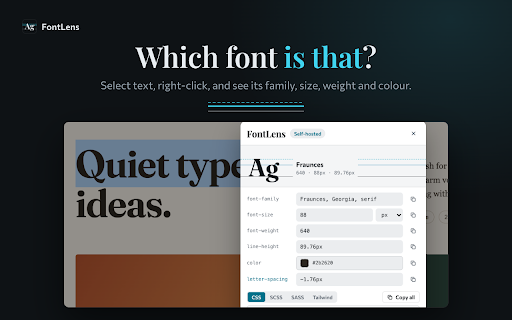
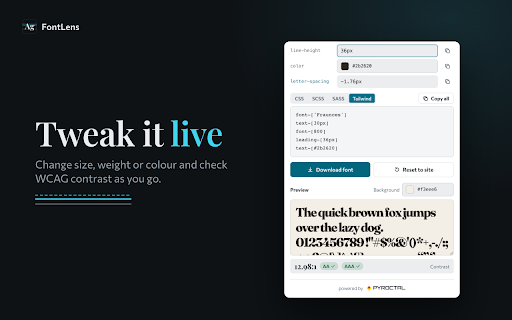
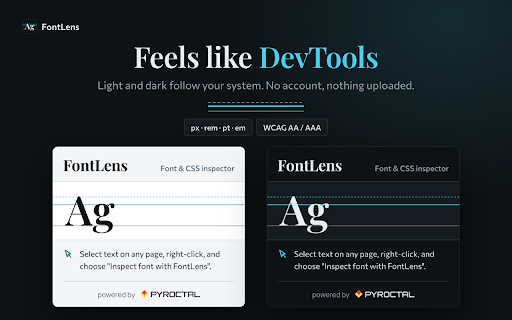
FontLens is a browser extension that allows users to inspect the font family, size, weight, and color of any selected text via a right-click menu. It includes a live preview playground, a WCAG contrast checker, and an eyedropper tool for color sampling.

Developer:PYROCTAL
Version:2.2.1
Size:354KiB
Last updated:

Overview

Installs

22

Rating

★ —

0 reviews

Languages

55 locales

Includes Deutsch, English, English (Australia), English (United Kingdom)...

Market analysis

Review-backed positioning, friction, and market signals for this Chrome extension.

No review samples found

Macro category

Developer & Designer Tools

Pricing friction

Low review signal

Complaint intensity

Low review signal

Listing & review signals
Observed signals from store listing text and review samples.

Listing positioning

The product is positioned as a streamlined, one-click alternative to browser developer tools for identifying typography. It emphasizes speed, privacy, and an all-in-one workflow for extracting and prototyping CSS styles.

Inferred product pattern

Utility tool for design extraction and CSS prototyping.

Review-backed pain points

Review-backed data is not available.

Observed feature gaps

No review data available to identify gaps.

Tags
Font IdentifierCSS InspectorWeb DesignTypography ToolUI Development
Target users

- Web designers

- Front-end developers

- UI/UX engineers

- CSS students

- Accessibility auditors

Primary use cases

- Identifying fonts on websites

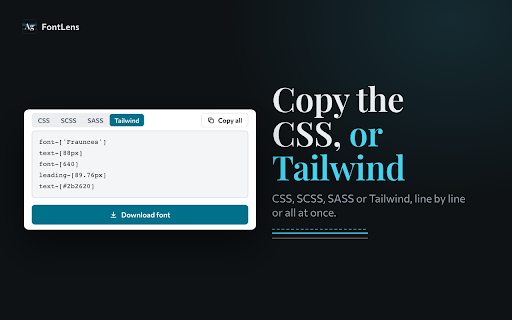
- Extracting CSS typography rules

- Checking color contrast against WCAG standards

- Sampling website colors

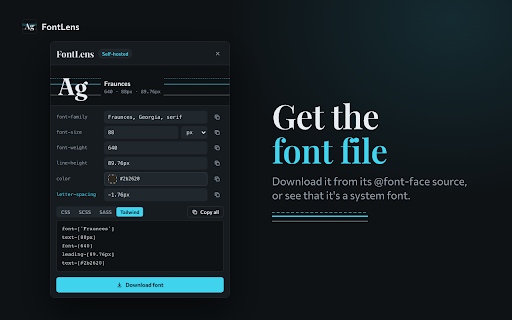
- Downloading web fonts

Positive themes

- review-backed data is not available

Negative themes

- review-backed data is not available

Observed friction

- No pricing friction observed; the listing explicitly states no account or signup is required.

Evidence boundary: Analyzed store listing including short and long descriptions. No user reviews available to validate claims or identify real-world performance issues.
Complaint summaries
Review-backed complaint signals grouped by operational area.

Support

Review-backed data is not available.

Reliability

Review-backed data is not available.

Privacy

Review-backed data is not available.

Access & pricing

- Free usage observed

- No account requirement observed

- Free plan or free usage claimed

Store listing facts

Listing assets

- Screenshots: 5

- Videos: 0

- Languages: 55

Trust signals

- Developer contact

- Official website

Store metadata

- Version: 2.2.1

- Size: 354KiB

- Last updated:

Listing SEO keywords

Search intent keywords
Keyword signals for evaluating how users may discover, compare, or search for this extension category.

Core discovery

what font is thisinspect web fontscss font identifierweb typography inspector

Comparison

FontLens vs Chrome DevToolsFontLens vs WhatFont

Problem

identify font on websitefind css font sizecheck text color contrast

Alternative

font finder extensioncss style extractortypography inspector

Similar extensions

Jump to related discovery paths:

Screenshots

FontLens — Font Inspector to Copy Website CSS screenshot

Links

Website: pyroctal.com

Recommended Chrome extensions

Related listings from the same category, trending peers, and the same publisher portfolio.

Browse developer