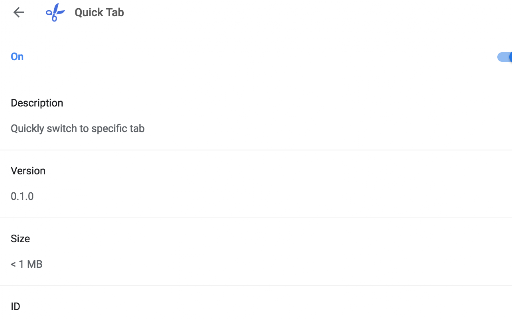
Quick Tab icon

Quick Tab Chrome Extension Analysis

Tab & Bookmark Productivity

Chrome extension ID: gacilmnecibfknjlglnmgbdfakippnoe

Quick Tab is a single-purpose utility that allows users to switch directly to a specific Chrome tab by its corresponding number. It aims to streamline basic browser navigation without requiring complex setups or additional visual interfaces.

Developer:chenzhiwei
Version:0.2.0
Size:10.41KiB
Last updated:

Overview

Installs

0

Rating

0 reviews

Languages

1 locales

Includes English (United States)

Market analysis

Review-backed positioning, friction, and market signals for this Chrome extension.

No review samples found

Macro category

Tab & Bookmark Productivity

Pricing friction

Low review signal

Complaint intensity

Low review signal

Listing & review signals
Observed signals from store listing text and review samples.

Listing positioning

Quick Tab is positioned as a simple browser extension designed to help users quickly switch between active tabs. It emphasizes immediate tab navigation by using index numbers. The listing targets users seeking a lightweight, minimal-overhead shortcut utility.

Inferred product pattern

A lightweight tab navigation helper triggered by keyboard shortkeys.

Review-backed pain points

Review-backed data is not available because no reviews were found for this extension.

Observed feature gaps

Review-backed data is not available. From a listing perspective, the extension appears to lack advanced features like tab search, visual previews, or cross-window navigation.

Tags
Tab SwitcherKeyboard NavigationProductivity Tool
Target users

- Keyboard-only browser users

- Power users with multiple open tabs

- Users seeking faster native shortcut alternatives

Primary use cases

- Switching to specific browser tabs instantly using numeric shortcuts

Positive themes

No positive theme data.

Negative themes

No negative theme data.

Observed friction

- No pricing friction has been observed as the listing indicates a basic utility with no payment prompts or complaints.

Evidence boundary: The analysis is based strictly on the developer's public store metadata, including the title, developer display name, and the short and long descriptions. No user reviews, ratings, or external support links were available at the time of analysis, limiting the evaluation to listing-only claims.
Complaint summaries
Review-backed complaint signals grouped by operational area.

Support

No support or account-related complaints are available due to the lack of user reviews.

Reliability

No reliability or performance complaints are available due to the lack of user reviews.

Privacy

No privacy or security concerns have been reported for this extension.

Access & pricing

- Free usage observed

- No account requirement observed

- Free plan or free usage claimed

Store listing facts

Listing assets

- Screenshots: 1

- Videos: 0

- Languages: 1

Trust signals

- Privacy policy

- Developer contact

Store metadata

- Version: 0.2.0

- Size: 10.41KiB

- Last updated:

Listing SEO keywords

Search intent keywords
Keyword signals for evaluating how users may discover, compare, or search for this extension category.

Core discovery

switch tab by number chromechrome tab switcher extensionkeyboard shortcut tab navigationfast tab switch chrome

Comparison

Quick Tab vs native chrome shortcutsQuick Tab vs keyboard tab managers

Problem

how to switch tabs fast chromenavigate tabs with number keys

Alternative

tab switcher extensiontab shortcut utility

Similar extensions

Jump to related discovery paths:

Screenshots

Quick Tab screenshot

Links

Recommended Chrome extensions

Related listings from the same category, trending peers, and the same publisher portfolio.

Browse workflow