JSON Formatter Pro - Viewer with a Collapsible Tree icon

JSON Formatter Pro Chrome Extension Analysis

Developer & Designer Tools

Store listing title: JSON Formatter Pro - Viewer with a Collapsible Tree

Chrome extension ID: gbnadjkeegkhbcoeaeaoedpojlcknnhp

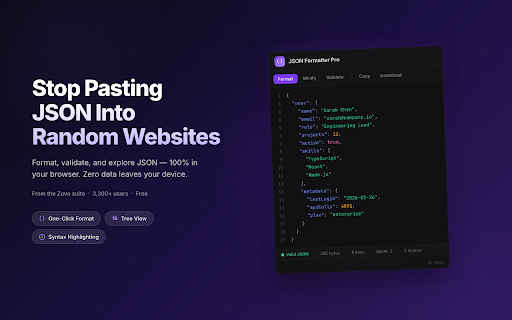
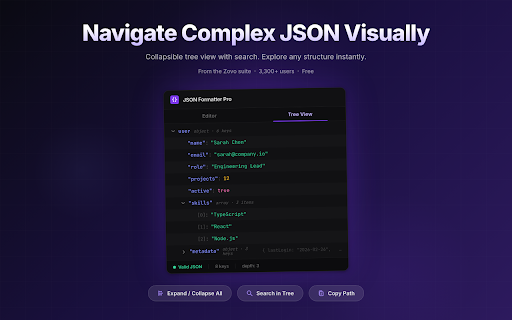
JSON Formatter Pro is a Chrome extension that allows users to beautify, validate, and navigate JSON data. It features a collapsible tree view, syntax highlighting, and tools for minifying or converting data structures.

Developer:Autom8 LLC
Version:1.0.8
Size:1.24MiB
Last updated:

Overview

Installs

3K+

Rating

4.8

28 reviews

Languages

54 locales

Includes Deutsch, English, English (Australia), English (United Kingdom)...

Market analysis

Review-backed positioning, friction, and market signals for this Chrome extension.

Backed by review samples

Macro category

Developer & Designer Tools

Pricing friction

Low review signal

Complaint intensity

Low review signal

Listing & review signals
Observed signals from store listing text and review samples.

Listing positioning

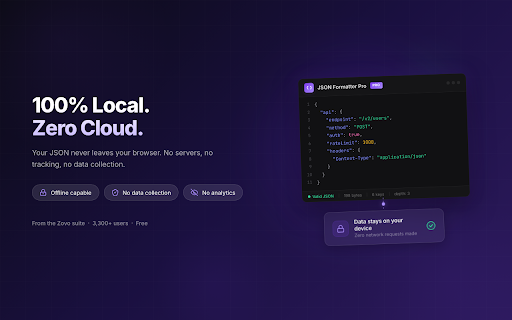
The product positions itself as a secure, high-performance alternative to online JSON formatters. It emphasizes 100% local processing to ensure sensitive API keys and credentials never leave the user's browser.

Inferred product pattern

A privacy-centric developer utility that uses a freemium model to upsell advanced data transformation capabilities.

Review-backed pain points

One reviewer expressed concern that the reviews for the extension are fake.

Observed feature gaps

Advanced conversion features (YAML/CSV) and JSON diffing are restricted to the Pro version.

Tags
JSON FormatterAPI DebuggingDeveloper ToolData Viewer
Target users

- Frontend Developers

- Backend Engineers

- DevOps/SRE Teams

- Data Analysts

- QA Engineers

Primary use cases

- Debugging REST API and GraphQL responses

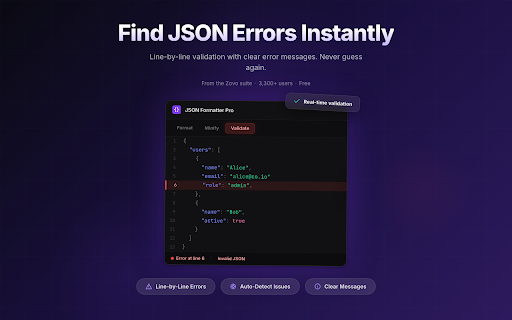
- Validating JSON syntax and error locations

- Navigating deeply nested JSON structures

- Converting JSON to YAML or CSV

Positive themes

- Privacy-focused local processing

- Intuitive tree view for nested data

- Efficient error highlighting during validation

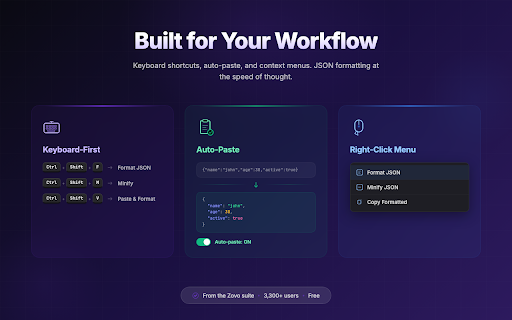
- Convenient auto-paste from clipboard

Negative themes

- Skepticism regarding review authenticity

Observed friction

- Basic formatting and viewing are free, while advanced data transformation and comparison tools require a Pro subscription.

Evidence boundary: Analysis based on Chrome Web Store listing features and user reviews focusing on usability and privacy. The sample size of reviews is relatively small (28 reviews).
Complaint summaries
Review-backed complaint signals grouped by operational area.

Support

No support complaints observed.

Reliability

No reliability or performance complaints observed.

Privacy

No privacy complaints observed; privacy is a core marketing claim.

Access & pricing

- Free entry with paid features

- No account requirement observed

- Limited free usage observed

Store listing facts

Listing assets

- Screenshots: 5

- Videos: 0

- Languages: 54

Trust signals

- Privacy policy

- Developer contact

- Official website

Store metadata

- Version: 1.0.8

- Size: 1.24MiB

- Last updated:

Listing SEO keywords

Search intent keywords
Keyword signals for evaluating how users may discover, compare, or search for this extension category.

Core discovery

JSON FormatterJSON ViewerJSON ValidatorJSON BeautifierAPI Response Formatter

Comparison

jsonformatter.orgjsonlint.com

Problem

messy JSONJSON syntax errorsecure JSON formatting

Alternative

PostmancURLChrome DevTools

Similar extensions

Jump to related discovery paths:

Screenshots

JSON Formatter Pro - Viewer with a Collapsible Tree screenshot

Links

Recommended Chrome extensions

Related listings from the same category, trending peers, and the same publisher portfolio.

Browse developer