Worklog Hub - Time Tracker for Jira icon

Worklog Hub Chrome Extension Analysis

Automation & Workflow Efficiency

Store listing title: Worklog Hub - Time Tracker for Jira

Chrome extension ID: gegiddkcpljihilgaacbcbajgloddmfo

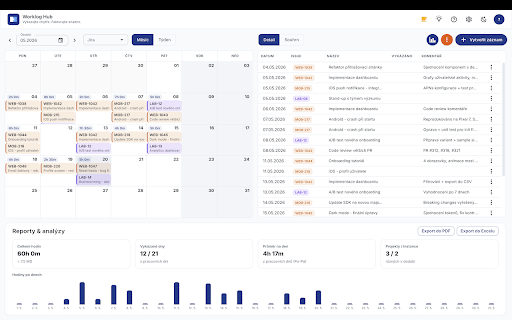
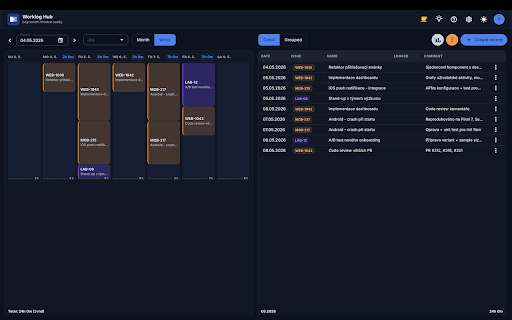
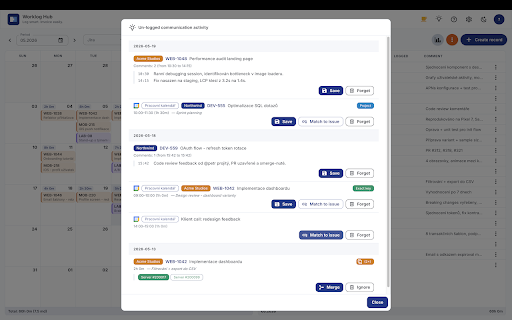
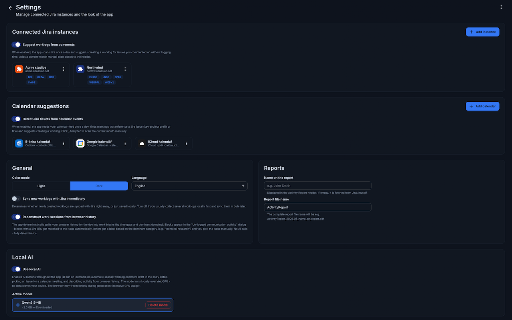
Worklog Hub is a Chrome extension that facilitates time logging and worklog management within Atlassian Cloud. It provides features such as a calendar view, automated worklog suggestions using local AI, and the ability to export activity reports in CSV, PDF, and Excel formats.

Developer:lgorzocz
Version:1.6.5
Size:7.12MiB
Last updated:

Overview

Installs

49

Rating

5.0

3 reviews

Languages

8 locales

Includes Deutsch, English, español, français...

Market analysis

Review-backed positioning, friction, and market signals for this Chrome extension.

No review samples found

Macro category

Automation & Workflow Efficiency

Pricing friction

Low review signal

Complaint intensity

Low review signal

Listing & review signals
Observed signals from store listing text and review samples.

Listing positioning

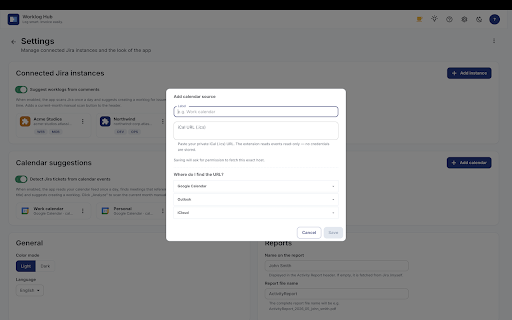
Worklog Hub is positioned as a specialized, privacy-focused time tracker designed specifically for Jira Cloud users. It emphasizes the ability to manage worklogs across multiple Jira instances simultaneously through a unified calendar and dashboard view.

Inferred product pattern

A niche productivity utility for Jira power users focusing on multi-instance management and privacy-centric local processing.

Review-backed pain points

Review-backed data is not available.

Observed feature gaps

No review-backed gaps observed; the listing mentions several advanced features like local AI and browser-history matching as opt-in capabilities.

Tags
Jira Time TrackerWorklog ManagerProductivity Extension
Target users

- Jira Cloud users

- Project Managers

- Agile development teams

- Freelancers using Jira

Primary use cases

- Logging time across multiple Jira instances

- Generating activity reports for billing

- Visualizing weekly work schedules via calendar view

- Automating worklog drafting with local AI

Positive themes

- Review-backed data is not available.

Negative themes

- Review-backed data is not available.

Observed friction

- No explicit pricing tiers are listed; the developer provides a 'buy me a coffee' link for voluntary support.

Evidence boundary: Analysis is based entirely on the Chrome Web Store product listing description. No user reviews were available to provide evidence of user sentiment, feature performance, or actual pain points.
Complaint summaries
Review-backed complaint signals grouped by operational area.

Support

No support complaints found in reviews.

Reliability

No reliability complaints found in reviews.

Privacy

No privacy complaints found in reviews; the listing explicitly highlights a local-first, no-telemetry approach.

Access & pricing

- No clear monetization signal

- No account requirement observed

- No clear pricing signal

Store listing facts

Listing assets

- Screenshots: 5

- Videos: 0

- Languages: 8

Trust signals

- Privacy policy

- Developer contact

- Official website

Store metadata

- Version: 1.6.5

- Size: 7.12MiB

- Last updated:

Listing SEO keywords

Search intent keywords
Keyword signals for evaluating how users may discover, compare, or search for this extension category.

Core discovery

Jira time trackerJira worklog managerAtlassian time trackingmulti-instance Jira tracker

Comparison

Jira time tracking extensionAtlassian worklog tool

Problem

log time in Jiramanage multiple Jira instancesJira activity reporting

Alternative

Jira time logging softwareAtlassian worklog management

Similar extensions

Jump to related discovery paths:

Screenshots

Worklog Hub - Time Tracker for Jira screenshot

Links

Recommended Chrome extensions

Related listings from the same category, trending peers, and the same publisher portfolio.

Browse workflow