Online Notepad icon

Online Notepad Chrome Extension Analysis

Tab & Bookmark Productivity

Chrome extension ID: gjfbebipmmehllpcoieochgkopadmddh

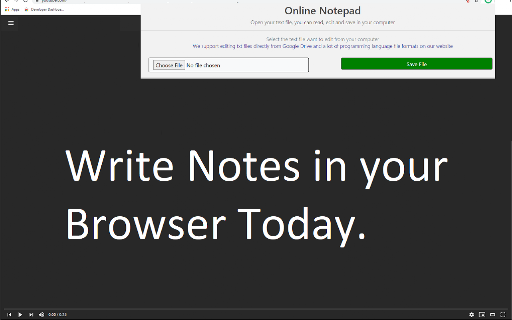
Online Notepad is a lightweight browser extension that allows users to write and edit text files. It supports working with text from Google Drive or a local computer to facilitate immediate digital note-taking.

Developer:Free Apps
Version:3.0.0
Size:129KiB
Last updated:

Overview

Installs

20K+

Rating

★ 4.3

72 reviews

Languages

41 locales

Includes Deutsch, English, English (United States), Filipino...

Market analysis

Review-backed positioning, friction, and market signals for this Chrome extension.

Backed by review samples

Macro category

Tab & Bookmark Productivity

Pricing friction

Low review signal

Complaint intensity

Moderate review signal

Listing & review signals
Observed signals from store listing text and review samples.

Listing positioning

The product is positioned as a simple and effective tool for quick note-taking directly within the Chrome browser. It emphasizes ease of use for tasks like brainstorming ideas and managing to-do lists, with the ability to save notes to the local hard disk.

Inferred product pattern

A lightweight, utility-centric browser extension focused on ephemeral or local-first text entry.

Review-backed pain points

Users reported instances where notes were not saved upon closing the page, difficulty with text encoding (garbled text), and a lack of synchronization options.

Observed feature gaps

Users expressed a desire for Google Calendar integration and more robust synchronization capabilities beyond the developer's specific website.

Tags
Online NotepadText EditorNote TakingBrowser Utility
Target users

- Students

- Office Workers

- Casual Note-takers

Primary use cases

- Quick note-taking

- Brainstorming

- Managing to-do lists

- Editing text files

Positive themes

- Convenience

- Ease of use

- Time-saving utility

Negative themes

- Data loss issues

- Unintuitive UI

- Character encoding errors

Observed friction

- No pricing friction observed as the tool is marketed as free.

Evidence boundary: Evidence derived from the official store listing and user reviews across multiple languages covering usability and technical reliability. The review sample size is limited to 71 comments, and some reviews are in non-English languages.
Complaint summaries
Review-backed complaint signals grouped by operational area.

Support

No support complaints observed in the provided data.

Reliability

Reliability concerns include notes failing to save when the tab is closed and character encoding issues when importing text.

Privacy

No privacy complaints observed.

Access & pricing

- Free usage observed

- No account requirement observed

- Free plan or free usage claimed

Store listing facts

Listing assets

- Screenshots: 2

- Videos: 0

- Languages: 41

Trust signals

- Privacy policy

- Developer contact

- Official website

Store metadata

- Version: 3.0.0

- Size: 129KiB

- Last updated:

Listing SEO keywords

Search intent keywords
Keyword signals for evaluating how users may discover, compare, or search for this extension category.

Core discovery

online notepadchrome text editorbrowser notepadquick notessimple text editor

Comparison

Google KeepWindows NotepadText Editor

Problem

notes not savingtext encoding errornotepad crashes

Alternative

digital notepadbrowser notestext writing tool

Similar extensions

Jump to related discovery paths:

Screenshots

Online Notepad screenshot

Links

Recommended Chrome extensions

Related listings from the same category, trending peers, and the same publisher portfolio.

Browse workflow