WriteRight icon

WriteRight Chrome Extension Analysis

Automation & Workflow Efficiency

Chrome extension ID: gleiglfcmildnecmodgoeijleblhobjk

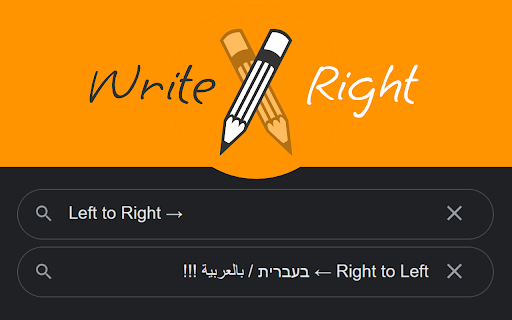
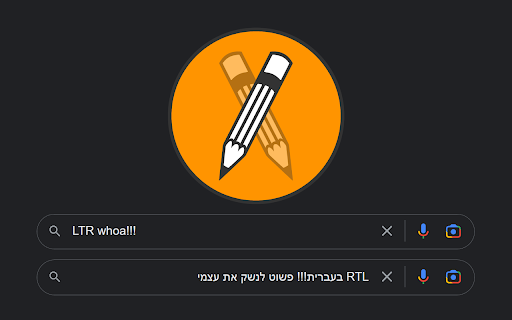
WriteRight is a Chrome extension that automatically detects the writing direction of text input fields and sets it to RTL or LTR. It also provides keyboard shortcuts (Ctrl+Shift) for users to manually override the writing direction. The extension is designed to work across various webpages and re-enables auto-detection when an input field is cleared.

Developer:Arik W
Version:1.1
Size:17.95KiB
Last updated:

Overview

Installs

1K+

Rating

4.7

16 reviews

Languages

1 locales

Includes English

Market analysis

Review-backed positioning, friction, and market signals for this Chrome extension.

Backed by review samples

Macro category

Automation & Workflow Efficiency

Pricing friction

Low review signal

Complaint intensity

Low review signal

Listing & review signals
Observed signals from store listing text and review samples.

Listing positioning

WriteRight positions itself as a solution for managing text writing direction (RTL/LTR) in Chrome's input elements. It highlights its automatic language detection and manual keyboard shortcuts, emphasizing utility for users who frequently switch between languages and for addressing missing native features on certain operating systems.

Inferred product pattern

A utility extension that enhances text input functionality by automating and allowing manual control over writing direction (RTL/LTR) across web pages, primarily benefiting multilingual users and those on specific operating systems like Linux.

Review-backed pain points

Users experience frustration with incorrect or fixed text input directions when typing in mixed-language content or on platforms that lack proper RTL support. A desire for broader website compatibility, specifically for platforms like chat.bing.com, indicates a potential limitation in current functionality.

Observed feature gaps

Review data suggests that while the extension works well on many sites, there might be specific platforms (e.g., chat.bing.com) where its functionality is desired but not yet implemented or fully effective. An earlier, now-resolved issue regarding its initial compatibility with 'any website' also hints at potential site-specific behavior.

Tags
Writing DirectionText InputMultilingual SupportProductivity Tool
Target users

- Multilingual users

- Users writing in right-to-left languages (e.g., Arabic, Hebrew)

- Linux users on Chrome

- Users who frequently mix LTR and RTL languages in text input

Primary use cases

- Automatically setting text input direction based on language

- Manually overriding text input direction using keyboard shortcuts

- Enabling RTL/LTR shortcuts for Chrome on Linux

- Correcting fixed text alignment issues on websites like Google Search

Positive themes

- Effectively solves the problem of incorrect writing direction in mixed-language input (e.g., Arabic with English)

- Provides missing RTL/LTR keyboard shortcut functionality for Chrome on Linux

- Works reliably on various platforms and applications (e.g., ChatGPT, Ubuntu PWA apps, Jira)

- Described as a 'life saver' and 'fantastic extension' for its core functionality

Negative themes

No negative theme data.

Observed friction

- No pricing information or related friction points were observed in the store listing or user reviews.

Evidence boundary: The analysis is based on the extension's Chrome Web Store listing, including the title, short and long descriptions, and 10 user reviews, predominantly 4- and 5-star ratings. The review sample consists primarily of positive feedback, therefore, insights into widespread negative experiences or unresolved critical issues are limited. The absence of explicitly low-rating reviews prevents a comprehensive assessment of common complaints.
Complaint summaries
Review-backed complaint signals grouped by operational area.

Support

No support, account, or refund-related complaints were observed in the user reviews.

Reliability

No specific reliability or performance complaints were observed. A past issue where the extension initially didn't work on 'any website' was mentioned in one review but was later updated to state that it now works as described, suggesting the issue has been resolved.

Privacy

No privacy or security complaints were observed in the user reviews.

Access & pricing

- Free usage observed

- No account requirement observed

- Free plan or free usage claimed

Store listing facts

Listing assets

- Screenshots: 2

- Videos: 0

- Languages: 1

Trust signals

- Developer contact

- Support link

Store metadata

- Version: 1.1

- Size: 17.95KiB

- Last updated:

Listing SEO keywords

Search intent keywords
Keyword signals for evaluating how users may discover, compare, or search for this extension category.

Core discovery

chrome extension writing directionRTL LTR input chromeright to left text extensionleft to right text chromemultilingual writing toolarabic input chromehebrew input chrome

Comparison

write right vs text direction extensionRTL LTR chrome extension alternatives

Problem

chrome RTL LTR issuemixing arabic english text problemfixed text direction chromelinux chrome RTL LTR shortcut missing

Alternative

RTL LTR extension alternativebest chrome extension for writing direction

Similar extensions

Jump to related discovery paths:

Screenshots

WriteRight screenshot

Links

Recommended Chrome extensions

Related listings from the same category, trending peers, and the same publisher portfolio.

Browse workflow