Azure App Testing icon

Azure App Testing Chrome Extension Analysis

Developer & Designer Tools

Chrome extension ID: habjjdkmdebcbeobnkplcfnabcckmail

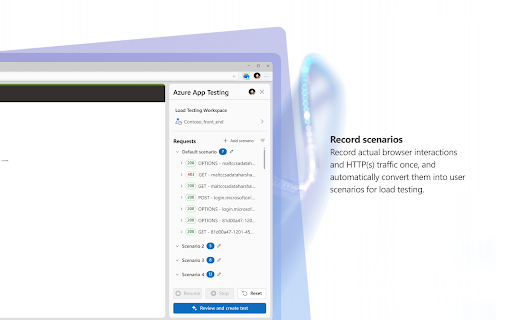
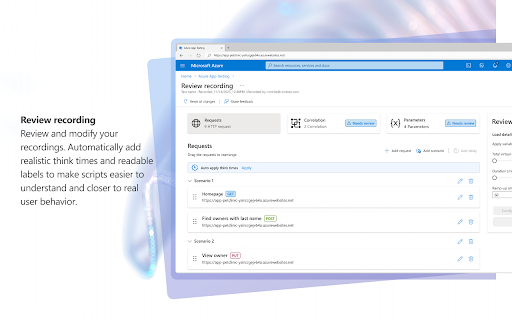
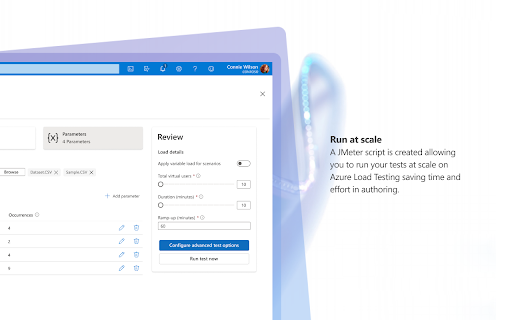
Azure App Testing is a browser-based recorder that captures user flows to generate performance test scripts. It simplifies test creation by converting recorded browser sessions into JMeter scripts that can be executed directly within the Azure Load Testing service.

Version:1.0.2
Size:693KiB
Last updated:

Overview

Installs

425

Rating

3.5

2 reviews

Languages

1 locales

Includes English

Market analysis

Review-backed positioning, friction, and market signals for this Chrome extension.

Backed by review samples

Macro category

Developer & Designer Tools

Pricing friction

Low review signal

Complaint intensity

Moderate review signal

Listing & review signals
Observed signals from store listing text and review samples.

Listing positioning

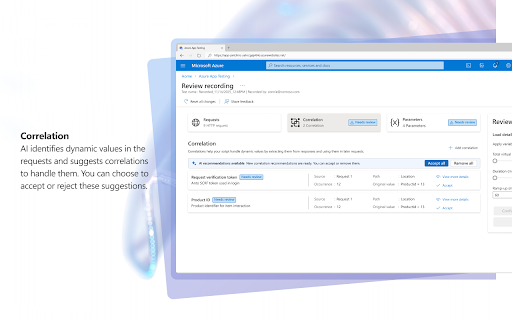
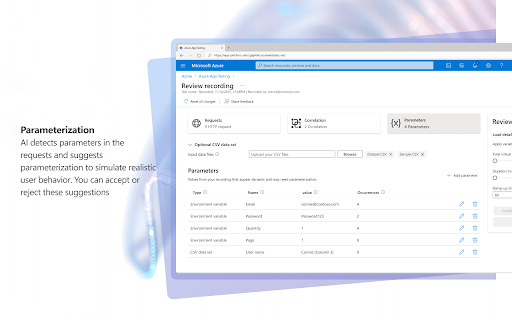
The product is positioned as a productivity bridge between browser-based user interactions and Azure Load Testing. It leverages AI to automate the creation of JMeter scripts from recorded HTTP(s) traffic for scalable performance testing.

Inferred product pattern

Enterprise-backed browser recorder utility linked to a cloud service ecosystem.

Review-backed pain points

Users have reported synchronization issues where recorded test sessions fail to save or export correctly to the Azure environment.

Observed feature gaps

The core functional gap relates to the reliability of the handshake between the extension recording and the backend Azure Load Testing service, leading to data loss.

Tags
AzurePerformance TestingJMeterQA AutomationHTTP Recorder
Target users

- QA Engineers

- Software Developers

- Performance Testers

- DevOps Engineers

Primary use cases

- Recording browser user flows for performance testing

- Generating JMeter scripts from HTTP traffic

- Scaling load tests via Azure Load Testing

Positive themes

- Ease of creating tests via browser recording

- Utility of AI suggestions for script improvement

Negative themes

- Failure to save recorded tests to the Azure Load Testing service

- Technical errors during synchronization

Observed friction

- Performance complaints detected

- No specific pricing friction reported; the tool is associated with Microsoft Azure services.

Evidence boundary: Evidence is based on the official store description and two user reviews detailing both successful usability and technical export failures. Review sample size is small, representing limited user feedback compared to the total user base.
Complaint summaries
Review-backed complaint signals grouped by operational area.

Support

No direct support complaints, though functional integration failures are present.

Reliability

Users encountered errors during the save process, preventing recorded tests from being uploaded to Azure Load Testing.

Privacy

None reported.

Access & pricing

- Free usage observed

- Login needed for core features

- Free plan or free usage claimed

Store listing facts

Listing assets

- Screenshots: 5

- Videos: 0

- Languages: 1

Trust signals

- Privacy policy

- Developer contact

- Official website

Store metadata

- Version: 1.0.2

- Size: 693KiB

- Last updated:

Listing SEO keywords

Search intent keywords
Keyword signals for evaluating how users may discover, compare, or search for this extension category.

Core discovery

Azure Load Testing recorderJMeter script generatorPerformance testing toolBrowser test recorder

Comparison

Azure Load Testing alternativeJMeter recorder extension

Problem

Azure App Testing errorsrecording not saving

Alternative

BlazeMeter extensionHTTP traffic recorder

Similar extensions

Jump to related discovery paths:

Screenshots

Azure App Testing screenshot

Links

Recommended Chrome extensions

Related listings from the same category, trending peers, and the same publisher portfolio.

Browse developer