Color Picker HEX | Eyedropper | Pick color from image icon

Color Picker HEX Chrome Extension Analysis

Developer & Designer Tools

Store listing title: Color Picker HEX | Eyedropper | Pick color from image

Chrome extension ID: hagjjmpgfabjpcoklghamlpdamjljoeh

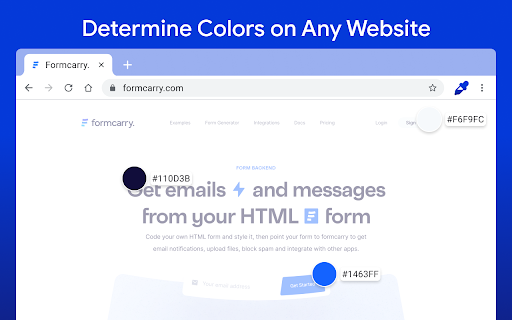
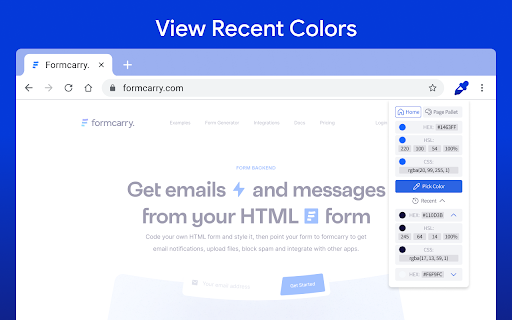
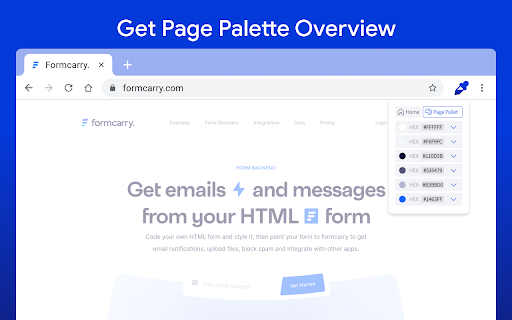
An extension that allows users to capture pixel-perfect colors from any webpage or image. It supports HEX, RGB, HSL, and CMYK formats and includes features for color history and palette management.

Developer:0852279963ning
Version:1.0.5
Size:653KiB
Last updated:

Overview

Installs

200K+

Rating

4.9

1,221 reviews

Languages

51 locales

Includes Deutsch, English, English (United Kingdom), English (United States)...

Market analysis

Review-backed positioning, friction, and market signals for this Chrome extension.

Backed by review samples

Macro category

Developer & Designer Tools

Pricing friction

Low review signal

Complaint intensity

Low review signal

Listing & review signals
Observed signals from store listing text and review samples.

Listing positioning

The product is positioned as a powerful, lightweight, and fast color picking tool for Chrome. It emphasizes ease of use, multi-format conversion, and the ability to build personal color collections without leaving the browser.

Inferred product pattern

A highly-rated, utility-driven design tool focused on speed, precision, and user privacy.

Review-backed pain points

Users expressed a desire for the selected hex code to be automatically copied to the clipboard and noted the existence of other tools in the store.

Observed feature gaps

Automatic clipboard copying of the selected color code.

Tags
Color PickerEyedropper ToolHex Code ConverterColor Palette Manager
Target users

- Web Designers

- Graphic Designers

- Social Media Managers

- Developers

Primary use cases

- Extracting HEX/RGB codes from websites

- Converting color formats

- Building brand color palettes

- Identifying colors from images

Positive themes

- Lightweight performance with no browser slowdown

- High precision/pixel-level accuracy

- Privacy-focused with minimal permissions

- Reliability for design and branding tasks

Negative themes

- Lack of automatic copy-to-clipboard functionality

- Perception of superior competitors

Observed friction

- No pricing friction observed; the product is marketed as free.

Evidence boundary: Evidence drawn from a high-volume store listing and highly positive user reviews regarding performance and privacy. Review samples are heavily weighted towards positive sentiment, which may mask broader user dissatisfaction.
Complaint summaries
Review-backed complaint signals grouped by operational area.

Support

No support complaints observed.

Reliability

No reliability or performance complaints observed; users specifically praised its lightweight nature.

Privacy

No privacy complaints observed; reviews highlight the lack of invasive permissions as a positive.

Access & pricing

- Free usage observed

- No account requirement observed

- Free plan or free usage claimed

Store listing facts

Listing assets

- Screenshots: 4

- Videos: 0

- Languages: 51

Trust signals

- Privacy policy

- Developer contact

- Official website

- Support link

Store metadata

- Version: 1.0.5

- Size: 653KiB

- Last updated:

Listing SEO keywords

Search intent keywords
Keyword signals for evaluating how users may discover, compare, or search for this extension category.

Core discovery

Color Picker HEXEyedropper ExtensionHEX to RGB ConverterColor Palette Tool

Comparison

Chrome Color PickerEyedropper tool

Problem

how to pick color from websiteget hex code from image

Alternative

color code extractorcolor picker tool

Similar extensions

Jump to related discovery paths:

Screenshots

Color Picker HEX | Eyedropper | Pick color from image screenshot

Links

Recommended Chrome extensions

Related listings from the same category, trending peers, and the same publisher portfolio.

Browse developer