Suspend Tabs Manually icon

Suspend Tabs Manually Chrome Extension Analysis

Tab & Bookmark Productivity

Chrome extension ID: hjdklngjgomaijfegdljiclonepiafdk

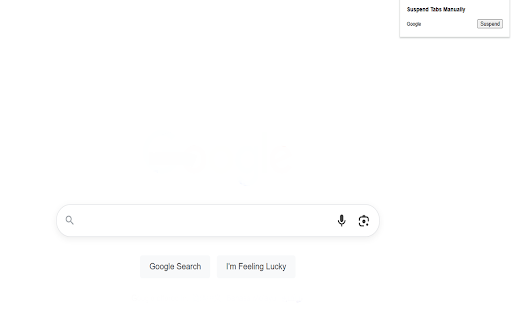
A browser extension designed to manually suspend and restore tabs to conserve RAM, CPU, and battery life. It aims to provide a way to keep tabs open without the resource drain associated with active background processes.

Developer:Free Apps
Version:0.3.3
Size:43.56KiB
Last updated:

Overview

Installs

81

Rating

2.0

1 reviews

Languages

40 locales

Includes Deutsch, English, Filipino, Indonesia...

Market analysis

Review-backed positioning, friction, and market signals for this Chrome extension.

Backed by review samples

Macro category

Tab & Bookmark Productivity

Pricing friction

Low review signal

Complaint intensity

High review signal

Listing & review signals
Observed signals from store listing text and review samples.

Listing positioning

The product positions itself as a precision tool for manual tab suspension, offering users granular control over system resources. It emphasizes avoiding the mistakes of automatic tab sleepers by allowing users to choose exactly when to freeze processes.

Inferred product pattern

A resource-management utility for manual control over browser tab states.

Review-backed pain points

Users report an inability to suspend entire windows at once, a broken 'restore' mechanism that requires manual refreshing, and a critical bug where the extension closes suspended tabs entirely, leading to loss of work.

Observed feature gaps

Missing one-click window-wide suspension and a seamless 'unlock/restore' function that doesn't rely on manual page refreshes.

Tags
Tab ManagementMemory OptimizerProductivity Tool
Target users

- Power users with high tab counts

- Users with limited RAM

- Users on mobile hotspots

- Laptop users concerned with battery life

Primary use cases

- Memory management

- Battery life extension

- Reducing CPU/fan noise

- Organizing large browsing sessions

Positive themes

No positive theme data.

Negative themes

- Lack of bulk window suspension

- Broken restoration workflow

- Functionality loss after manual refresh

- Data loss due to tab closing

Observed friction

- Performance complaints detected

- No pricing friction reported.

Evidence boundary: Analysis based on the official store listing and one highly detailed low-rating review. Extremely low sample size consisting of only one review.
Complaint summaries
Review-backed complaint signals grouped by operational area.

Support

No support complaints reported.

Reliability

Users report the extension fails to function correctly after manual refreshes and can even cause tabs to close, resulting in data loss.

Privacy

No privacy complaints reported.

Access & pricing

- No clear monetization signal

- No account requirement observed

- No clear pricing signal

Store listing facts

Listing assets

- Screenshots: 1

- Videos: 0

- Languages: 40

Trust signals

- Privacy policy

- Developer contact

- Official website

Store metadata

- Version: 0.3.3

- Size: 43.56KiB

- Last updated:

Listing SEO keywords

Search intent keywords
Keyword signals for evaluating how users may discover, compare, or search for this extension category.

Core discovery

suspend tabssave memory chrometab managerfreeze tabsreduce cpu usage

Comparison

automatic tab suspendermemory saver

Problem

high memory usagebrowser lagbattery draintoo many tabs

Alternative

The Great SuspenderAuto Tab Discard

Similar extensions

Jump to related discovery paths:

Screenshots

Suspend Tabs Manually screenshot

Links

Recommended Chrome extensions

Related listings from the same category, trending peers, and the same publisher portfolio.

Browse tools