Cookie Editor icon

Cookie Editor Chrome Extension Analysis

Developer & Designer Tools

Chrome extension ID: hpggkibcoihnkijdjikppfkhbfepjohl

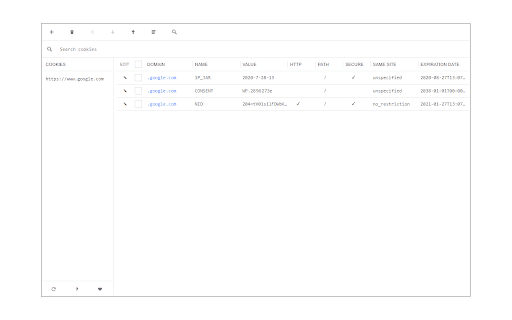
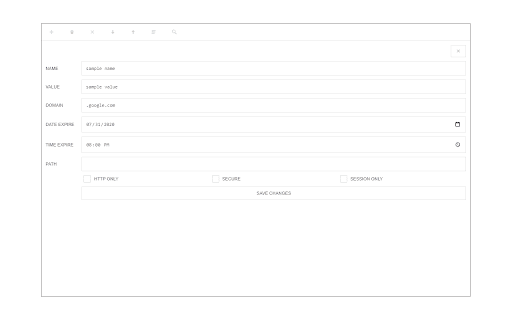
Cookie Editor is a browser extension that allows users to add, edit, or remove cookies for any website. It provides a detailed view of cookie properties such as domain, name, and value, and includes a dark mode feature.

Developer:leocompson
Version:0.1.6
Size:49.79KiB
Last updated:

Overview

Installs

4K+

Rating

2.7

3 reviews

Languages

1 locales

Includes English

Market analysis

Review-backed positioning, friction, and market signals for this Chrome extension.

Backed by review samples

Macro category

Developer & Designer Tools

Pricing friction

Low review signal

Complaint intensity

High review signal

Listing & review signals
Observed signals from store listing text and review samples.

Listing positioning

The extension positions itself as a simple and versatile tool for managing website cookies. It offers multiple ways to access the interface, including a toolbar popup, a new tab, or a standalone window.

Inferred product pattern

A lightweight developer utility for cookie manipulation that is currently facing trust issues due to visual changes.

Review-backed pain points

Users reported concerns regarding unexpected changes to the extension icon which led to security distrust, and difficulty navigating large cookie lists due to lack of scrolling in certain browsers.

Observed feature gaps

The tool lacks functionality to selectively delete cookies while preserving 'important' or login-related cookies, and lacks proper scrolling support in some browser popup environments.

Tags
Cookie EditorWeb DevelopmentBrowser UtilityCookie Manager
Target users

- Web Developers

- QA Testers

- Privacy Enthusiasts

Primary use cases

- Editing website cookies

- Debugging cookie-based sessions

- Managing browser cookie data

Positive themes

- Lightweight performance

- Modern user interface

Negative themes

- Security and trust concerns

- UI usability and scrolling issues

- Lack of advanced cookie filtering

Observed friction

- Privacy complaints detected

- No pricing information was provided in the listing or reviews.

Evidence boundary: Analysis based on the Chrome Web Store listing and three user reviews covering usability, security perceptions, and feature requests. The review sample size is very small, which may not represent the full user sentiment.
Complaint summaries
Review-backed complaint signals grouped by operational area.

Support

No support-specific complaints were observed.

Reliability

A user reported a usability issue regarding the inability to scroll through large cookie lists in the Edge browser.

Privacy

A user expressed significant distrust and suspected the extension was hacked due to an unannounced change in the toolbar icon.

Access & pricing

- No clear monetization signal

- No account requirement observed

- No clear pricing signal

Store listing facts

Listing assets

- Screenshots: 2

- Videos: 1

- Languages: 1

Trust signals

- Developer contact

- Official website

Store metadata

- Version: 0.1.6

- Size: 49.79KiB

- Last updated:

Listing SEO keywords

Search intent keywords
Keyword signals for evaluating how users may discover, compare, or search for this extension category.

Core discovery

cookie editormanage cookiesedit cookiescookie managerbrowser cookies

Comparison

cookie editor extension

Problem

change cookiesdelete cookiescookie debuggerview cookies

Alternative

cookie managercookie inspector

Similar extensions

Jump to related discovery paths:

Screenshots

Cookie Editor screenshot

Links

Website: mybrowseraddon.com

Videos: Watch

Recommended Chrome extensions

Related listings from the same category, trending peers, and the same publisher portfolio.

Browse tools