SQLite browser icon

SQLite browser Chrome Extension Analysis

Developer & Designer Tools

Chrome extension ID: iclckldkfemlnecocpphinnplnmijkol

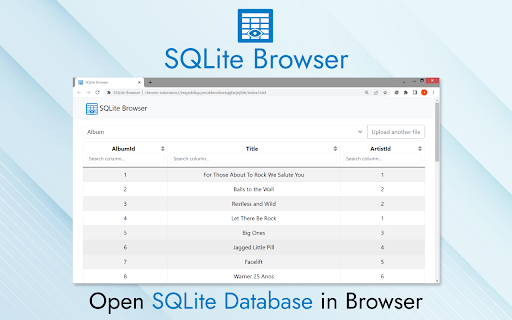
SQLite Browser is a Chrome extension that allows users to open, view, and query SQLite database files directly within the browser. It is designed for small-to-medium database files, providing a GUI for quick database inspection without requiring external software installations.

Developer:ivx
Version:1.4
Size:1.35MiB
Last updated:

Overview

Installs

10K+

Rating

4.9

17 reviews

Languages

52 locales

Includes Deutsch, English, Filipino, Indonesia...

Market analysis

Review-backed positioning, friction, and market signals for this Chrome extension.

Backed by review samples

Macro category

Developer & Designer Tools

Pricing friction

Low review signal

Complaint intensity

Low review signal

Listing & review signals
Observed signals from store listing text and review samples.

Listing positioning

The product is positioned as a lightweight, browser-based alternative to heavy desktop database software for managing SQLite files. It emphasizes ease of use, drag-and-drop functionality, and client-side processing to ensure data privacy for developers and analysts.

Inferred product pattern

Client-side browser utility for file inspection.

Review-backed pain points

Users have reported bugs regarding the column sorting feature, noting that clicking headers sometimes triggers unexpected filtering instead of sorting.

Observed feature gaps

Large database files can cause performance degradation compared to native applications, as acknowledged by the developer in the listing.

Tags
SQLiteDatabase ViewerBrowser SQLDatabase ManagementSQL Tool
Target users

- Software Developers

- Data Analysts

- SQL Learners

- Database Administrators

Primary use cases

- Viewing SQLite database tables

- Running SQL queries

- Quick database checks

- Inspecting browser history files

Positive themes

- Ease of use and simplicity

- Lightweight performance

- Eliminates need for heavy software

- Helpful for quick debugging and querying

Negative themes

- Issues with column sorting functionality

- Inconsistent filtering behavior when interacting with headers

Observed friction

- No pricing friction observed; the extension is presented as a free tool.

Evidence boundary: Extracted from Chrome Web Store metadata and 10 user reviews covering functionality, usability, and minor UI bugs. Review data is limited to a small sample size; performance on very large databases is noted by the developer as a limitation.
Complaint summaries
Review-backed complaint signals grouped by operational area.

Support

No specific support or refund complaints found.

Reliability

Minor UI/functionality bugs reported regarding sorting/filtering logic.

Privacy

No privacy complaints found; product claims to operate client-side.

Access & pricing

- Free usage observed

- No account requirement observed

- Free plan or free usage claimed

Store listing facts

Listing assets

- Screenshots: 1

- Videos: 0

- Languages: 52

Trust signals

- Privacy policy

- Developer contact

- Official website

Store metadata

- Version: 1.4

- Size: 1.35MiB

- Last updated:

Listing SEO keywords

Search intent keywords
Keyword signals for evaluating how users may discover, compare, or search for this extension category.

Core discovery

SQLite browser extensionopen db file in chromeview sqlite database onlineSQL query browser tool

Comparison

SQLite browser vs nativelightweight sqlite viewer

Problem

open sqlite files in browsertoo slow database softwarehow to view sqlite db

Alternative

DB Browser for SQLite alternativeonline sqlite viewer

Similar extensions

Jump to related discovery paths:

Screenshots

SQLite browser screenshot

Links

Recommended Chrome extensions

Related listings from the same category, trending peers, and the same publisher portfolio.

Browse developer