Zoho Assist - FREE Remote Support Tool icon

Zoho Assist Chrome Extension Analysis

Automation & Workflow Efficiency

Store listing title: Zoho Assist - FREE Remote Support Tool

Chrome extension ID: ieinjhnflpkoheailbgaickpoaehjoal

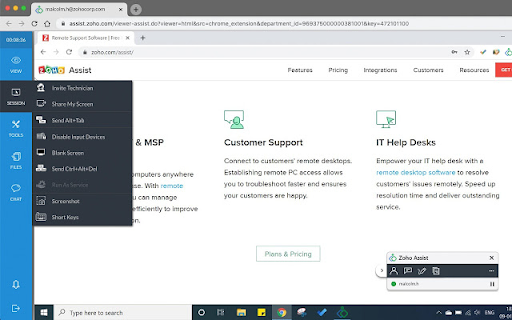
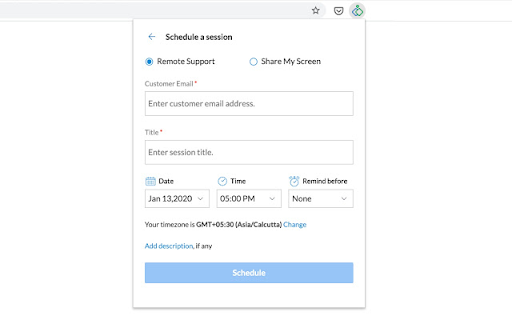
Zoho Assist is a remote desktop utility that enables users to connect to and control remote PCs, laptops, and mobile devices from their browser. It provides support features such as instant chat, clipboard synchronization, and UAC compatibility to streamline troubleshooting. While a basic free version is offered, advanced capabilities require transitioning to a paid plan.

Version:2.4
Size:1.14MiB
Last updated:

Overview

Installs

20K+

Rating

4.0

60 reviews

Languages

1 locales

Includes English

Market analysis

Review-backed positioning, friction, and market signals for this Chrome extension.

Backed by review samples

Macro category

Automation & Workflow Efficiency

Pricing friction

Moderate review signal

Complaint intensity

Moderate review signal

Listing & review signals
Observed signals from store listing text and review samples.

Listing positioning

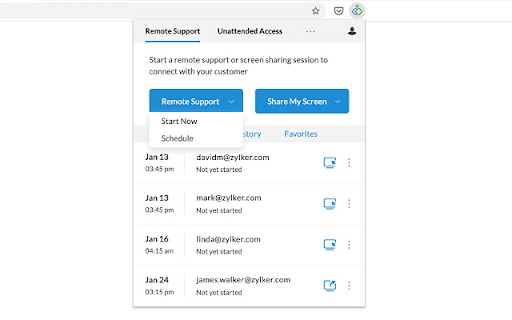
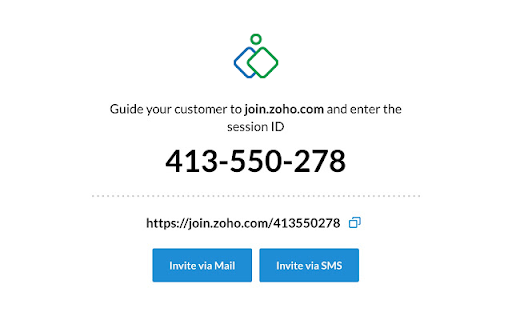
Zoho Assist positions itself as a free, web-based remote support and remote access solution directly accessible from the Chrome browser. The store listing emphasizes the ability to initiate instant or scheduled remote sessions and set up unattended access with just a few clicks. It highlights security features like 256-bit AES encryption and cross-platform compatibility to appeal to professional technical support teams.

Inferred product pattern

SaaS-tied browser companion requiring external account authentication and configuration.

Review-backed pain points

Users encounter significant friction with an email validation loop that prevents initial account login, as well as broken redirection URLs within the extension leading to 404 errors. Additionally, there is strong frustration regarding perceived misleading claims about the tool being completely free.

Observed feature gaps

Reviews highlight that the free tier lacks essential capabilities like clipboard sync and file sharing, and suffers from low bandwidth. Furthermore, the extension lacks proactive link-maintenance, which has led to broken integration URLs when backend domain structures change.

Tags
Remote SupportRemote DesktopIT HelpdeskRemote Access
Target users

- IT Support Technicians

- Help Desk Administrators

- Remote System Administrators

- Customer Support Teams

Primary use cases

- Providing on-demand remote technical support to clients

- Managing unattended remote computers and servers

- Initiating quick support sessions directly from a web browser

Positive themes

- Easy and straightforward remote connection process

- Useful basic remote control features available on the free tier

Negative themes

- Misleading 'free' positioning, with users reporting it operates as a limited 15-day trial

- Broken redirect links (404 errors) due to un-updated extension URLs

- Login issues caused by broken email verification and validation loops

- Performance constraints on the free tier, including low bandwidth and lack of clipboard/file sharing

Observed friction

- Free-tier complaints detected

- Performance complaints detected

- Multiple reviewers express irritation over the 'Free' labeling, claiming the extension acts as a 15-day trial or severely restricts basic functionalities (such as clipboard and file sharing) to force a paid upgrade.

Evidence boundary: Based on public Chrome Web Store metadata for Zoho Assist (20,000+ users) and user reviews highlighting connection errors, broken redirect URLs (meeting.zoho.com/assist-start to meet-start), and pricing complaints. The dataset is limited to 10 sample reviews, which may not capture recent patches addressing the redirect links or represent the experience of enterprise subscribers.
Complaint summaries
Review-backed complaint signals grouped by operational area.

Support

No direct complaints about customer support interactions were noted, though users report a lack of developer response to known bugs like broken verification loops and outdated URLs.

Reliability

Reliability issues center on a broken email verification process that loops back to 'account isn't verified,' a 404 error when launching sessions due to outdated internal links, and general failures in initiating sessions directly from the extension icon.

Privacy

There are no privacy or security complaints identified in the reviewed user feedback.

Access & pricing

- Free entry with paid features

- Account required for core usage

- Limited free usage observed

Store listing facts

Listing assets

- Screenshots: 5

- Videos: 0

- Languages: 1

Trust signals

- Privacy policy

- Developer contact

- Official website

- Support link

Store metadata

- Version: 2.4

- Size: 1.14MiB

- Last updated:

Listing SEO keywords

Search intent keywords
Keyword signals for evaluating how users may discover, compare, or search for this extension category.

Core discovery

free remote support toolchrome remote access extensionzoho remote desktop chromeunattended remote access browser

Comparison

zoho assist vs chrome remote desktopzoho assist vs teamviewer

Problem

zoho assist 404 errorzoho assist email verification loopremote support extension not working

Alternative

chrome remote desktop alternativefree helpdesk remote software

Similar extensions

Jump to related discovery paths:

Screenshots

Zoho Assist - FREE Remote Support Tool screenshot

Links

Recommended Chrome extensions

Related listings from the same category, trending peers, and the same publisher portfolio.

Browse workflow