Live editor for CSS, Less & Sass - Magic CSS icon

Live editor for CSS, Less & Sass Chrome Extension Analysis

Developer & Designer Tools

Store listing title: Live editor for CSS, Less & Sass - Magic CSS

Chrome extension ID: ifhikkcafabcgolfjegfcgloomalapol

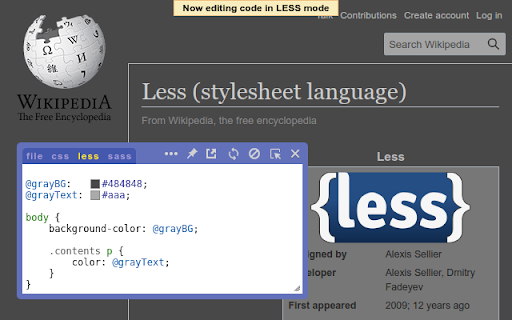
Magic CSS is a browser-based code editor that allows developers to write and inject CSS, Less, or Sass code directly into websites for real-time visualization. It includes productivity-enhancing features like linting, beautification, minification, and DOM element highlighting.

Version:8.22.5
Size:2.15MiB
Last updated:

Overview

Installs

60K+

Rating

★ 4.6

280 reviews

Languages

1 locales

Includes English

Market analysis

Review-backed positioning, friction, and market signals for this Chrome extension.

Backed by review samples

Macro category

Developer & Designer Tools

Pricing friction

Low review signal

Complaint intensity

Moderate review signal

Listing & review signals
Observed signals from store listing text and review samples.

Listing positioning

Magic CSS positions itself as a comprehensive, live-preview development environment for CSS, Less, and Sass. It highlights features like autocomplete, auto-save functionality, and the ability to work in an external window to streamline frontend styling workflows.

Inferred product pattern

Free developer-utility browser extension providing a sandbox for frontend style injections.

Review-backed pain points

Users struggle with the extension injecting itself into the DOM, which causes input/keyboard conflicts, styling clashes (editor text color inheriting page styles), and visibility issues during screen recordings.

Observed feature gaps

The extension lacks a cloud-based sync mechanism to access custom code across different computers or browsers, and the UI occasionally fails to persist styles across page refreshes.

Tags
CSS EditorWeb DevelopmentFrontend ToolSassLive Preview
Target users

- Frontend Developers

- Web Designers

- UI/UX Engineers

Primary use cases

- Real-time CSS prototyping

- Testing Sass/Less changes without page refreshes

- Customizing website themes

- Frontend debugging

Positive themes

- Fast development workflow

- Convenient autocomplete features

- Useful color picker and visual feedback

- Ability to write SCSS on the fly

Negative themes

- DOM injection conflicts with page content

- UI sync issues when using external windows

- Lack of cross-device code synchronization

- UI editor styling conflicts with host website styles

Observed friction

- Performance complaints detected

- No specific pricing complaints; the tool is generally perceived as a free utility.

Evidence boundary: Analysis based on 11 user reviews and the provided Chrome Web Store listing details. Review sample size is small relative to the reported user base, focusing primarily on technical power-user scenarios.
Complaint summaries
Review-backed complaint signals grouped by operational area.

Support

Users report technical friction regarding UI stability and DOM conflicts, though specific 'support' interactions are not highlighted.

Reliability

Significant reports regarding style persistence issues, sync failures in external windows, and conflict with native website elements/shortcuts.

Privacy

No privacy complaints observed; the developer explicitly notes the use of Mixpanel for analytics.

Access & pricing

- Free usage observed

- No account requirement observed

- Free plan or free usage claimed

Store listing facts

Listing assets

- Screenshots: 1

- Videos: 0

- Languages: 1

Trust signals

- Developer contact

- Official website

- Support link

Store metadata

- Version: 8.22.5

- Size: 2.15MiB

- Last updated:

Listing SEO keywords

Search intent keywords
Keyword signals for evaluating how users may discover, compare, or search for this extension category.

Core discovery

live CSS editorSass to CSS browser extensionweb development toolsfrontend prototypingCSS injector

Comparison

Magic CSS vs User CSSCSS editor extension alternatives

Problem

CSS not savingDOM injection conflictCSS editor UI broken

Alternative

StylebotStylusUser CSS

Similar extensions

Jump to related discovery paths:

Screenshots

Live editor for CSS, Less & Sass - Magic CSS screenshot

Links

Recommended Chrome extensions

Related listings from the same category, trending peers, and the same publisher portfolio.

Browse developer