qTest Web Explorer icon

qTest Web Explorer Chrome Extension Analysis

Automation & Workflow Efficiency

Chrome extension ID: ihoajedonhepnplmfgdkdjohbmadckdk

qTest Web Explorer is a browser extension used to record software testing sessions. It allows users to capture screen actions, review recordings, and generate steps required to reproduce software defects.

Developer:Tricentis
Version:2025.2
Size:8.07MiB
Last updated:

Overview

Installs

9K+

Rating

4.4

5 reviews

Languages

1 locales

Includes English (United States)

Market analysis

Review-backed positioning, friction, and market signals for this Chrome extension.

Backed by review samples

Macro category

Automation & Workflow Efficiency

Pricing friction

Low review signal

Complaint intensity

Moderate review signal

Listing & review signals
Observed signals from store listing text and review samples.

Listing positioning

The product is positioned as an exploratory testing tool designed to document test environment data and user interactions. It emphasizes the ability to capture screen actions and generate trace steps to facilitate defect reproduction.

Inferred product pattern

A specialized QA utility for recording and documenting exploratory testing sessions to aid in bug reproduction.

Review-backed pain points

Users report that the tool fails to capture all screens, often only capturing when notes are entered. Additionally, the tool stops working after being paused and fails to provide warning messages when errors occur during recording.

Observed feature gaps

Lack of automated error notifications when recording fails and incomplete screen capture capabilities during continuous sessions.

Tags
Exploratory TestingBug ReportingQA ToolTest Documentation
Target users

- QA Engineers

- Software Testers

- DevOps Professionals

Primary use cases

- Exploratory testing documentation

- Defect reproduction

- Capturing test environment data

Positive themes

- No positive themes found in the provided review samples.

Negative themes

- Unreliable screen capture

- Functional failures after pausing

- Lack of error feedback

Observed friction

- Performance complaints detected

- No pricing information or friction points were identified in the provided data.

Evidence boundary: Analysis based on the product's long description and two 3-star reviews highlighting recording and capture failures. The dataset is limited to a very small number of reviews (6 total), which may not reflect the complete user sentiment or full range of technical issues.
Complaint summaries
Review-backed complaint signals grouped by operational area.

Support

No support-related complaints were observed in the provided reviews.

Reliability

Reviews indicate reliability issues where the extension stops working after being paused and fails to capture all relevant screen data.

Privacy

No privacy or security complaints were identified.

Access & pricing

- No clear monetization signal

- No clear access signal

- No clear pricing signal

Store listing facts

Listing assets

- Screenshots: 1

- Videos: 0

- Languages: 1

Trust signals

- Privacy policy

- Developer contact

- Official website

- Support link

Store metadata

- Version: 2025.2

- Size: 8.07MiB

- Last updated:

Listing SEO keywords

Search intent keywords
Keyword signals for evaluating how users may discover, compare, or search for this extension category.

Core discovery

exploratory testing tooltest session recorderbug reproduction stepsQA workflow automation

Comparison

qTest vs manual testing documentation

Problem

difficulty reproducing defectsmanual test documentation

Alternative

browser testing recordersoftware defect capture tool

Similar extensions

Jump to related discovery paths:

Screenshots

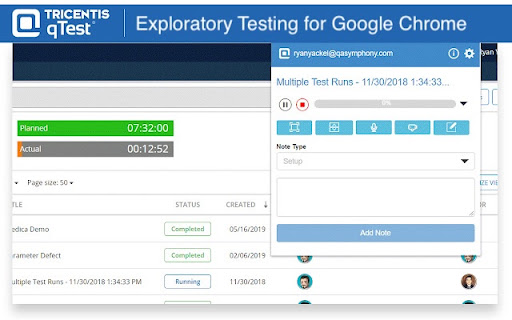
qTest Web Explorer screenshot

Links

Recommended Chrome extensions

Related listings from the same category, trending peers, and the same publisher portfolio.

Browse workflow