Analytics Debugger icon

Analytics Debugger Chrome Extension Analysis

Developer & Designer Tools

Chrome extension ID: ilnpmccnfdjdjjikgkefkcegefikecdc

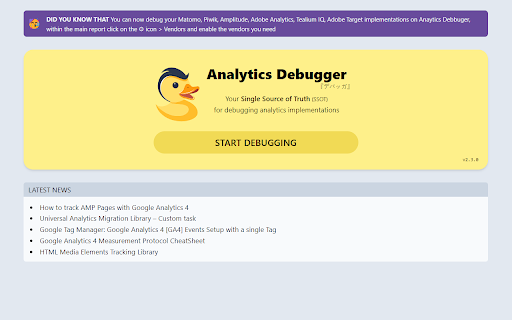
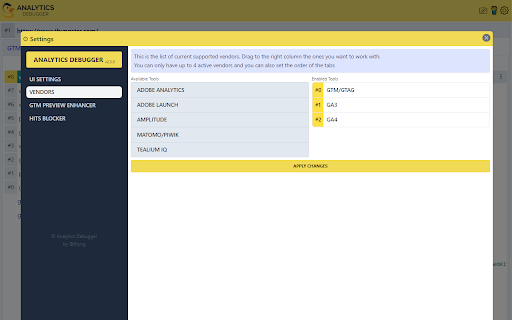
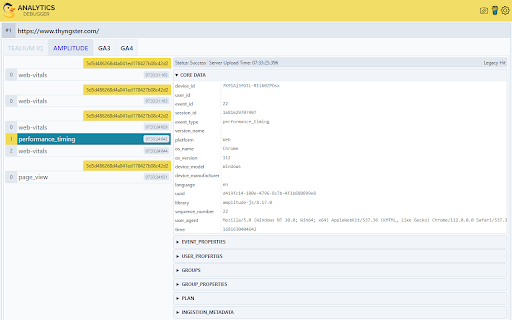
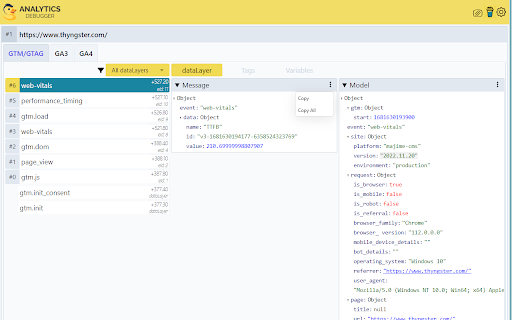
This browser extension is a diagnostic tool designed to verify and debug analytics implementations. It includes features such as a GTM Preview Enhancer, Google Analytics debug library loading, and the ability to block or export tracking hits.

Developer:David Vallejo
Version:2.4.7
Size:336KiB
Last updated:

Overview

Installs

100K+

Rating

★ 4.6

247 reviews

Languages

1 locales

Includes English

Market analysis

Review-backed positioning, friction, and market signals for this Chrome extension.

Backed by review samples

Macro category

Developer & Designer Tools

Pricing friction

Low review signal

Complaint intensity

High review signal

Listing & review signals
Observed signals from store listing text and review samples.

Listing positioning

The product is positioned as a 'Single Source of Truth' (SSOT) for debugging web analytics and tracking implementations. It aims to streamline workflows for developers and marketers by providing in-depth insights across multiple platforms like Google Tag Manager, Google Analytics, and Adobe.

Inferred product pattern

A technical debugging utility that experiences significant user friction due to perceived marketing redirections and browser stability issues.

Review-backed pain points

Users report that the extension frequently redirects them to external sales pages instead of providing debugging tools. Additionally, the extension is reported to cause browser crashes ('Aw, Snap!' errors) and interfere with specific sites like Microsoft SharePoint.

Observed feature gaps

Users noted issues with GA4 support when using Google Tag Gateway and identified 404 errors related to driver map files.

Tags
Analytics DebuggerGTM ToolWeb AnalyticsDeveloper Utility
Target users

- Web Developers

- Data Analysts

- Digital Marketers

Primary use cases

- Debugging Google Tag Manager configurations

- Verifying Google Analytics 4 implementations

- Testing marketing pixels

- Analyzing real-time tracking data

Positive themes

- Effective for debugging Google Analytics calls when functioning correctly

Negative themes

- Redirection to promotional/sales pages

- Browser instability and crashes

- Broken functionality in specific environments like Edge or SharePoint

Observed friction

- Performance complaints detected

- Privacy complaints detected

- Users express frustration that the extension functions as a marketing funnel, redirecting to service sales rather than providing immediate utility.

Evidence boundary: Analysis based on store listing capabilities and user reviews highlighting functionality issues, browser crashes, and marketing-led redirection. Review samples are primarily low-rating, which may not represent the experience of the entire user base.
Complaint summaries
Review-backed complaint signals grouped by operational area.

Support

No specific support interaction complaints, but users report the core tool functionality is often replaced by a sales pitch.

Reliability

Significant reliability issues reported, including browser-breaking errors, site-specific crashes (SharePoint), and failures in Microsoft Edge.

Privacy

Users noted a discrepancy where the extension mentions a privacy policy, but the developer's website appears to lack one.

Access & pricing

- No clear monetization signal

- No account requirement observed

- No clear pricing signal

Store listing facts

Listing assets

- Screenshots: 4

- Videos: 1

- Languages: 1

Trust signals

- Privacy policy

- Developer contact

- Official website

- Support link

Store metadata

- Version: 2.4.7

- Size: 336KiB

- Last updated:

Listing SEO keywords

Search intent keywords
Keyword signals for evaluating how users may discover, compare, or search for this extension category.

Core discovery

GTM debuggerGoogle Analytics debugging toolanalytics implementation debuggertracking pixel debugger

Comparison

GTM Preview ModeGoogle Tag Assistant

Problem

analytics tracking errorsGTM debugging issuesGA4 implementation bugs

Alternative

Google Tag AssistantTealium debuggerMatomo debugger

Similar extensions

Jump to related discovery paths:

Screenshots

Analytics Debugger screenshot

Links

Recommended Chrome extensions

Related listings from the same category, trending peers, and the same publisher portfolio.

Browse developer