Record Meetings on Zoom, Microsoft Teams, Google Meet & more icon

Record Meetings on Zoom, Microsoft Teams, Google Meet & more Chrome Extension Analysis

Automation & Workflow Efficiency

Chrome extension ID: imaacloilmlcplokcefgoellkocfcaen

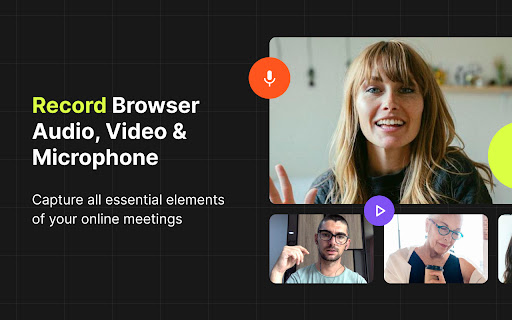
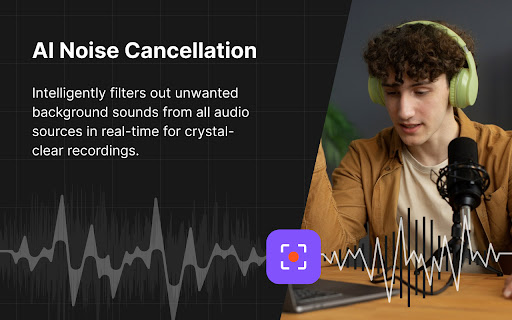
This Chrome extension enables users to record web-based meetings, classes, and webinars directly within the browser. It features AI-enhanced audio noise suppression and local file saving for improved privacy and stability.

Version:1.2.0
Size:9.83MiB
Last updated:

Overview

Installs

3K+

Rating

4.4

14 reviews

Languages

55 locales

Includes Deutsch, English, English (Australia), English (United Kingdom)...

Market analysis

Review-backed positioning, friction, and market signals for this Chrome extension.

Backed by review samples

Macro category

Automation & Workflow Efficiency

Pricing friction

Low review signal

Complaint intensity

High review signal

Listing & review signals
Observed signals from store listing text and review samples.

Listing positioning

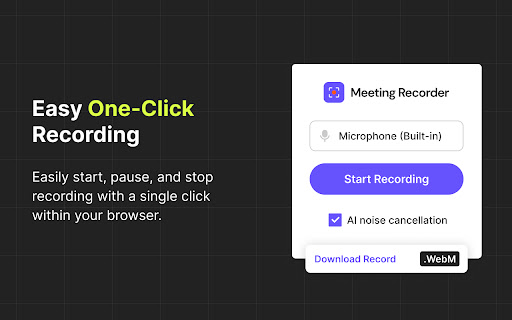
The product is positioned as a simple, one-click solution for recording browser-based meetings on platforms like Zoom, Google Meet, and Microsoft Teams. It emphasizes user privacy by highlighting local file storage and the absence of account requirements.

Inferred product pattern

A privacy-centric, local-first meeting capture utility for browser-based video conferencing.

Review-backed pain points

Users have expressed concerns regarding system-level permissions and requested the ability to download files in MP4 format.

Observed feature gaps

The extension currently defaults to WebM output and lacks a native MP4 export option.

Tags
Meeting RecorderScreen CaptureAI Noise Suppression
Target users

- Students

- Teachers

- Sales Teams

- Support Professionals

- Content Creators

Primary use cases

- Recording online classes

- Saving meeting recordings

- Capturing webinars

- Recording client demos

Positive themes

- Ease of use

- Effective noise cancellation

- Reliable functionality

Negative themes

- Suspicion regarding system permissions

- Missing MP4 file format support

Observed friction

- Privacy complaints detected

- No pricing friction or cost-related complaints were identified in the reviews.

Evidence boundary: Data extracted from the Chrome Web Store listing and 9 user reviews. The total number of reviews is very low (10), which may not represent the full user sentiment.
Complaint summaries
Review-backed complaint signals grouped by operational area.

Support

No support or account-related complaints were identified.

Reliability

While most users report reliability, one user claimed the tool was completely useless.

Privacy

One user expressed extreme suspicion, claiming the extension tries to take over the computer.

Access & pricing

- No clear monetization signal

- No account requirement observed

- No clear pricing signal

Store listing facts

Listing assets

- Screenshots: 4

- Videos: 0

- Languages: 55

Trust signals

- Privacy policy

- Developer contact

- Official website

- Support link

Store metadata

- Version: 1.2.0

- Size: 9.83MiB

- Last updated:

Listing SEO keywords

Search intent keywords
Keyword signals for evaluating how users may discover, compare, or search for this extension category.

Core discovery

record zoom meetinggoogle meet recorder extensionmicrosoft teams web recorderchrome meeting capture

Comparison

Loom alternativeOBS for browserscreen recorder extension

Problem

how to record google meetprivate meeting recordingrecord webinar in chrome

Alternative

meeting capture toolbrowser screen recorder

Similar extensions

Jump to related discovery paths:

Screenshots

Record Meetings on Zoom, Microsoft Teams, Google Meet & more screenshot

Links

Recommended Chrome extensions

Related listings from the same category, trending peers, and the same publisher portfolio.

Browse tools