Screen Recorder for Tabs, Desktop, and Apps icon

Screen Recorder for Tabs, Desktop, and Apps Chrome Extension Analysis

Automation & Workflow Efficiency

Chrome extension ID: imopknpgdihifjkjpmjaagcagkefddnb

A browser extension that allows users to capture full-page or partial screenshots and record video of their desktop, browser tabs, or webcam. Recorded files are processed in-browser for users to preview and download directly to their local machines. It acts as a lightweight tool for sharing quick video recordings and web screenshots.

Developer:qooly
Version:1.10
Size:1.2MiB
Last updated:

Overview

Installs

60K+

Rating

★ 4.5

982 reviews

Languages

50 locales

Includes Deutsch, English, English (United Kingdom), English (United States)...

Market analysis

Review-backed positioning, friction, and market signals for this Chrome extension.

Backed by review samples

Macro category

Automation & Workflow Efficiency

Pricing friction

Low review signal

Complaint intensity

High review signal

Listing & review signals
Observed signals from store listing text and review samples.

Listing positioning

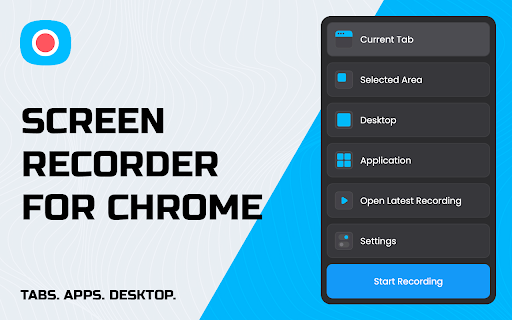
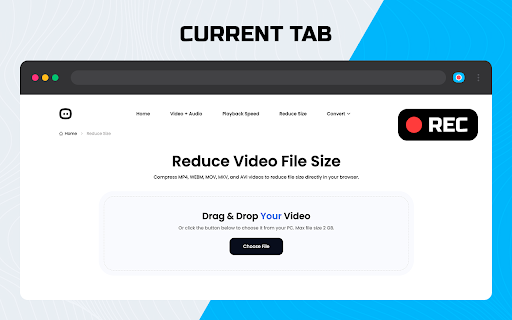
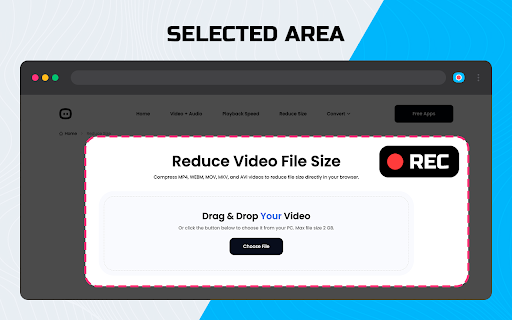
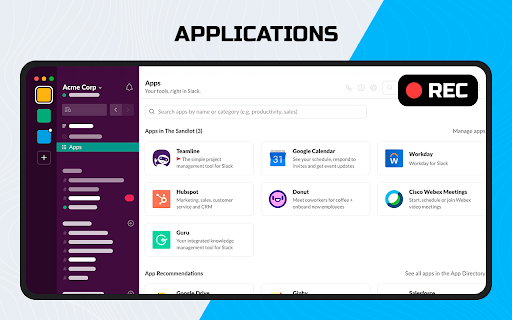
The store listing positions the product as an all-in-one, completely free screen capture and screen recording browser extension. It highlights capabilities such as full-page, visible, or selected area screenshots alongside tab, desktop, and webcam recording. It targets users looking to streamline workflows and share online content without subscriptions or hidden costs.

Inferred product pattern

Lightweight browser-based screen capturing and recording extension utilizing standard browser APIs with local preview rendering.

Review-backed pain points

Users experience significant frustration with the lack of usage instructions, unclear storage locations, and an immovable control panel that obstructs screen views. Additionally, technical errors such as recording the incorrect active browser window or losing videos due to memory crashes cause direct data loss.

Observed feature gaps

The extension lacks direct cloud storage integrations (e.g., Google Drive, Dropbox), deep video editing tools, and the ability to record a selected portion of the screen (instead of the entire tab). Users also noted the absence of auto-saving to prevent data loss in the event of a browser memory crash.

Tags
Screen RecorderScreen CaptureScreenshot ToolVideo Capture
Target users

- Content Creators

- Students

- Remote Professionals

- QA Testers

Primary use cases

- Creating video tutorials or presentations

- Capturing full-page website screenshots

- Recording webcam messages and screen walkthroughs

- Sharing bug reports or gameplay recordings

Positive themes

- Fully free to use without hidden subscription fees

- Enables screen and audio recording for Mac users

- Provides lightweight 720p output with small file sizes

Negative themes

- Video processing freezes or fails to complete

- Lack of clear instructions on how to stop recording and where files are saved

- Static control panel UI that cannot be moved and blocks screen content

- Inability to select specific portions of the screen for video recording

Observed friction

- Performance complaints detected

- Privacy complaints detected

- No pricing friction is observed as the extension is entirely free, though some users express skepticism over how a free service manages data privacy without a clear monetization model or developer website.

Evidence boundary: Analysis is based on the Chrome Web Store listing claiming free screen/screenshot capture, and a sample of 12 user reviews spanning 2023 to 2025 detailing technical bugs and missing features. Review data reflects self-reported user experiences which may skew towards edge-case technical failures, and does not provide precise statistics on overall crash rates or backend server behavior.
Complaint summaries
Review-backed complaint signals grouped by operational area.

Support

There are no direct support or refund complaints, but users strongly complain about a complete lack of instructional documentation and guides to help them navigate basic features.

Reliability

Significant reliability issues are reported, including videos getting stuck in processing indefinitely, recording sessions crashing when Chrome runs out of memory, and the extension selecting the wrong browser tab or window to record.

Privacy

Users raise concerns about data handling, questioning whether recorded material is sent to external servers for encoding or kept locally, and express trust concerns due to the lack of a developer homepage, GitHub link, or transparent entity name.

Access & pricing

- Free usage observed

- No account requirement observed

- Free plan or free usage claimed

Store listing facts

Listing assets

- Screenshots: 5

- Videos: 0

- Languages: 50

Trust signals

- Privacy policy

- Developer contact

- Official website

Store metadata

- Version: 1.10

- Size: 1.2MiB

- Last updated:

Listing SEO keywords

Search intent keywords
Keyword signals for evaluating how users may discover, compare, or search for this extension category.

Core discovery

free screen recorder chrome extensionchrome screen capture toolhow to record browser tab chrome

Comparison

Awesome Screenshot alternativeLoom vs screen recorder extension

Problem

screen recording stuck processingscreen recorder crashed chromewhere are screenshots saved chrome

Alternative

ScreencastifyAwesome ScreenshotLoom

Similar extensions

Jump to related discovery paths:

Screenshots

Screen Recorder for Tabs, Desktop, and Apps screenshot

Links

Recommended Chrome extensions

Related listings from the same category, trending peers, and the same publisher portfolio.

Browse tools
Video Downloader - Download M3U8, MP4, HLS and Live Streams icon

Video Downloader - Download M3U8, MP4, HLS and Live Streams

qooly

Download videos from popular video websites quickly and easily. Save the most popular video formats like mp4 and m3u8.

Installs

400K+

Rating

★ 4.8

Pie Adblock - A Powerful Free Ad Blocker icon

Pie Adblock - A Powerful Free Ad Blocker

Pie Extensions

Pie Adblock blocks ads & pop-ups, plus YouTube & Twitch video ads. You can customize your ad experience with Pie!

Installs

2.0M+

Rating

★ 4.9

HID Credential Management Extension icon

HID Credential Management Extension

hid-global-chrome-web-store

Browser extension for HID credential management solution.

Installs

2.0M+

Rating

★ 1.3

AI Chat for Search icon

AI Chat for Search

AI Chat for Search Team

Display AI Chat response alongside search engine results

Installs

2.0M+

Rating

★ 4.6

WPS浏览器助手:文档在线阅读编辑 icon

WPS浏览器助手:文档在线阅读编辑

金山PDF

PDF、Excel、Word、PPT等文档无需下载即可在线预览,还能对文档进行编辑、打印、转换等处理。

Installs

2.0M+

Rating

★ 3.0

Planet Search icon

Planet Search

Free VPN Planet

Enchanced default search engine.

Installs

2.0M+

Rating

★ 3.4

Lightshot (screenshot tool) icon

Lightshot (screenshot tool)

Skillbrains

Simple and convenient screenshot tool. Select an area, edit your screenshot and upload it to the server.

Installs

2.0M+

Rating

★ 4.4

CSFloat Market Checker icon

CSFloat Market Checker

CSFloat Inc.

Shows the float value, paint seed, and more of Counter-Strike (CS:GO & CS2) items on the Steam Market or Inventories

Installs

1.0M+

Rating

★ 3.9

PrintFriendly: Print, PDF Editor & Full Page Screenshot icon

PrintFriendly: Print, PDF Editor & Full Page Screenshot

PrintFriendly

Print clean web pages, save as PDF, edit PDFs, and capture full-page screenshots. Integrates with ChatGPT, Claude, and Gemini.

Installs

1.0M+

Rating

★ 4.6

Ecosia - The search engine that plants trees icon

Ecosia - The search engine that plants trees

Ecosia GmbH

This extension sets your search engine to Ecosia and customizes your new tab page so you can plant trees with every search.

Installs

1.0M+

Rating

★ 4.7