Peek - Design & Asset Toolkit icon

Peek Chrome Extension Analysis

Developer & Designer Tools

Store listing title: Peek - Design & Asset Toolkit

Chrome extension ID: ioamghgbfkachnkafmlfjgddjljidcbi

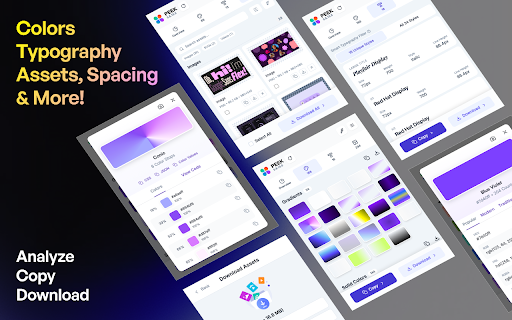
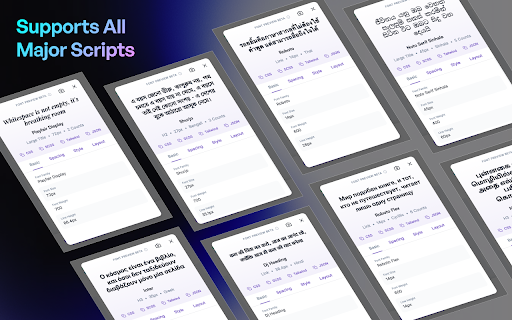
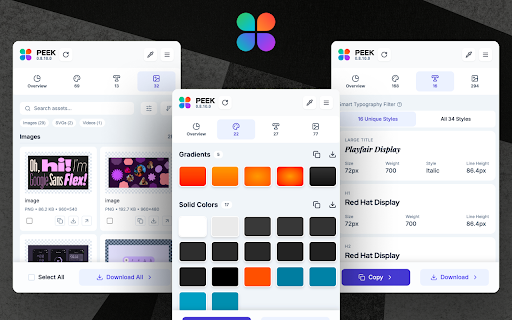
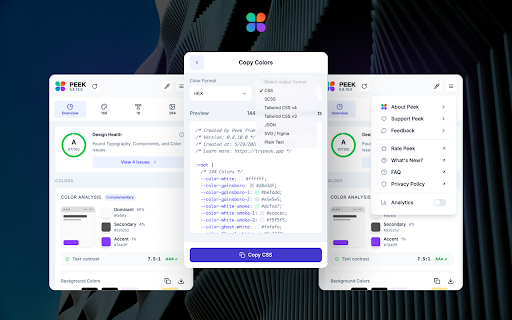
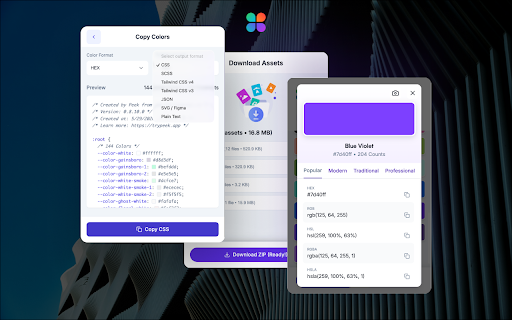
Peek is a Chrome extension that extracts design tokens, styles, and assets from websites. It allows users to identify color palettes, typography hierarchies, and assets, then export them into developer-ready formats like CSS, SCSS, and Tailwind CSS.

Version:0.8.10.1
Size:506KiB
Last updated:

Overview

Installs

5K+

Rating

4.7

41 reviews

Languages

1 locales

Includes English

Market analysis

Review-backed positioning, friction, and market signals for this Chrome extension.

Backed by review samples

Macro category

Developer & Designer Tools

Pricing friction

Low review signal

Complaint intensity

Low review signal

Listing & review signals
Observed signals from store listing text and review samples.

Listing positioning

Peek is positioned as an all-in-one inspector tool designed specifically for UI/UX designers and frontend developers. It claims to streamline workflows by allowing users to instantly extract complete design systems, including colors, typography, and assets, from any website.

Inferred product pattern

A high-utility productivity tool for design-to-code workflows specializing in design token extraction.

Review-backed pain points

Users reported frustration with duplicate data entries in the lists and a persistent pop-up asking for feedback that cannot be permanently dismissed.

Observed feature gaps

Users suggested adding functionality to show exactly where a specific color is used on a page (e.g., background vs. button) and requested a permanent way to dismiss feedback requests.

Tags
Design Token ExtractorAsset DownloaderCSS GeneratorUI/UX Toolkit
Target users

- UI/UX Designers

- Frontend Developers

- Design Teams

- Web Design Students

Primary use cases

- Reverse-engineering website design systems

- Extracting color palettes and brand guidelines

- Building component libraries

- Analyzing competitor typography

Positive themes

- Extremely efficient and time-saving for developers

- High accuracy in extracting colors and fonts

- Ability to capture colors from embedded images

- Smooth performance with no annoying bugs

Negative themes

- Redundant or duplicate color and font entries

- Repetitive feedback/survey pop-ups

- Occasional stability issues

Observed friction

- Pricing information is not explicitly detailed in the provided listing or reviews.

Evidence boundary: Extraction based on Chrome Webstore description and 11 user reviews. The review sample size is relatively small, representing a subset of the 4,000 users.
Complaint summaries
Review-backed complaint signals grouped by operational area.

Support

No specific support complaints were identified, though users expressed irritation with repetitive feedback prompts.

Reliability

One user reported the extension was not working, but the majority of users described it as dependable and efficient.

Privacy

One user expressed reluctance regarding a pop-up requesting data to help improve the product.

Access & pricing

- No clear monetization signal

- No account requirement observed

- No clear pricing signal

Store listing facts

Listing assets

- Screenshots: 5

- Videos: 0

- Languages: 1

Trust signals

- Privacy policy

- Developer contact

- Official website

- Support link

Store metadata

- Version: 0.8.10.1

- Size: 506KiB

- Last updated:

Listing SEO keywords

Search intent keywords
Keyword signals for evaluating how users may discover, compare, or search for this extension category.

Core discovery

extract colors from websiteget fonts from websitedesign token extractorCSS generator extensionwebsite asset downloader

Comparison

brand extractorcolor extractor extensionweb design inspector

Problem

copy website stylesidentify font on websitedownload website assets

Alternative

CSS inspectorDesign system extractorUI kit builder

Similar extensions

Jump to related discovery paths:

Screenshots

Peek - Design & Asset Toolkit screenshot

Links

Recommended Chrome extensions

Related listings from the same category, trending peers, and the same publisher portfolio.

Browse developer
Color Picker for Chrome™ icon

Color Picker for Chrome™

colorpicker08

HEX, RGB Color picker, Advanched Eyedropper, Find color code on any page

Installs

700K+

Rating

4.0

Assinatura Digital no Navegador icon

Assinatura Digital no Navegador

bry-suporte-apps

Esta extensão é projetada para ser utilizada em conjunto com outras soluções e não funciona de forma isolada para a assinatura.

Installs

700K+

Rating

2.4

Postman Interceptor icon

Postman Interceptor

Postman

Capture requests from any website and send them to Postman Client.

Installs

700K+

Rating

4.3

Window Resizer icon

Window Resizer

Ionuț Botizan

Resize the browser window to emulate various screen resolutions.

Installs

700K+

Rating

4.3

Talend API Tester - Free Edition icon

Talend API Tester - Free Edition

Qlik

Visually interact with REST, SOAP and HTTP APIs.

Installs

600K+

Rating

4.8

Detailed SEO Extension icon

Detailed SEO Extension

ahrefsseotoolbar

Get SEO insights at the click of a button to any website you're currently on. Built by full-time SEO's for daily analysis.

Installs

600K+

Rating

4.9

TikTok Pixel Helper icon

TikTok Pixel Helper

TikTok For Business

The TikTok Pixel Helper is a plug-in that monitors whether your TikTok Pixel is functioning properly.

Installs

600K+

Rating

2.6

Google Analytics Debugger icon

Google Analytics Debugger

Google Analytics

Prints useful information to the JavaScript console by enabling the debug version of the Google Analytics Javascript.

Installs

600K+

Rating

4.2

Tag Assistant Companion icon

Tag Assistant Companion

Google

The Tag Assistant Companion extension works with Tag Assistant to help troubleshoot installation of gtag.js and Google Tag Manager.

Installs

500K+

Rating

3.1

Salesforce Inspector Reloaded icon

Salesforce Inspector Reloaded

Thomas Prouvot

Productivity tools for Salesforce administrators and developers to inspect data and metadata directly from the Salesforce UI.

Installs

500K+

Rating

4.8