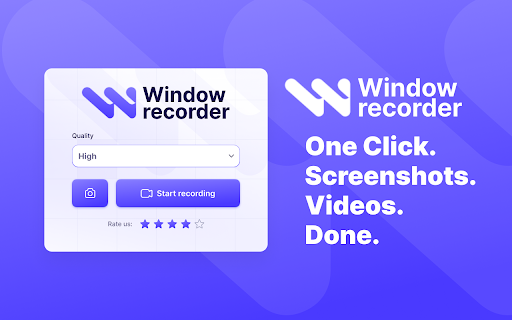
Window Recorder icon

Window Recorder Chrome Extension Analysis

Automation & Workflow Efficiency

Chrome extension ID: iohaiehegcjngafnjdjgimgnhmajekbm

This extension provides a lightweight suite of tools to capture browser-based video sessions and still images. It supports full-page scrolling screenshots and high-resolution video logging, designed for seamless local storage and quick content generation without external software.

Version:1.0.2
Size:937KiB
Last updated:

Overview

Installs

822

Rating

4.2

5 reviews

Languages

52 locales

Includes Deutsch, English, Filipino, Indonesia...

Market analysis

Review-backed positioning, friction, and market signals for this Chrome extension.

Backed by review samples

Macro category

Automation & Workflow Efficiency

Pricing friction

Low review signal

Complaint intensity

Moderate review signal

Listing & review signals
Observed signals from store listing text and review samples.

Listing positioning

Window Recorder positions itself as a dual-purpose browser utility for screen recording and full-page screenshot capturing. It emphasizes a user-friendly interface that integrates directly into the browser to streamline tutorial creation, UI testing, and visual documentation.

Inferred product pattern

Simple, browser-based media utility focusing on accessibility over advanced feature sets.

Review-backed pain points

Some users report critical failures where the recording is not saved or the file export screen fails to appear after a session ends.

Observed feature gaps

Users have requested additional file format support, specifically for GIF output.

Tags
Screen RecorderScreenshotVideo CaptureBrowser ProductivityMedia Utility
Target users

- Content Creators

- Educators

- QA Testers

- Marketers

- General Browser Users

Primary use cases

- Recording instructional videos

- Capturing full-page website screenshots

- Logging software bugs for reporting

- Creating product showcases

Positive themes

- Easy installation

- Simple to use

- Fast performance

- Effective for basic recording tasks

Negative themes

- Failure to save or export recorded files after ending a session

Observed friction

- Performance complaints detected

- No pricing friction reported; the extension is positioned as a free utility.

Evidence boundary: The evidence is derived from the Chrome Web Store listing and five user reviews covering performance, usability, and feature requests. The sample size of five reviews is small, limiting the ability to confirm if the saving failure is a recurring technical bug or an isolated incident.
Complaint summaries
Review-backed complaint signals grouped by operational area.

Support

Minimal support data available, though functional failure in saving recordings is noted.

Reliability

A specific instance of the recording interface failing to trigger the save screen after finishing a capture.

Privacy

None reported; the listing explicitly claims local-only storage.

Access & pricing

- No clear monetization signal

- No account requirement observed

- Free plan or free usage claimed

Store listing facts

Listing assets

- Screenshots: 1

- Videos: 0

- Languages: 52

Trust signals

- Privacy policy

- Developer contact

- Official website

Store metadata

- Version: 1.0.2

- Size: 937KiB

- Last updated:

Listing SEO keywords

Search intent keywords
Keyword signals for evaluating how users may discover, compare, or search for this extension category.

Core discovery

screen recorder chrome extensionfull page screenshot chromebrowser video capture toolchrome screen capture

Comparison

Window Recorder vs Loombest free screen recorder chrome

Problem

recording not savingchrome extension screenshot failure

Alternative

alternative to screen recorderslightweight browser recording tool

Similar extensions

Jump to related discovery paths:

Screenshots

Window Recorder screenshot

Links

Recommended Chrome extensions

Related listings from the same category, trending peers, and the same publisher portfolio.

Browse tools
Equalizer App icon

Equalizer App

Unknown developer

Equalizer App – smart audio settings app for Chrome. Control audio equalizer settings, bass boost, and music sound enhancer.

Installs

1K+

Rating

5.0

Microsoft Bing Homepage & Search for Chrome icon

Microsoft Bing Homepage & Search for Chrome

Microsoft Corporation

Set Microsoft Bing as your default homepage and default search engine

Installs

4.0M+

Rating

3.8

ChatGPT icon

ChatGPT

OpenAI

Control your browser with ChatGPT.

Installs

3.0M+

Rating

3.2

Ad Blocker: Stands AdBlocker icon

Ad Blocker: Stands AdBlocker

Stands

Stands AdBlocker – it's a free ad blocker for YouTube, Twitch, Pop-Ups, Video Ads, and websites. Block ads everywhere with Stands!

Installs

3.0M+

Rating

4.8

Immersive Translate: AI Web, PDF & Video Translator icon

Immersive Translate: AI Web, PDF & Video Translator

Immersive Translate

Free Translate Website, Translate PDF & Epub eBook, Translate Video Subtitles in Bilingual

Installs

3.0M+

Rating

3.9

Monica: All-In-One AI Assist & Smartest  AI Agent icon

Monica: All-In-One AI Assist & Smartest AI Agent

Monica Team

One stop AI Assistant with GPT, Claude, Gemini: Chat, Write, Translate, Search, Summarize, image generator, video generation

Installs

3.0M+

Rating

4.9

BetterTTV icon

BetterTTV

NightDev, LLC

BetterTTV enhances Twitch and YouTube with new features, emotes, and more.

Installs

3.0M+

Rating

4.6

Google Input Tools icon

Google Input Tools

cloud-input-team

Input Tools lets you type in the language of your choice.

Installs

3.0M+

Rating

4.0

Microsoft Bing Search with Rewards icon

Microsoft Bing Search with Rewards

Microsoft Corporation

Use the Microsoft Rewards extension to find new ways to earn every day, easily track your points and set your default search to Bing

Installs

3.0M+

Rating

4.3

Google Scholar Button icon

Google Scholar Button

scholar-chrome-extensions

Lookup scholarly articles as you browse the web.

Installs

3.0M+

Rating

4.6