Ctool 程序开发常用工具 icon

Ctool 程序开发常用工具 Chrome Extension Analysis

Developer & Designer Tools

Chrome extension ID: ipfcebkfhpkjeikaammlkcnalknjahmh

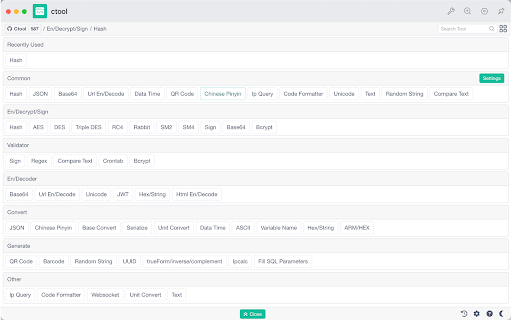
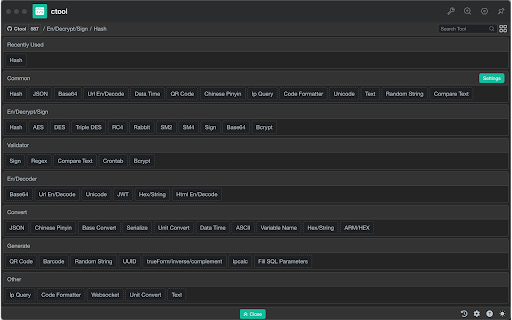
Ctool is a productivity extension that consolidates various developer-centric tasks into a single interface. It provides utilities for data transformation, security operations, code beautification, and unit conversions to streamline the development workflow.

Developer:baiy
Version:2.4.0
Size:7.1MiB
Last updated:

Overview

Installs

9K+

Rating

4.8

49 reviews

Languages

2 locales

Includes English, 中文(中国)

Market analysis

Review-backed positioning, friction, and market signals for this Chrome extension.

Backed by review samples

Macro category

Developer & Designer Tools

Pricing friction

Low review signal

Complaint intensity

Moderate review signal

Listing & review signals
Observed signals from store listing text and review samples.

Listing positioning

The product is positioned as an all-in-one utility toolkit for software developers. It emphasizes a vast range of built-in tools including hashing, encryption, encoding, and code formatting, with an emphasis on offline usability for many features.

Inferred product pattern

A high-utility, free-to-use Swiss Army knife for developers that centralizes fragmented web-based coding utilities.

Review-backed pain points

Users report significant stability issues, including Chrome crashes on Windows 11 and during browser shutdown. There is also mention of specific bugs, such as the JSON compression tool incorrectly removing characters.

Observed feature gaps

The listing indicates that certain features like IP address lookup and WebSocket debugging do not support offline use or are currently limited.

Tags
Developer ToolsCode FormatterEncryption ToolsJSON UtilityProgramming Helper
Target users

- Software Developers

- Web Developers

- Data Engineers

- System Administrators

Primary use cases

- Code formatting and beautification

- Data encryption and decryption

- Encoding and decoding conversions

- JSON and XML processing

- Timestamp and time calculations

Positive themes

- Comprehensive feature set

- Convenience of having all tools in one interface

- Efficiency by reducing the need for external web searches

- Data persistence across sessions

Negative themes

- Browser stability and crashes

- Bugs introduced in recent updates

- Specific logic errors in data processing tools

Observed friction

- Performance complaints detected

- No pricing friction observed; the tool appears to be free.

Evidence boundary: Evidence is drawn from the official product description and user reviews highlighting both the tool's utility and technical stability issues. The analysis is based on a limited sample of reviews provided.
Complaint summaries
Review-backed complaint signals grouped by operational area.

Support

No direct support complaints, though users suggest bug fixes via the developer's GitHub.

Reliability

Users have reported extension-induced browser crashes and instability on Windows 11.

Privacy

No privacy or security complaints observed in the provided data.

Access & pricing

- Free usage observed

- No account requirement observed

- Free plan or free usage claimed

Store listing facts

Listing assets

- Screenshots: 2

- Videos: 0

- Languages: 2

Trust signals

- Developer contact

- Official website

Store metadata

- Version: 2.4.0

- Size: 7.1MiB

- Last updated:

Listing SEO keywords

Search intent keywords
Keyword signals for evaluating how users may discover, compare, or search for this extension category.

Core discovery

JSON FormatterBase64 EncoderCode BeautifierDeveloper UtilitiesEncryption Tool

Comparison

online developer toolsJSON validatorhash generator

Problem

code formatting errorjson compression bugchrome extension crash

Alternative

developer toolkitscoding productivity extensions

Similar extensions

Jump to related discovery paths:

Screenshots

Ctool 程序开发常用工具 screenshot

Links

Website: github.com

Recommended Chrome extensions

Related listings from the same category, trending peers, and the same publisher portfolio.

Browse developer