Incognito This Tab for Google Chrome™ icon

Incognito This Tab for Google Chrome™ Chrome Extension Analysis

Privacy, Security & Ad Blockers

Chrome extension ID: jajmadiegnbnkgolmlpkdpfdibjckblp

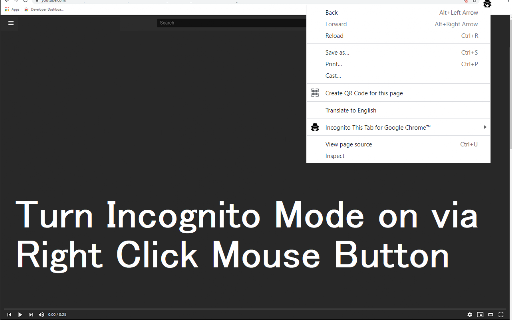
A browser utility that provides a quick-access shortcut to open the active webpage inside a new Google Chrome incognito window. It aims to save users time by eliminating the need to manually copy URLs and open private browsing windows.

Version:3.0.0
Size:36.25KiB
Last updated:

Overview

Installs

90K+

Rating

4.4

21 reviews

Languages

37 locales

Includes Deutsch, English, English (United States), Filipino...

Market analysis

Review-backed positioning, friction, and market signals for this Chrome extension.

Backed by review samples

Macro category

Privacy, Security & Ad Blockers

Pricing friction

Low review signal

Complaint intensity

Moderate review signal

Listing & review signals
Observed signals from store listing text and review samples.

Listing positioning

The store listing positions this extension as a simple, one-click solution to protect browsing privacy by opening the current active tab in an incognito window. It emphasizes its ease of use in preventing Chrome from saving local browsing and search history. Additionally, it explicitly disclaims any official affiliation, endorsement, or licensing by Google.

Inferred product pattern

An ad-supported browser utility wrapper that simplifies native private browsing features.

Review-backed pain points

Users complain about intrusive ads served on the configuration page, which can be misleading and mimic installer prompts. Additionally, some users face issues with broken hotkeys/shortcuts and bouncing developer support emails.

Observed feature gaps

The most prominent user-requested feature gap is the option to automatically close the original standard tab at the same time the new incognito window is launched.

Tags
Incognito TabPrivate BrowsingPrivacy ToolTab Manager
Target users

- Privacy-conscious web browsers

- Users frequently switching between standard and private browsing modes

- Casual internet users seeking a quick private browsing shortcut

Primary use cases

- Quickly opening an active webpage in an incognito window to prevent local history recording

- Accessing website sessions cleanly without copying and pasting links manually

Positive themes

- One-click simplicity that works seamlessly for most users

- Value of being a completely free tool

- Saves time and simplifies daily browsing workflows

Negative themes

- Intrusive and deceptive ads on the extension's configuration screen

- Broken shortcut functionalities in newer updates

- Missing option to automatically close the original standard tab

Observed friction

- Performance complaints detected

- The extension is free to use, but monetization via ads on the configuration page causes user frustration, with some users expressing a preference for a paid, ad-free tier.

Evidence boundary: Analysis is based on public Chrome Web Store metadata and a sample of user reviews highlighting utility satisfaction alongside complaints about configuration-screen ads and broken shortcuts. The review signals are derived from a small sample size of public reviews and may not fully represent all historical updates or technical edge cases.
Complaint summaries
Review-backed complaint signals grouped by operational area.

Support

Users report that the developer contact email is bouncing back, rendering bug reports and feedback submission impossible.

Reliability

Updates have occasionally broken keyboard shortcut functionalities, and some users generic-state that the extension 'does not work' for them.

Privacy

While there are no direct complaints of tracking, one user flagged security concerns regarding deceptive third-party software ads displayed on the configuration interface.

Access & pricing

- Ad-supported model observed

- No account requirement observed

- Free plan or free usage claimed

Store listing facts

Listing assets

- Screenshots: 2

- Videos: 0

- Languages: 37

Trust signals

- Privacy policy

- Developer contact

- Official website

- Support link

Store metadata

- Version: 3.0.0

- Size: 36.25KiB

- Last updated:

Listing SEO keywords

Search intent keywords
Keyword signals for evaluating how users may discover, compare, or search for this extension category.

Core discovery

incognito tab chrome extensionopen tab in incognitoprivate browsing shortcutchrome private window extension

Comparison

incognito vs private windowchrome incognito extension vs manual

Problem

how to open tab in incognitoprevent chrome history trackingstop chrome from saving history

Alternative

incognito this tab alternativego incognito chrome extension

Similar extensions

Jump to related discovery paths:

Screenshots

Incognito This Tab for Google Chrome™ screenshot

Links

Recommended Chrome extensions

Related listings from the same category, trending peers, and the same publisher portfolio.

Browse workflow