Power Automate Tools icon

Power Automate Tools Chrome Extension Analysis

Automation & Workflow Efficiency

Chrome extension ID: jccblbmcghkddifenlocnjfmeemjeacc

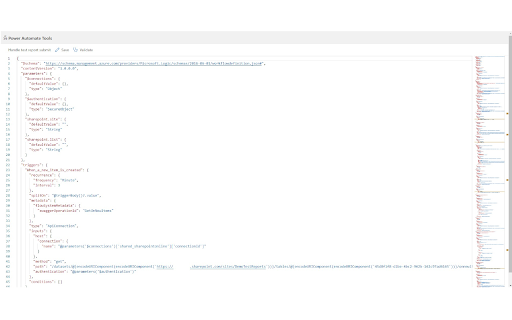
This extension provides a Monaco-based JSON editor specifically for Power Automate flow definitions. It includes features like schema validation and 'Flow Checker' to assist in managing and modifying complex automated workflows directly in the browser.

Developer:Kamil Rithaler
Version:1.3
Size:1.09MiB
Last updated:

Overview

Installs

9K+

Rating

3.9

26 reviews

Languages

1 locales

Includes English

Market analysis

Review-backed positioning, friction, and market signals for this Chrome extension.

Backed by review samples

Macro category

Automation & Workflow Efficiency

Pricing friction

Low review signal

Complaint intensity

Moderate review signal

Listing & review signals
Observed signals from store listing text and review samples.

Listing positioning

The extension is positioned as a productivity tool for developers to bypass repetitive tasks in the Power Automate authoring workflow. It allows for direct editing of flow definitions using a JSON-based interface instead of the standard UI.

Inferred product pattern

A niche developer utility designed to provide advanced technical capabilities (direct JSON manipulation) to users of a locked-down low-code enterprise platform.

Review-backed pain points

Users frequently report that the extension fails to trigger or launch when using the newer versions of the Power Automate designer, often requiring a workaround involving the 'Classic Designer'.

Observed feature gaps

Users noted a need for improved error handling, better logging, and automatic authentication token refreshing.

Tags
JSON EditorPower AutomateDeveloper ToolsWorkflow Automation
Target users

- Power Automate developers

- Low-code developers

- IT Automation Engineers

Primary use cases

- Bulk editing flow definitions via JSON

- Replacing SharePoint URLs or variable names across flows

- Validating flow JSON schemas

Positive themes

- Significant time savings on large/massive flows

- Improved development speed when paired with AI

- Easier than manual DOM inspection for dynamic content

Negative themes

- Incompatibility with new Power Automate designers (v2/v3)

- Unreliable launch mechanism where the icon does nothing

- Requires manual page refreshes or switching to Classic Designer

Observed friction

- No pricing information or friction observed in the listing or reviews.

Evidence boundary: Analysis based on the Chrome Web Store product description and a sample of user reviews. The total number of reviews is small (22), which may not reflect the complete user experience.
Complaint summaries
Review-backed complaint signals grouped by operational area.

Support

No specific support complaints were identified.

Reliability

Frequent reports of the tool failing to launch or being inconsistent across different designer versions of the Power Automate platform.

Privacy

No privacy or security complaints were observed.

Access & pricing

- No clear monetization signal

- Account required for core usage

- No clear pricing signal

Store listing facts

Listing assets

- Screenshots: 1

- Videos: 0

- Languages: 1

Trust signals

- Developer contact

Store metadata

- Version: 1.3

- Size: 1.09MiB

- Last updated:

Listing SEO keywords

Search intent keywords
Keyword signals for evaluating how users may discover, compare, or search for this extension category.

Core discovery

Power Automate JSON editoredit Power Automate flow JSONPower Automate developer toolsPower Apps JSON editor

Comparison

Power Automate Classic DesignerMonaco EditorFlow Checker

Problem

Power Automate UI limitationsrepetitive flow editingSharePoint URL replacement in flows

Alternative

Power Automate designerPower Apps portalJSON schema validator

Similar extensions

Jump to related discovery paths:

Screenshots

Power Automate Tools screenshot

Recommended Chrome extensions

Related listings from the same category, trending peers, and the same publisher portfolio.

Browse developer