Salesforce Log Inspector icon

Salesforce Log Inspector Chrome Extension Analysis

Developer & Designer Tools

Chrome extension ID: jebmhhcaiafpcjneboknfkmijegiihoe

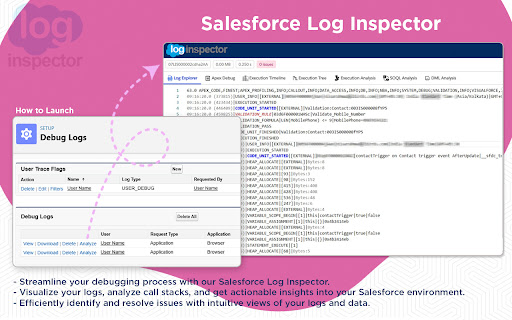
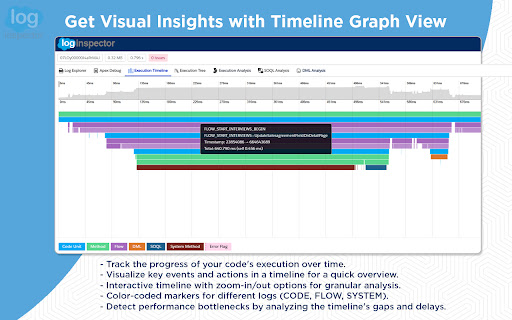
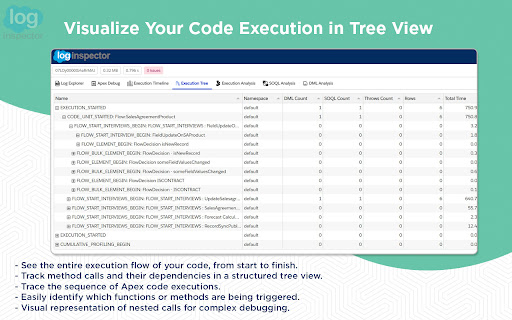
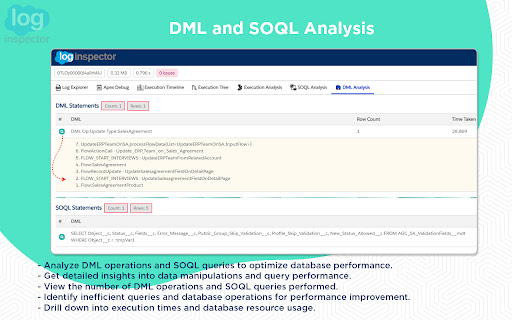
A browser extension for Salesforce developers that provides advanced inspection and analysis of debug logs. It features execution timelines, structured tree views, and specific analysis modules for SOQL, DML, and Flow execution.

Version:1.0.8
Size:3.59MiB
Last updated:

Overview

Installs

10K+

Rating

4.8

16 reviews

Languages

1 locales

Includes English

Market analysis

Review-backed positioning, friction, and market signals for this Chrome extension.

Backed by review samples

Macro category

Developer & Designer Tools

Pricing friction

Low review signal

Complaint intensity

Low review signal

Listing & review signals
Observed signals from store listing text and review samples.

Listing positioning

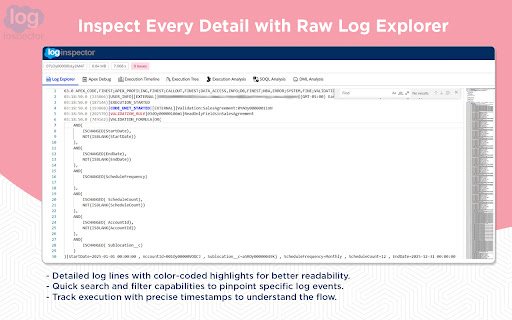
The product is positioned as a tool to simplify the debugging process and enhance Salesforce performance. It emphasizes transforming raw, unformatted Apex logs into structured, visual data to help developers identify bottlenecks.

Inferred product pattern

Local-first developer utility for log parsing and visualization.

Review-backed pain points

One user reported being unable to use the tool without further detail. Another user suggested that log details should be visible directly within the execution tree to avoid switching views.

Observed feature gaps

Integration of log details directly into the execution tree; verified stability/performance for exceptionally large log files.

Tags
Salesforce DebuggingApex Log AnalyzerDeveloper UtilityPerformance Optimization
Target users

- Salesforce Developers

- Salesforce Administrators

- Apex Programmers

Primary use cases

- Analyzing Apex debug logs

- Identifying performance bottlenecks

- Monitoring SOQL and DML query counts

- Visualizing code execution flow

Positive themes

- Faster troubleshooting compared to manual parsing

- High utility of the execution timeline and visualization

- Effective identification of root causes and bottlenecks

- Helpful color formatting for variables and debugs

Negative themes

- General usability issues for some users

- Uncertainty regarding performance with very large log files

Observed friction

- No pricing information mentioned in listing or reviews.

Evidence boundary: Analysis based on the official store listing and a sample of 10 user reviews. The review sample size is relatively small compared to the total user count.
Complaint summaries
Review-backed complaint signals grouped by operational area.

Support

No specific support or account-related complaints observed.

Reliability

One user reported an inability to use the extension, but no widespread reliability issues were noted.

Privacy

No privacy complaints; listing explicitly claims local-only data processing with no external server communication.

Access & pricing

- Free usage observed

- No account requirement observed

- Free plan or free usage claimed

Store listing facts

Listing assets

- Screenshots: 5

- Videos: 0

- Languages: 1

Trust signals

- Privacy policy

- Developer contact

- Official website

Store metadata

- Version: 1.0.8

- Size: 3.59MiB

- Last updated:

Listing SEO keywords

Search intent keywords
Keyword signals for evaluating how users may discover, compare, or search for this extension category.

Core discovery

Salesforce log inspectorApex debug log analyzerSalesforce performance optimizationSalesforce execution timeline

Comparison

Apex Log Analyzer VS Code extension alternativeSalesforce Developer Console vs Log Inspector

Problem

Salesforce debug log too longanalyze Apex performanceslow SOQL queries Salesforce

Alternative

Salesforce log viewerApex debug toolSalesforce log formatter

Similar extensions

Jump to related discovery paths:

Screenshots

Salesforce Log Inspector screenshot

Links

Recommended Chrome extensions

Related listings from the same category, trending peers, and the same publisher portfolio.

Browse developer