SnapWise icon

SnapWise Chrome Extension Analysis

Automation & Workflow Efficiency

Chrome extension ID: jgnfknfmllnlfdanamfmbocipjpgcmll

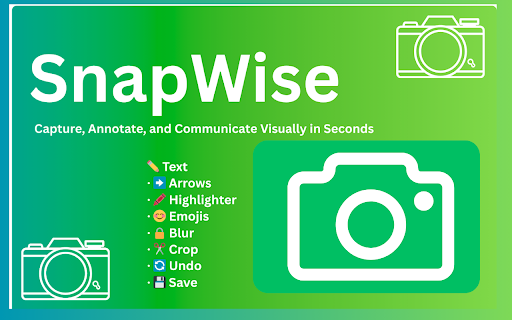
SnapWise is a Chrome extension that enables users to capture entire webpages and edit them using a variety of annotation tools. It includes features for adding text, arrows, highlights, and emojis, as well as tools for blurring and cropping, with exports available in PNG and JPEG formats.

Developer:Rathsh
Version:1.0
Size:36.73KiB
Last updated:

Overview

Installs

0

Rating

0 reviews

Languages

1 locales

Includes English (United Kingdom)

Market analysis

Review-backed positioning, friction, and market signals for this Chrome extension.

No review samples found

Macro category

Automation & Workflow Efficiency

Pricing friction

Low review signal

Complaint intensity

Low review signal

Listing & review signals
Observed signals from store listing text and review samples.

Listing positioning

The product positions itself as a fast, clean, and bloat-free tool for full-page screenshot capture and instant annotation. It emphasizes a frictionless experience by highlighting the absence of account requirements and watermarks.

Inferred product pattern

Privacy-centric, account-less screenshot and annotation utility.

Review-backed pain points

Review-backed data is not available.

Observed feature gaps

No review data available to identify gaps; listing claims a complete basic annotation suite.

Tags
Screenshot ToolFull Page CaptureImage AnnotationProductivityCollaboration
Target users

- Professionals

- Project Managers

- Developers

- Content Creators

Primary use cases

- Creating visual documentation

- Providing feedback on website layouts

- Capturing full-page web content for archiving

- Sharing annotated screenshots for collaboration

Positive themes

No positive theme data.

Negative themes

No negative theme data.

Observed friction

- No pricing friction observed; listing explicitly claims no accounts and no watermarks.

Evidence boundary: Analysis based solely on the Chrome Web Store listing description. No user reviews or usage data available to validate performance or user satisfaction.
Complaint summaries
Review-backed complaint signals grouped by operational area.

Support

Review-backed data is not available.

Reliability

Review-backed data is not available.

Privacy

Review-backed data is not available.

Access & pricing

- No clear monetization signal

- No account requirement observed

- Free plan or free usage claimed

Store listing facts

Listing assets

- Screenshots: 1

- Videos: 0

- Languages: 1

Trust signals

- Privacy policy

- Developer contact

Store metadata

- Version: 1.0

- Size: 36.73KiB

- Last updated:

Listing SEO keywords

Search intent keywords
Keyword signals for evaluating how users may discover, compare, or search for this extension category.

Core discovery

full page screenshotchrome extension screenshotannotate screenshotscapture webpage

Comparison

SnapWise vs GoFullPageSnapWise vs Awesome Screenshot

Problem

how to capture full pagescreenshot with arrowsblur sensitive info in screenshot

Alternative

SnapWise alternativebest full page screenshot extension

Similar extensions

Jump to related discovery paths:

Screenshots

SnapWise screenshot

Links

Recommended Chrome extensions

Related listings from the same category, trending peers, and the same publisher portfolio.

Browse tools