z-context Chrome Extension Analysis
Developer & Designer ToolsChrome extension ID: jigamimbjojkdgnlldajknogfgncplbh
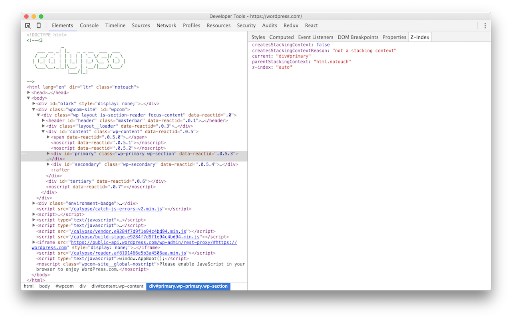
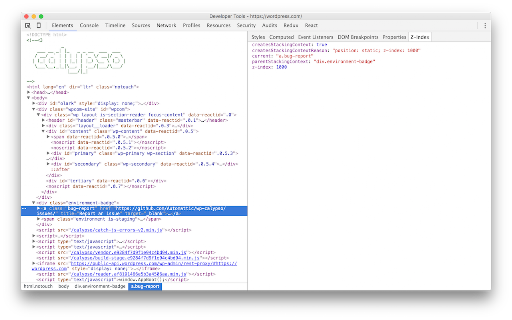
z-context is a Chrome DevTools extension that helps web developers understand and debug CSS stacking contexts. It integrates into the elements panel to display information about an element's stacking context, its parent, and its `z-index` value, aiming to prevent incorrect `z-index` usage.
Overview
Installs
6K+
Rating
★ 3.5
44 reviews
Languages
1 locales
Includes English
Market analysis
Review-backed positioning, friction, and market signals for this Chrome extension.
Macro category
Developer & Designer Tools
Pricing friction
Low review signal
Complaint intensity
High review signal
Listing positioning
The extension positions itself as a crucial tool for front-end developers, designed to clarify the complex hierarchy of CSS stacking contexts and `z-index` values directly within Chrome DevTools. It promises to reveal why an element creates a stacking context, its parent context, and its `z-index`.
Inferred product pattern
A free Chrome DevTools extension designed to assist web developers in debugging and understanding CSS stacking contexts and z-index values directly within the browser's developer tools panel.
Review-backed pain points
The primary pain point is the extension's inability to function or appear within Chrome DevTools for many users, particularly on newer browser versions. There are also specific complaints about its accuracy in detecting stacking contexts for certain CSS properties, and a suspicious 'failed network request' error.
Observed feature gaps
Based on reviews, there's a perceived need for clearer 'how-to' guides for installation and usage. There are also feature gaps related to the accurate detection and reporting of stacking contexts for all relevant CSS properties according to specification.
- Web Developers
- Front-end Engineers
- UI/UX Developers
- Debugging CSS z-index issues
- Understanding stacking context hierarchy
- Inspecting stacking context properties in DevTools
- Helpful for understanding z-index and stacking contexts
- Handy tool for debugging complex CSS layouts
- Extension does not work or appear in Chrome DevTools
- Compatibility issues with newer Chrome versions
- Incorrectly reports stacking contexts for certain CSS properties (e.g., will-change, position: fixed/sticky)
- Concerns about network request error without clear purpose
- Lack of clear installation/usage instructions
- Performance complaints detected
- Privacy complaints detected
- Review-backed data on pricing is not available; the product appears to be free.
Support
While there are no direct support complaints, reviews indicate a need for better user guidance (e.g., 'a good how to is helpful'). No account blocking or refund complaints were observed.
Reliability
Multiple recent reviews report that the extension 'doesn't work' or 'does not appear in dev tools' across various Chrome versions, indicating significant reliability and compatibility issues. One review also noted a 'failed network request' error.
Privacy
One review questioned the necessity of broad permissions to 'change data on websites I visit' for its stated functionality, raising a privacy concern.
- Free usage observed
- No account requirement observed
- Free plan or free usage claimed
Store listing facts
- Screenshots: 2
- Videos: 0
- Languages: 1
- Developer contact
- Version: 3.0.0
- Size: 30.48KiB
- Last updated:
Listing SEO keywords
Core discovery
Comparison
Problem
Alternative
Similar extensions
Jump to related discovery paths:
Screenshots