NotebookLM Quiz to Google Form Exporter icon

NotebookLM Quiz to Google Form Exporter Chrome Extension Analysis

Automation & Workflow Efficiency

Chrome extension ID: jlblkfhlhppghnhfmkdnmogeeknoinbc

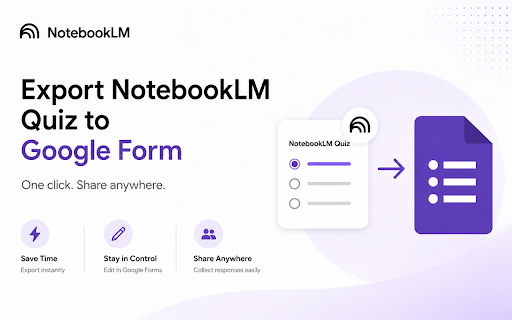
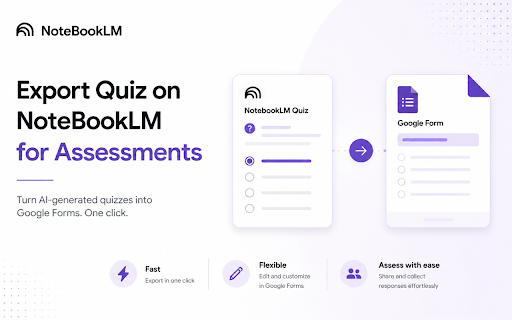
A Chrome extension that allows users to export multiple-choice quizzes generated in NotebookLM Studio directly into Google Forms. It automatically transfers the quiz title, questions, options, and the correct answer key to the user's Google Drive.

Developer:myquizgpt
Version:0.3.3
Size:86.61KiB
Last updated:

Overview

Installs

1K+

Rating

★ 3.6

7 reviews

Languages

1 locales

Includes English

Market analysis

Review-backed positioning, friction, and market signals for this Chrome extension.

No review samples found

Macro category

Automation & Workflow Efficiency

Pricing friction

Low review signal

Complaint intensity

Low review signal

Listing & review signals
Observed signals from store listing text and review samples.

Listing positioning

The product is positioned as a time-saving utility that eliminates manual copy-pasting when moving quizzes from NotebookLM to Google Forms. It emphasizes speed, accuracy, and the preservation of answer keys for auto-grading.

Inferred product pattern

A specialized bridge tool connecting a specific AI productivity tool (NotebookLM) to a widely used distribution platform (Google Forms), likely serving as a lead-gen for the MyQuizGPT ecosystem.

Review-backed pain points

Review-backed data is not available.

Observed feature gaps

Review-backed data is not available.

Tags
NotebookLMGoogle FormsQuiz ExporterTeacher ToolsEdTech
Target users

- Teachers

- Professors

- Tutors

- Instructional Designers

- Corporate Trainers

Primary use cases

- Converting AI-generated quizzes into graded assessments

- Automating the creation of Google Forms from NotebookLM sources

- Reducing manual data entry for educational testing

Positive themes

No positive theme data.

Negative themes

No negative theme data.

Observed friction

- Review-backed data is not available.

Evidence boundary: Analysis based exclusively on the Chrome Web Store listing description and metadata. No user review samples were available to verify actual performance, reliability, or pricing friction.
Complaint summaries
Review-backed complaint signals grouped by operational area.

Support

Review-backed data is not available.

Reliability

Review-backed data is not available.

Privacy

Review-backed data is not available.

Access & pricing

- No clear monetization signal

- Account required for core usage

- No clear pricing signal

Store listing facts

Listing assets

- Screenshots: 2

- Videos: 1

- Languages: 1

Trust signals

- Privacy policy

- Developer contact

- Official website

- Support link

Store metadata

- Version: 0.3.3

- Size: 86.61KiB

- Last updated:

Listing SEO keywords

Search intent keywords
Keyword signals for evaluating how users may discover, compare, or search for this extension category.

Core discovery

NotebookLM to Google Formsexport NotebookLM quizNotebookLM quiz exporterauto-grade NotebookLM quizzes

Comparison

NotebookLM vs Google Formsbest NotebookLM quiz tool

Problem

copy paste NotebookLM to Google Formstransfer AI quiz to Google FormsNotebookLM quiz formatting

Alternative

NotebookLM quiz converterAI quiz to Google Form

Similar extensions

Jump to related discovery paths:

Screenshots

NotebookLM Quiz to Google Form Exporter screenshot

Links

Recommended Chrome extensions

Related listings from the same category, trending peers, and the same publisher portfolio.

Browse education
GPT Google Form Quiz Maker icon

GPT Google Form Quiz Maker

myquizgpt

Generate Google Forms from Docs, Slides, Sheets, PDFs, and prompts. Create quizzes and assessments with AI in Google Workspace.

Installs

1K+

Rating

★ 5.0

FormGPT AI Google Form Builder icon

FormGPT AI Google Form Builder

myquizgpt

Create Google Forms Faster with AI for Quizzes, MCQ, Assessments, Surveys, Questionnaires and Feedback Forms

Installs

1K+

Rating

★ 4.3

Revision History: Writing Process Visibility for Google Docs & Slides icon

Revision History: Writing Process Visibility for Google Docs & Slides

Revision History

Built for teachers: See how students write, not just what they wrote. View the writing process in Google Docs & Slides.

Installs

300K+

Rating

★ 3.7

Paperpile Extension icon

Paperpile Extension

Paperpile

Collect, organize, annotate and cite your research papers in Chrome.

Installs

300K+

Rating

★ 4.6

Trancy - AI Translator & Dual Subtitles icon

Trancy - AI Translator & Dual Subtitles

Trancy

Trancy provides bilingual subtitle for platforms like YouTube, Disney+, as well as AI translator for websites.

Installs

300K+

Rating

★ 4.7

Reverso – Translation, dictionary icon

Reverso – Translation, dictionary

Reverso Technologies Inc.

Translate and learn languages while reading or watching movies online. It's free.

Installs

300K+

Rating

★ 4.6

Add to Google Classroom icon

Add to Google Classroom

Canopy

This extension adds the current site to Google Classroom

Installs

300K+

Rating

★ 4.2

rikaikun icon

rikaikun

Erek Speed

rikaikun shows the reading and English definition of Japanese words when you hover over Japanese text in the browser.

Installs

200K+

Rating

★ 4.7

Talk & Comment: Voice Notes & Audio Feedback icon

Talk & Comment: Voice Notes & Audio Feedback

TalkandComment.com

Record a voice note on any page and share one link. Students and teammates hear your tone, not just your text.

Installs

200K+

Rating

★ 4.1

Knowt: Quizlet Import, AI Notes & Flashcards icon

Knowt: Quizlet Import, AI Notes & Flashcards

Knowt

Automatically import flashcards and notes from any video, PDF, article, or flashcard site. Knowt is the fastest way to study.

Installs

200K+

Rating

★ 4.9