MatTalX - Write math symbols icon

MatTalX Chrome Extension Analysis

Automation & Workflow Efficiency

Store listing title: MatTalX - Write math symbols

Chrome extension ID: jllceliamggkpffccbefpefgmcigaglb

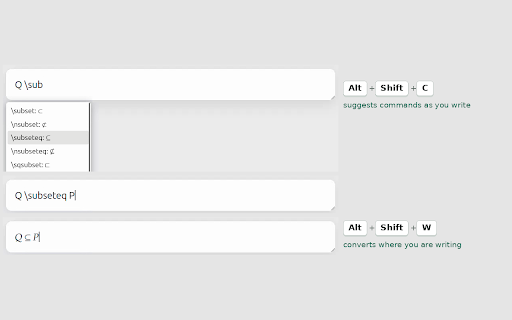
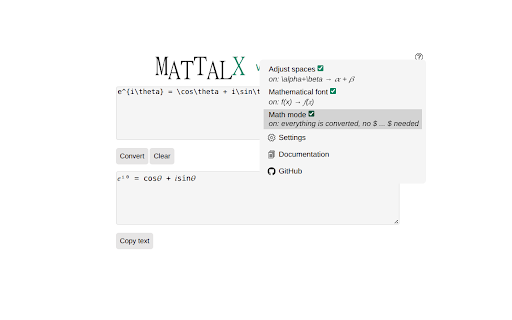
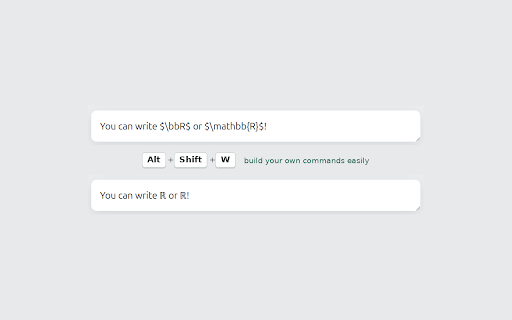
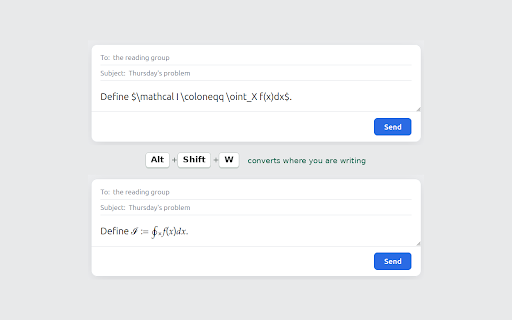
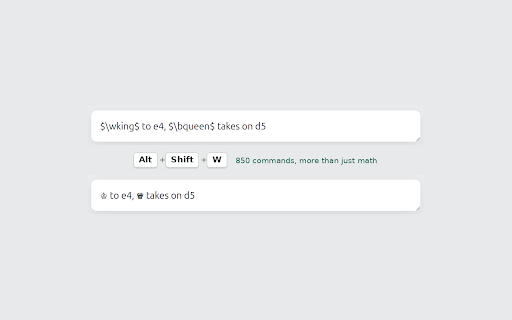
MatTalX is a browser extension that allows users to type LaTeX-style commands and convert them into formatted mathematical, scientific, and notation symbols. The tool supports over 1,000 commands and allows for custom command creation, enabling users to paste complex expressions directly into Gmail, social media, and other web applications.

Developer:samleb17
Version:2.7.5
Size:334KiB
Last updated:

Overview

Installs

735

Rating

4.2

5 reviews

Languages

1 locales

Includes English

Market analysis

Review-backed positioning, friction, and market signals for this Chrome extension.

Backed by review samples

Macro category

Automation & Workflow Efficiency

Pricing friction

Low review signal

Complaint intensity

Low review signal

Listing & review signals
Observed signals from store listing text and review samples.

Listing positioning

The store listing positions MatTalX as a utility to convert LaTeX commands into Unicode mathematical symbols and expressions for use across web platforms. It highlights the tool's accessibility, open-source nature, and suitability for academic and professional communication in STEM fields.

Inferred product pattern

Single-purpose productivity utility providing a character-conversion UI.

Review-backed pain points

Minor complaints regarding missing support for specific characters (e.g., en dash) and unspecific reports of functional errors.

Observed feature gaps

Absence of specific character support for certain punctuation variants (e.g., en dash) and lack of detailed error reporting.

Tags
Math SymbolsLaTeXText ProductivityEducation ToolsCommunication
Target users

- STEM Students

- Engineering Professors

- Researchers

- Physics/Chemistry Professionals

Primary use cases

- Typing mathematical notation in emails

- Inserting scientific symbols into social media

- Using LaTeX shorthand for technical communication

Positive themes

- Time-saving for technical professionals

- Effective alternative to clunky character maps

- High utility for academic/educational tasks

Negative themes

- Unspecified technical errors

Observed friction

- None; the product is marketed as free and open-source.

Evidence boundary: Evidence is derived from store listing text, feature documentation, and a small sample of user reviews highlighting utility for academics. The review sample size is very small, limiting the depth of reliability and user experience analysis.
Complaint summaries
Review-backed complaint signals grouped by operational area.

Support

No specific support complaints identified beyond a vague error report.

Reliability

Limited reports of general errors without diagnostic details.

Privacy

No privacy-related complaints found.

Access & pricing

- Free usage observed

- No account requirement observed

- Free plan or free usage claimed

Store listing facts

Listing assets

- Screenshots: 5

- Videos: 0

- Languages: 1

Trust signals

- Privacy policy

- Developer contact

- Official website

Store metadata

- Version: 2.7.5

- Size: 334KiB

- Last updated:

Listing SEO keywords

Search intent keywords
Keyword signals for evaluating how users may discover, compare, or search for this extension category.

Core discovery

LaTeX to symbol converterChrome extension for math symbolstype math symbols in gmailLaTeX shortcut browser tool

Comparison

MatTalX vs character maplatex text expansion tool

Problem

how to type math symbols in browserlatex to unicode converter

Alternative

math character shortcutsunicode math input extension

Similar extensions

Jump to related discovery paths:

Screenshots

MatTalX - Write math symbols screenshot

Links

Recommended Chrome extensions

Related listings from the same category, trending peers, and the same publisher portfolio.

Browse communication
Multi Email Forward by cloudHQ icon

Multi Email Forward by cloudHQ

cloudHQ

Forward multiple Gmail™ emails with one click. Transfer or migrate your Gmail™ emails.

Installs

80K+

Rating

4.1

FlowCrypt: Encrypt Gmail with PGP icon

FlowCrypt: Encrypt Gmail with PGP

flowcrypt-release

Simple end-to-end encryption to secure email and attachments on Google.

Installs

70K+

Rating

4.7

Grammar Checker and AI tool - Correcto icon

Grammar Checker and AI tool - Correcto

product-development-correcto

Improve your writing with the AI-powered online grammar and spelling checker in Spanish and our paraphrasing tool.

Installs

70K+

Rating

4.6

Share link via email icon

Share link via email

Cobote

Adds a button and context menu item to send the page URL or a link URL via email

Installs

70K+

Rating

3.9

MerciApp - AI Writing Assistant icon

MerciApp - AI Writing Assistant

MerciApp

Write better, faster, wherever you work.

Installs

60K+

Rating

4.5

Mail Merge for Gmail - Mailmeteor icon

Mail Merge for Gmail - Mailmeteor

Mailmeteor

Free mail merge & mass email tool for Gmail, with email tracking and auto follow-ups

Installs

60K+

Rating

4.8

Cursorful - Screen Recorder with Auto Zoom icon

Cursorful - Screen Recorder with Auto Zoom

Cursorful

Cursorful creates beautiful screen recordings with automatic zooms and pans that keep the viewer engaged.

Installs

60K+

Rating

4.9

Auto BCC for Gmail™ by cloudHQ icon

Auto BCC for Gmail™ by cloudHQ

cloudHQ

Setup automatic blind copies to your CRM or any other email address

Installs

60K+

Rating

4.2

Amazon Q Business icon

Amazon Q Business

Amazon Q Business by Amazon Web Services

An enterprise AI assistant available to assist you when browsing the web.

Installs

50K+

Rating

5.0

CrankWheel Screen Sharing icon

CrankWheel Screen Sharing

CrankWheel

Easier screen sharing. No app needed for viewers, even on their mobile. Record your screen or webcam.

Installs

50K+

Rating

4.8