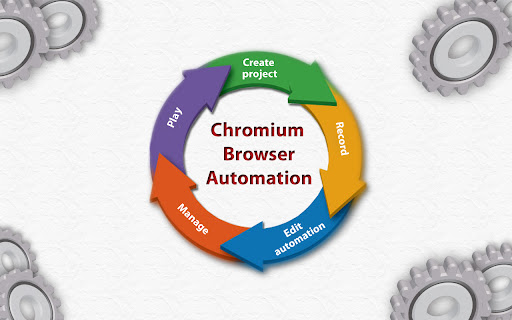
Chromium browser automation icon

Chromium browser automation Chrome Extension Analysis

Automation & Workflow Efficiency

Chrome extension ID: jmbmjnojfkcohdpkpjmeeijckfbebbon

This extension allows users to record interactions on web pages, such as form fills and clicks, and save them as reusable automation projects. It provides an interface to edit these interactions and inject custom code to manipulate the page DOM directly.

Developer:saroyanm
Version:10.0.1
Size:136KiB
Last updated:

Overview

Installs

30K+

Rating

3.5

217 reviews

Languages

1 locales

Includes English

Market analysis

Review-backed positioning, friction, and market signals for this Chrome extension.

Backed by review samples

Macro category

Automation & Workflow Efficiency

Pricing friction

Low review signal

Complaint intensity

Moderate review signal

Listing & review signals
Observed signals from store listing text and review samples.

Listing positioning

Chromium Browser Automation (CBA) is positioned as a developer-centric tool for recording and automating browser interactions. It emphasizes features like step-by-step code injection, DOM path calculation, and project portability through import/export functionality.

Inferred product pattern

An open-source, developer-focused browser automation tool that prioritizes scriptability over a polished GUI.

Review-backed pain points

Users frequently report that the recorder fails to capture basic interactions like typing or clicking, and many struggle with a lack of documentation or unintuitive workflows.

Observed feature gaps

Absence of clear documentation for advanced features, inconsistent DOM event capture, and difficulty in managing timing and complex page loads.

Tags
Browser AutomationWeb TestingMacro RecorderScripting Tool
Target users

- Web Developers

- QA Testers

- Power Users

Primary use cases

- Recording web form interactions

- Automating repetitive browser tasks

- Custom DOM manipulation via code injection

Positive themes

- Conceptually strong utility

- Potential for complex custom automation via code injection

Negative themes

- Recording failures (actions not captured)

- Lack of user-friendly documentation

- Instability in playback functionality

- Steep learning curve

Observed friction

- Performance complaints detected

- No pricing friction reported; the tool appears to be free, but users struggle with usability.

Evidence boundary: Analysis is based on public store descriptions and a consistent pattern of user reviews citing failure to capture page events and lack of documentation. Evidence is drawn from public reviews and listing details; older reviews may not reflect recent manifest V3 updates.
Complaint summaries
Review-backed complaint signals grouped by operational area.

Support

Primary support issues involve the lack of updated documentation and difficult-to-understand features.

Reliability

Significant reliability issues reported regarding recording failures, playback errors, and unstable execution of saved tasks.

Privacy

None noted.

Access & pricing

- Free usage observed

- No account requirement observed

- Free plan or free usage claimed

Store listing facts

Listing assets

- Screenshots: 1

- Videos: 1

- Languages: 1

Trust signals

- Privacy policy

- Developer contact

- Official website

Store metadata

- Version: 10.0.1

- Size: 136KiB

- Last updated:

Listing SEO keywords

Search intent keywords
Keyword signals for evaluating how users may discover, compare, or search for this extension category.

Core discovery

chrome browser automationrecord browser actionsweb automation extensionbrowser macro recorder

Comparison

selenium alternativechrome automation tool

Problem

automation not recordingbrowser automation not working

Alternative

browser task automationweb form filler

Similar extensions

Jump to related discovery paths:

Screenshots

Chromium browser automation screenshot

Links

Recommended Chrome extensions

Related listings from the same category, trending peers, and the same publisher portfolio.

Browse developer