IPA Reader icon

IPA Reader Chrome Extension Analysis

AI & Writing Assistants

Chrome extension ID: jpaoglankanpbjbjgpjlhkohokhephfk

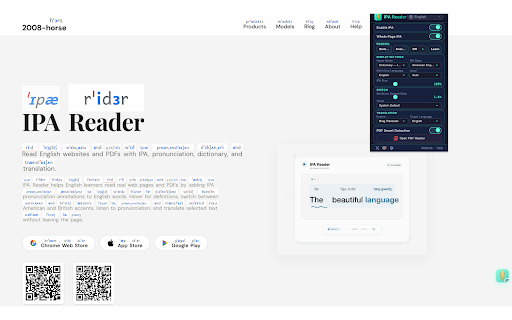
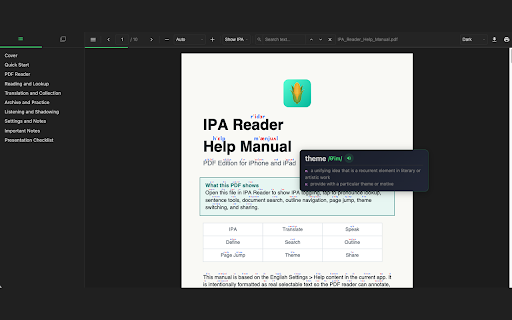
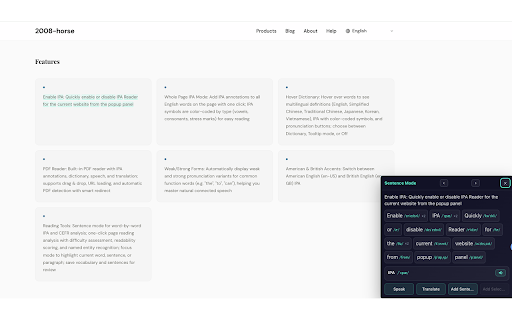
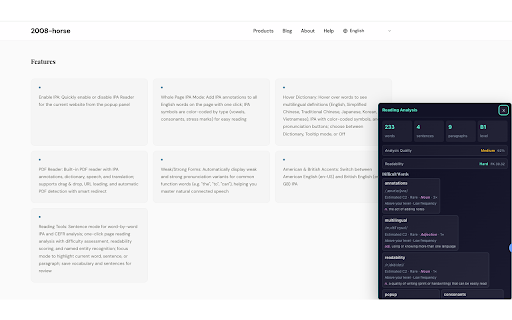
An educational extension that adds IPA (International Phonetic Alphabet) annotations, text-to-speech with karaoke highlighting, and translation capabilities to web pages and PDFs. It features dual American and British accent support and a built-in WordNet dictionary.

Version:1.9.0
Size:16.79MiB
Last updated:

Overview

Installs

530

Rating

★ 3.6

5 reviews

Languages

50 locales

Includes Deutsch, English, English (Australia), English (United Kingdom)...

Market analysis

Review-backed positioning, friction, and market signals for this Chrome extension.

Backed by review samples

Macro category

AI & Writing Assistants

Pricing friction

Low review signal

Complaint intensity

Moderate review signal

Listing & review signals
Observed signals from store listing text and review samples.

Listing positioning

The product positions itself as a comprehensive reading companion for English learners, integrating phonetic annotations, dictionary lookups, and translation. It aims to provide a seamless workflow for reading academic, technical, and original English texts without breaking reading flow.

Inferred product pattern

A niche educational utility focusing on phonetic assistance and reading comprehension for English learners.

Review-backed pain points

Recent updates have introduced bugs where IPA annotations fail to display and user settings automatically revert to default.

Observed feature gaps

Reviewers have suggested adding translation and karaoke effects, though these appear to be present in the current listing description.

Tags
IPA PronunciationEnglish LearningText To SpeechDictionary ToolPDF Reader
Target users

- English language learners

- Academic researchers

- Students reading technical documentation

Primary use cases

- Practicing English pronunciation via IPA and TTS

- Vocabulary building through hover-dictionary lookups

- Translating web content and PDFs

- Reading academic papers with phonetic overlays

Positive themes

- High perceived utility and quality of the application

Negative themes

- Post-update bugs causing feature failure

- Settings not persisting after changes

Observed friction

- No pricing friction or monetization details observed in the provided data.

Evidence boundary: Extracted from Chrome Webstore listing details and two user reviews regarding functionality and recent stability issues. The sample size of reviews is extremely small (2 reviews), which may not reflect the broader user experience.
Complaint summaries
Review-backed complaint signals grouped by operational area.

Support

No support-related complaints were identified.

Reliability

Users reported reliability issues following an update, specifically regarding the disappearance of IPA annotations and the resetting of settings.

Privacy

No privacy complaints observed; the listing claims no data collection except for translation API calls.

Access & pricing

- No clear monetization signal

- No account requirement observed

- No clear pricing signal

Store listing facts

Listing assets

- Screenshots: 4

- Videos: 0

- Languages: 50

Trust signals

- Privacy policy

- Developer contact

- Official website

- Support link

Store metadata

- Version: 1.9.0

- Size: 16.79MiB

- Last updated:

Listing SEO keywords

Search intent keywords
Keyword signals for evaluating how users may discover, compare, or search for this extension category.

Core discovery

IPA pronunciation extensionEnglish phonetic annotationsEnglish text to speechPDF phonetic reader

Comparison

Google Translate extensionPhonetic dictionary tools

Problem

English pronunciation helpdifficulty reading English textEnglish vocabulary learning

Alternative

Dictionary extensionTranslation toolLanguage learning assistant

Similar extensions

Jump to related discovery paths:

Screenshots

IPA Reader screenshot

Links

Recommended Chrome extensions

Related listings from the same category, trending peers, and the same publisher portfolio.

Browse education
Pinyin Reader icon

Pinyin Reader

Unknown developer

Pinyin from our own on-device model, decided in context. Web pages and PDFs, dictionary, read-aloud, translation.

Installs

318

Rating

★ 3.7

ProctorExam Activity Sharing icon

ProctorExam Activity Sharing

ProctorExam BV

Lets you share your browsing activity when taking an online exam on ProctorExam - https://www.proctorexam.com

Installs

800K+

Rating

★ 1.6

Voice In - Voice Typing & Speech-to-Text Dictation icon

Voice In - Voice Typing & Speech-to-Text Dictation

Dictanote

Voice typing in ChatGPT, Gmail, Google Docs & 10,000+ sites. Dictate emails, notes & AI prompts in 50+ languages.

Installs

700K+

Rating

★ 4.4

eJOY AI Dictionary icon

eJOY AI Dictionary

ejoy-english.com

Your ultimate knowledge and English learning tool to discover the world and upskill yourself. Translate video, websites and PDF.

Installs

700K+

Rating

★ 4.8

Translate for Chrome -Translator, Dictionary icon

Translate for Chrome -Translator, Dictionary

Translator App.

Translate words, phrases or text on any webpage. Full page translator and dictionary, text to speech (TTS) using Google Translate.

Installs

600K+

Rating

★ 4.6

Cite This For Me: Web Citer icon

Cite This For Me: Web Citer

Chegg Writing Tools

Automatically create website citations in the APA, MLA, Chicago, or Harvard referencing styles at the click of a button.

Installs

600K+

Rating

★ 3.8

GPTZero: AI Detection & Writing Replay icon

GPTZero: AI Detection & Writing Replay

chrome-extension-publisher

Bring AI detection, citation checks, live essay feedback, and writing replays directly into Google Docs and your workflow.

Installs

500K+

Rating

★ 4.7

Google Meet Attendance List icon

Google Meet Attendance List

MeetList

Easiest way to save the attendance list for your meetings or lectures

Installs

400K+

Rating

★ 4.7

Google Meet Breakout by Robert Hudek icon

Google Meet Breakout by Robert Hudek

Unknown developer

Only the teacher needs to install. Completely Free and your Data is Private. Google Classroom integration, Slider Control.

Installs

400K+

Rating

★ 4.3

Revision History: Writing Process Visibility for Google Docs & Slides icon

Revision History: Writing Process Visibility for Google Docs & Slides

Revision History

Built for teachers: See how students write, not just what they wrote. View the writing process in Google Docs & Slides.

Installs

300K+

Rating

★ 3.7