Emoji Copy and Paste icon

Emoji Copy and Paste Chrome Extension Analysis

Automation & Workflow Efficiency

Chrome extension ID: kakenlcjjabkimffanalanbhoejkbdmf

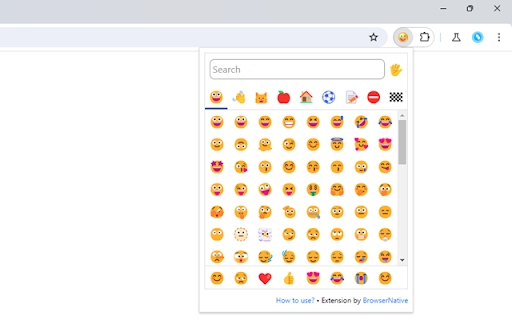
A browser-based emoji picker that allows users to click and copy emojis to their clipboard. It functions as a popup tool accessible from the browser toolbar, designed for ease of use across various web platforms.

Developer:BrowserNative
Version:1.0.2
Size:56.22KiB
Last updated:

Overview

Installs

8K+

Rating

4.0

20 reviews

Languages

1 locales

Includes English (United States)

Market analysis

Review-backed positioning, friction, and market signals for this Chrome extension.

Backed by review samples

Macro category

Automation & Workflow Efficiency

Pricing friction

Low review signal

Complaint intensity

Moderate review signal

Listing & review signals
Observed signals from store listing text and review samples.

Listing positioning

The extension is positioned as a lightweight, privacy-conscious utility for quickly copying and pasting emojis. It emphasizes simplicity and minimal permission requirements compared to competitors.

Inferred product pattern

Utility-focused, open-source-reliant browser extension with a privacy-first value proposition.

Review-backed pain points

Users are frustrated by the inability to search for specific emojis and the lack of a comprehensive flag collection, requiring time-consuming manual browsing.

Observed feature gaps

The lack of a search bar is the most prominent feature gap; also missing an updated, comprehensive emoji library including all national flags.

Tags
EmojiCopy PasteProductivityPrivacy Focused
Target users

- Social media users

- Casual web users

- Privacy-conscious individuals

Primary use cases

- Inserting emojis into social media posts

- Adding emojis to digital communication

Positive themes

- Minimal permission requirements

- Privacy-centric design

- Fast and lightweight

- Native rendering of emojis

Negative themes

- Lack of a search function

- Limited library of emoji flags

- Occasional rendering issues (blank squares)

- Compatibility issues with specific sites

Observed friction

- Performance complaints detected

- None; the product is free.

Evidence boundary: Analysis based on 10 provided reviews highlighting a strong dichotomy between appreciation for privacy and frustration regarding missing UX features like search. The review sample represents a small segment of the 7,000 users and covers a wide timeframe, which may not reflect current software stability.
Complaint summaries
Review-backed complaint signals grouped by operational area.

Support

No specific support complaints, though users express frustration regarding the lack of feature updates.

Reliability

Some users report rendering issues where emojis appear as blank squares or do not function on specific websites like Facebook.

Privacy

None; the extension is praised for not requiring broad browser data permissions.

Access & pricing

- Free usage observed

- No account requirement observed

- Free plan or free usage claimed

Store listing facts

Listing assets

- Screenshots: 2

- Videos: 0

- Languages: 1

Trust signals

- Privacy policy

- Developer contact

- Official website

Store metadata

- Version: 1.0.2

- Size: 56.22KiB

- Last updated:

Listing SEO keywords

Search intent keywords
Keyword signals for evaluating how users may discover, compare, or search for this extension category.

Core discovery

emoji copy paste chromechrome emoji keyboardsimple emoji pickerprivacy safe emoji extension

Comparison

best emoji extension for chromelightweight emoji picker

Problem

emoji not showingchrome extension search function

Alternative

emoji tools for browser

Similar extensions

Jump to related discovery paths:

Screenshots

Emoji Copy and Paste screenshot

Links

Recommended Chrome extensions

Related listings from the same category, trending peers, and the same publisher portfolio.

Browse tools