Check CPS: Click Speed Test icon

Check CPS Chrome Extension Analysis

Niche Lifestyle & Gaming Hacks

Store listing title: Check CPS: Click Speed Test

Chrome extension ID: kamngenjimfopednnploplcilbpdllpe

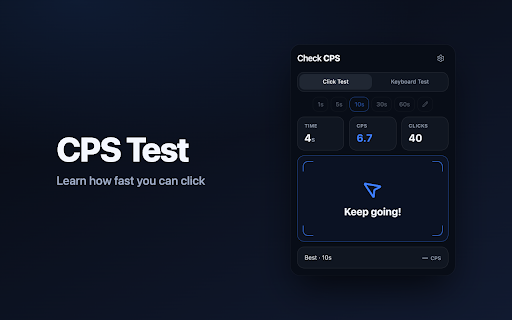
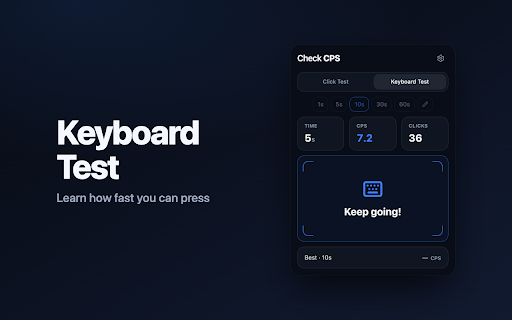
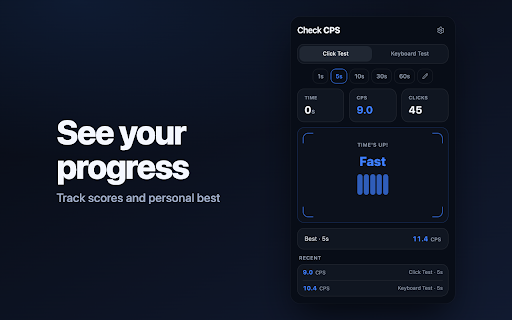
Check CPS is a Chrome extension designed to measure a user's click speed per second (CPS). Users can test their mouse or keyboard clicking speed by selecting a duration and then seeing their results. The extension also functions as a competitive game to gauge reaction speed.

Developer:Burak Ozdemir
Version:1.1.0
Size:122KiB
Last updated:

Overview

Installs

18

Rating

0 reviews

Languages

16 locales

Includes English, Indonesia, Tiếng Việt, Türkçe...

Market analysis

Review-backed positioning, friction, and market signals for this Chrome extension.

No review samples found

Macro category

Niche Lifestyle & Gaming Hacks

Pricing friction

Low review signal

Complaint intensity

Low review signal

Listing & review signals
Observed signals from store listing text and review samples.

Listing positioning

The store listing positions Check CPS as a tool for measuring click speed per second. It emphasizes its use for both mouse and keyboard, framing it as a game to test reaction speed.

Inferred product pattern

Simple utility tool focused on a single measurable outcome.

Review-backed pain points

No review data is available to identify pain points.

Observed feature gaps

No review data is available to identify feature gaps.

Tags
Click Speed TestCPS TestGaming ToolReaction Speed
Target users

- Gamers

- Users interested in reaction time testing

- Individuals seeking entertainment through speed challenges

Primary use cases

- Measuring mouse click speed

- Measuring keyboard click speed

- Competitive reaction time testing

Positive themes

No positive theme data.

Negative themes

No negative theme data.

Observed friction

- The extension appears to be free to use based on the store listing. No pricing friction is evident.

Evidence boundary: Product description and metadata from the Chrome Web Store. No user reviews were available, limiting the ability to gather user-backed insights on functionality, performance, or satisfaction.
Complaint summaries
Review-backed complaint signals grouped by operational area.

Support

No review data is available to assess support or account-related complaints.

Reliability

No review data is available to assess reliability or performance complaints.

Privacy

No review data is available to assess privacy or security complaints.

Access & pricing

- Free usage observed

- No account requirement observed

- Free plan or free usage claimed

Store listing facts

Listing assets

- Screenshots: 3

- Videos: 0

- Languages: 16

Trust signals

- Privacy policy

- Developer contact

- Official website

Store metadata

- Version: 1.1.0

- Size: 122KiB

- Last updated:

Listing SEO keywords

Search intent keywords
Keyword signals for evaluating how users may discover, compare, or search for this extension category.

Core discovery

CPS TestClick Speed TestClick Per SecondMouse Speed TestKeyboard Speed Test

Comparison

CPS checkerClicker testReaction speed game

Problem

How fast can I clickWhat is my CPSImprove click speed

Alternative

Click speed calculatorOnline CPS test

Similar extensions

Jump to related discovery paths:

Screenshots

Check CPS: Click Speed Test screenshot

Links

Recommended Chrome extensions

Related listings from the same category, trending peers, and the same publisher portfolio.

Browse fun