Hasher icon

Hasher Chrome Extension Analysis

Developer & Designer Tools

Chrome extension ID: kignjplbjlocolcfldfhbonmbblpfbjb

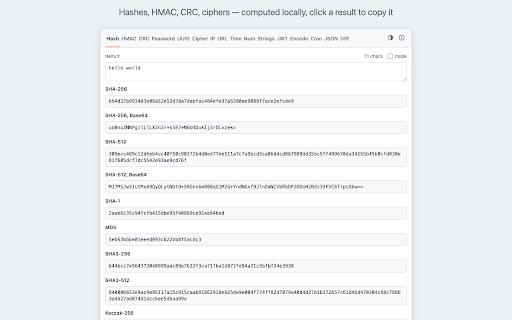
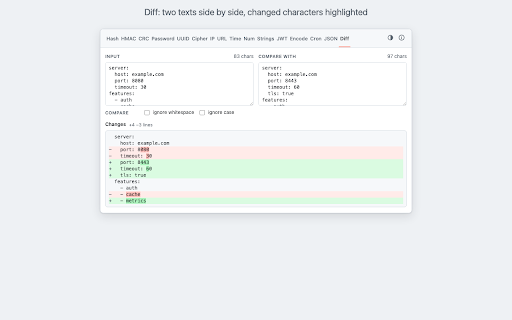
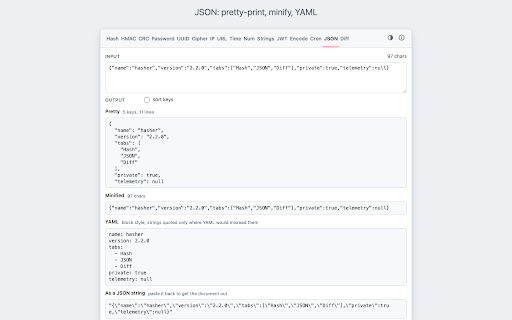
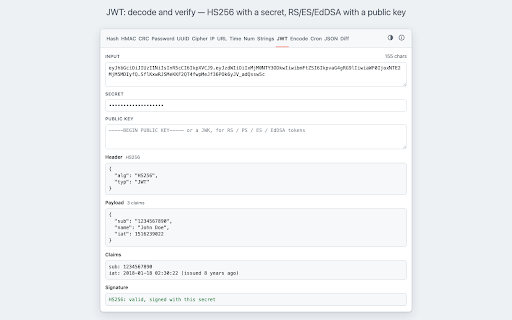
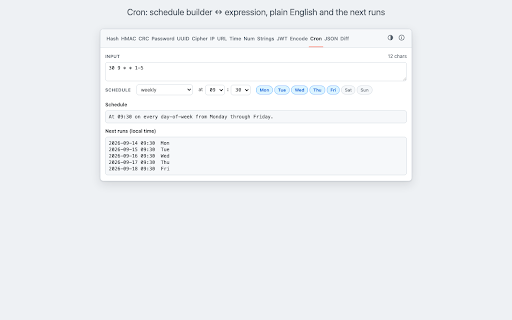
Hasher is a utility extension providing a wide range of developer tools including cryptographic hashing, encoding/decoding, IP/subnet calculation, and JSON/JWT manipulation. It offers a popup interface for quick data conversions and formatting.

Developer:Sergey Novikov
Version:2.2.1
Size:158KiB
Last updated:

Overview

Installs

5K+

Rating

★ 4.8

214 reviews

Languages

1 locales

Includes English

Market analysis

Review-backed positioning, friction, and market signals for this Chrome extension.

Backed by review samples

Macro category

Developer & Designer Tools

Pricing friction

Low review signal

Complaint intensity

Moderate review signal

Listing & review signals
Observed signals from store listing text and review samples.

Listing positioning

Hasher positions itself as a comprehensive, privacy-centric toolbox for developers. It emphasizes that all computations are performed locally in the browser with no network requests, telemetry, or accounts required.

Inferred product pattern

A high-utility, local-first developer toolkit designed for rapid data conversion and encoding.

Review-backed pain points

Users reported inconsistencies in MD5 hash generation compared to other tools and expressed concerns regarding the extension's request for browsing history access.

Observed feature gaps

Users suggested an option to auto-populate the input field from highlighted text and the ability to customize which hashing algorithms are visible in the UI.

Tags
Developer ToolboxHash CalculatorData ConversionEncoding Tool
Target users

- Software Developers

- System Administrators

- Cybersecurity Professionals

- Web Developers

Primary use cases

- Generating and verifying cryptographic hashes

- Encoding and decoding Base64 or URL strings

- Calculating IP subnets and network details

- Formatting and inspecting JSON or JWT payloads

Positive themes

- Strong privacy and offline functionality

- Effective handling of Base64 strings with line breaks

- Quick and useful utility

Negative themes

- Perceived inconsistency in hash results

- Concerns regarding permission requirements

- Desire for UI customization

Observed friction

- Privacy complaints detected

- No pricing friction observed; product appears to be free.

Evidence boundary: Data extracted from the Chrome Web Store listing and a sample of user reviews. Review sample size is limited and includes historical data.
Complaint summaries
Review-backed complaint signals grouped by operational area.

Support

No support or account-related complaints observed in the sample.

Reliability

One user reported that the MD5 output was inconsistent with other online generators and Linux tools.

Privacy

Users questioned why browsing history access is required and one user alleged the presence of ads, contradicting the store listing.

Access & pricing

- Free usage observed

- No account requirement observed

- Free plan or free usage claimed

Store listing facts

Listing assets

- Screenshots: 5

- Videos: 0

- Languages: 1

Trust signals

- Privacy policy

- Developer contact

- Support link

Store metadata

- Version: 2.2.1

- Size: 158KiB

- Last updated:

Listing SEO keywords

Search intent keywords
Keyword signals for evaluating how users may discover, compare, or search for this extension category.

Core discovery

MD5 hash calculatorSHA-256 generatorBase64 decoderJSON formatterJWT decoderIP subnet calculatorDeveloper tools

Comparison

online hash generatorBase64 converterLinux md5 tool

Problem

inconsistent hash resultsprivacy concernsextension permissions

Alternative

CyberChefDevToolsOnline data converters

Similar extensions

Jump to related discovery paths:

Screenshots

Hasher screenshot
Hasher screenshot
Hasher screenshot
Hasher screenshot
Hasher screenshot

Links

Recommended Chrome extensions

Related listings from the same category, trending peers, and the same publisher portfolio.

Browse developer