Chegg Expert - Every tool you need(Safest) icon

Chegg Expert Chrome Extension Analysis

Automation & Workflow Efficiency

Store listing title: Chegg Expert - Every tool you need(Safest)

Chrome extension ID: knpgpajbeokfbgdkdkfohagfodfndfln

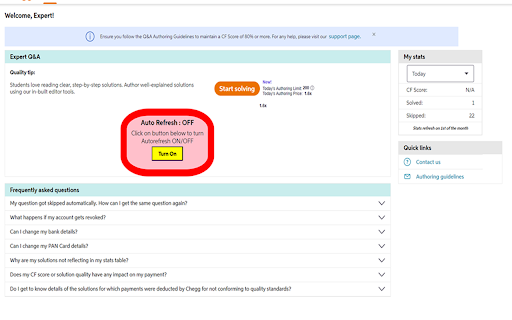
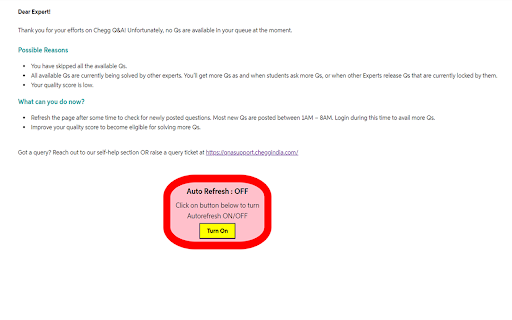
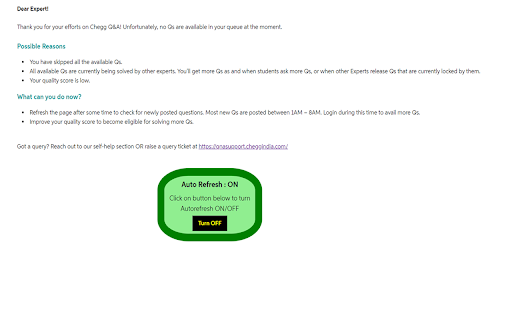
A productivity extension for Chegg experts that automates the process of finding and accepting questions. It includes features such as background refreshing, automatic question filtering based on length or images, and Telegram notifications.

Developer:VIPvishal
Version:4.0
Size:2.45MiB
Last updated:

Overview

Installs

1K+

Rating

4.2

17 reviews

Languages

1 locales

Includes English

Market analysis

Review-backed positioning, friction, and market signals for this Chrome extension.

Backed by review samples

Macro category

Automation & Workflow Efficiency

Pricing friction

Low review signal

Complaint intensity

Moderate review signal

Listing & review signals
Observed signals from store listing text and review samples.

Listing positioning

The product is positioned as an all-in-one utility for Chegg experts to maximize their efficiency. It emphasizes safety and the ability to automate repetitive tasks like refreshing and accepting questions.

Inferred product pattern

Platform-specific automation tool designed to help gig-economy experts optimize task acquisition and filtering.

Review-backed pain points

Users report extreme resource consumption leading to laptop overheating and Blue Screen of Death (BSOD) crashes. There are also multiple reports of the alarm notification system failing to trigger.

Observed feature gaps

Users have requested more granular control over the alarm music, specifically the ability to stop the audio or change the sound.

Tags
Chegg HelperAutomation ToolEducation UtilityExpert ToolWorkflow Optimization
Target users

- Chegg Subject Matter Experts

- Freelance Online Tutors

- Academic Experts

Primary use cases

- Automating question acceptance on Chegg

- Filtering out long or complex questions automatically

- Receiving real-time notifications for new questions via Telegram

- Quickly sourcing answers using integrated AI and Google search buttons

Positive themes

- Developer competence

- General functionality

Negative themes

- Severe system performance degradation

- Alarm failure

- Application stability

Observed friction

- Performance complaints detected

- No pricing friction observed in the provided review samples.

Evidence boundary: Analysis based on the store listing and 10 sampled user reviews. Limited review sample size may not represent the full user base experience.
Complaint summaries
Review-backed complaint signals grouped by operational area.

Support

No specific support or refund complaints observed in the provided review samples.

Reliability

Significant reliability issues reported regarding system stability (BSOD) and the failure of the alarm system.

Privacy

No direct privacy complaints, though users expressed concern regarding the risk of account suspension by Chegg.

Access & pricing

- No clear monetization signal

- Account required for core usage

- No clear pricing signal

Store listing facts

Listing assets

- Screenshots: 3

- Videos: 1

- Languages: 1

Trust signals

- Privacy policy

- Developer contact

- Official website

Store metadata

- Version: 4.0

- Size: 2.45MiB

- Last updated:

Listing SEO keywords

Search intent keywords
Keyword signals for evaluating how users may discover, compare, or search for this extension category.

Core discovery

Chegg expert toolsChegg auto refreshChegg question automation

Comparison

best Chegg expert extensionChegg expert tool vs alternatives

Problem

how to get more questions on CheggChegg auto accept questions

Alternative

Chegg expert helper alternativeChegg automation tool

Similar extensions

Jump to related discovery paths:

Screenshots

Chegg Expert - Every tool you need(Safest) screenshot

Links

Recommended Chrome extensions

Related listings from the same category, trending peers, and the same publisher portfolio.

Browse education