LT Debug icon

LT Debug Chrome Extension Analysis

Developer & Designer Tools

Chrome extension ID: kofahhnmgobkidipanhejacffiigppcd

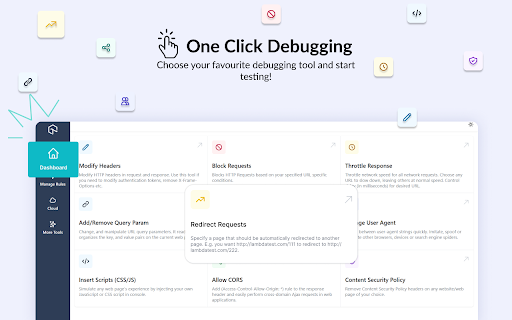
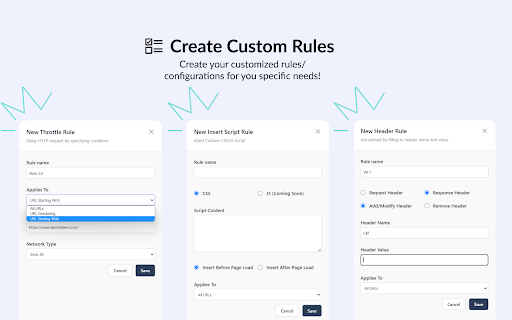
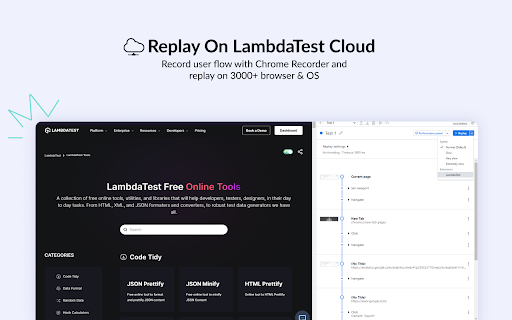
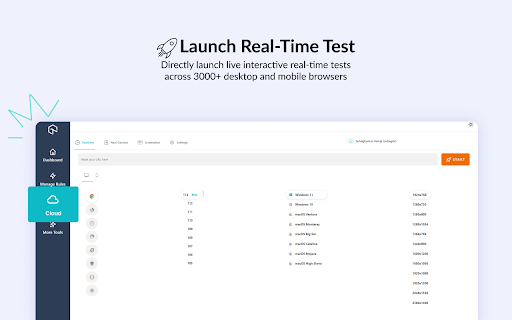
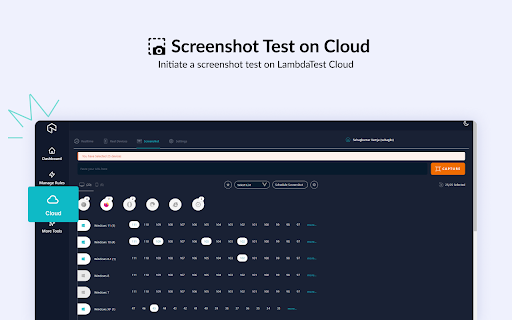
LT Debug is a Chrome extension that provides developers with various web debugging tools, including header modification, request blocking, and network throttling. It also offers cloud-based testing features to simulate different browser and device environments.

Developer:TestMu AI
Version:2.0.4
Size:1.87MiB
Last updated:

Overview

Installs

4K+

Rating

3.4

10 reviews

Languages

1 locales

Includes English (United States)

Market analysis

Review-backed positioning, friction, and market signals for this Chrome extension.

Backed by review samples

Macro category

Developer & Designer Tools

Pricing friction

Low review signal

Complaint intensity

Moderate review signal

Listing & review signals
Observed signals from store listing text and review samples.

Listing positioning

The product is positioned as a comprehensive suite of debugging and development utilities designed to accelerate the shipping of web-based products. It integrates with the TestMu AI Cloud to provide advanced cross-browser and real-device testing capabilities.

Inferred product pattern

A developer utility aggregator that serves as a frontend for a cloud-based testing platform.

Review-backed pain points

Users report difficulty in configuring specific rules, such as throttling single API calls without affecting the whole site, and experiencing instances where the tool fails to run or the UI fails to load results.

Observed feature gaps

Users noted a lack of clear instructions for using the diverse set of tools and a perceived lack of cohesion between the various functions.

Tags
Web DebuggingDeveloper UtilitiesCross-Browser TestingNetwork Throttling
Target users

- Web Developers

- QA Testers

- Software Engineers

Primary use cases

- Web application debugging

- Cross-browser and cross-device testing

- Network performance simulation

- User agent spoofing

Positive themes

- Efficient cross-browser testing

- Helpful tool collection

- User-friendly experience for some

Negative themes

- Unintuitive user interface

- Reliability and loading issues

- Difficulty with granular configuration

Observed friction

- Performance complaints detected

- No specific pricing complaints were observed in the provided reviews.

Evidence boundary: Analysis of the Chrome Web Store listing and 10 user reviews. The review sample size is small (10 reviews).
Complaint summaries
Review-backed complaint signals grouped by operational area.

Support

No support-related complaints were identified in the reviews.

Reliability

Users have reported that the extension sometimes fails to run, the UI does not load correctly, and settings like network throttling may persist unexpectedly.

Privacy

No privacy complaints were observed; one user explicitly noted the lack of private data collection.

Access & pricing

- Free entry with paid features

- No clear access signal

- Free plan or free usage claimed

Store listing facts

Listing assets

- Screenshots: 5

- Videos: 1

- Languages: 1

Trust signals

- Privacy policy

- Developer contact

- Official website

- Support link

Store metadata

- Version: 2.0.4

- Size: 1.87MiB

- Last updated:

Listing SEO keywords

Search intent keywords
Keyword signals for evaluating how users may discover, compare, or search for this extension category.

Core discovery

web debugging toolschrome developer utilitiescross browser testing extensionnetwork throttlerhttp header modifier

Comparison

browser devtoolsCharles ProxyFiddler

Problem

debug web issuestest mobile browserssimulate user agentblock url requests

Alternative

web developer toolsqa testing tools

Similar extensions

Jump to related discovery paths:

Screenshots

LT Debug screenshot
LT Debug screenshot
LT Debug screenshot
LT Debug screenshot
LT Debug screenshot

Links

Recommended Chrome extensions

Related listings from the same category, trending peers, and the same publisher portfolio.

Browse developer