金山收藏助手 icon

金山收藏助手 Chrome Extension Analysis

Automation & Workflow Efficiency

Chrome extension ID: lanhpcaapacdmofkjpkahckmlkljcdhh

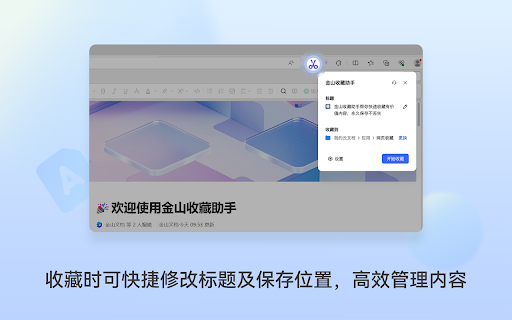
A browser extension that allows users to capture full web pages, specific text fragments, or images and save them as documents in Kingsoft Docs. It features smart ad-stripping and automatic organization to streamline information gathering.

Version:2.0.7
Size:511KiB
Last updated:

Overview

Installs

1.0M+

Rating

4.7

31 reviews

Languages

2 locales

Includes English, 中文(中国)

Market analysis

Review-backed positioning, friction, and market signals for this Chrome extension.

Backed by review samples

Macro category

Automation & Workflow Efficiency

Pricing friction

Low review signal

Complaint intensity

Moderate review signal

Listing & review signals
Observed signals from store listing text and review samples.

Listing positioning

Positioned as a one-click tool to permanently save web content or snippets directly to Kingsoft Docs. It emphasizes the removal of advertisements and the elimination of manual copy-pasting for efficient archiving.

Inferred product pattern

Ecosystem-driven utility designed to increase stickiness to a cloud document platform by simplifying the ingestion of external web data.

Review-backed pain points

Some users experience severe login issues that render the extension unusable. Additionally, a recent bug has been reported where original webpage links are no longer included in the saved documents.

Observed feature gaps

Inconsistent account authentication and missing metadata (source URLs) in the archiving process.

Tags
Web ClipperKnowledge ManagementContent ArchivingProductivity ToolKingsoft Docs
Target users

- Researchers

- Students

- Content Curators

- Knowledge Workers

- Kingsoft Docs users

Primary use cases

- Archiving web articles to prevent loss of content

- Collecting research snippets without ads

- Saving web images to a central document

- Converting web content into editable documents for summary

Positive themes

- High efficiency compared to manual copy-pasting

- Effective removal of unwanted ads

- Integration with AI for content summarization

- Specialized support for clipping Xiaohongshu content

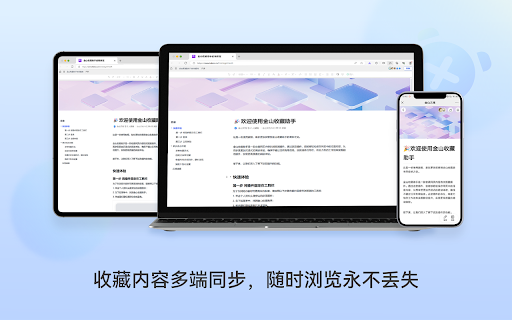
- Seamless synchronization with cloud documents

Negative themes

- Critical login failures

- Loss of original source links in saved content

- Inability to save pages after login errors

Observed friction

- No pricing friction reported in the provided data.

Evidence boundary: Analysis based on the official store listing and a sample of 10 user reviews. Review sample size is small relative to the total user base of 1 million users.
Complaint summaries
Review-backed complaint signals grouped by operational area.

Support

Reports of users being unable to log in or save pages despite attempts to authenticate.

Reliability

Report of a regression bug where the tool fails to save the original source link of the captured page.

Privacy

No privacy complaints observed.

Access & pricing

- Free entry with paid features

- Account required for core usage

- Limited free usage observed

Store listing facts

Listing assets

- Screenshots: 3

- Videos: 0

- Languages: 2

Trust signals

- Privacy policy

- Developer contact

- Official website

Store metadata

- Version: 2.0.7

- Size: 511KiB

- Last updated:

Listing SEO keywords

Search intent keywords
Keyword signals for evaluating how users may discover, compare, or search for this extension category.

Core discovery

Web clipperSave webpage to documentKingsoft Docs extensionWeb content archiver

Comparison

Notion alternativeEvernote clipper alternativeFeishu clipper alternative

Problem

Stop copy pastingSave web pages without adsPermanent web archiving

Alternative

Best web clipper for Kingsoft DocsChrome extension for saving articles

Similar extensions

Jump to related discovery paths:

Screenshots

金山收藏助手 screenshot
金山收藏助手 screenshot
金山收藏助手 screenshot

Links

Recommended Chrome extensions

Related listings from the same category, trending peers, and the same publisher portfolio.

Browse workflow