Font Inspector – Font Finder for Any Website icon

Font Inspector Chrome Extension Analysis

Developer & Designer Tools

Store listing title: Font Inspector – Font Finder for Any Website

Chrome extension ID: ldanlnlkbcpglobchelebddfmjapiifd

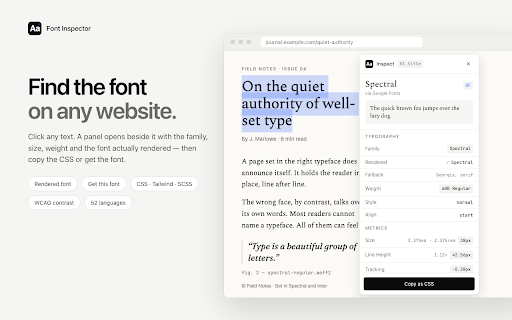
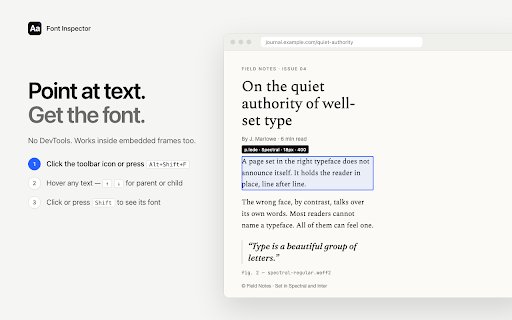
Font Inspector is a Chrome extension that allows users to instantly identify font families, sizes, weights, and styles on any webpage. It provides a streamlined way to analyze typography without manually digging through code.

Developer:Red Digits
Version:2.1.0
Size:354KiB
Last updated:

Overview

Installs

846

Rating

★ 4.0

3 reviews

Languages

52 locales

Includes Deutsch, English, Filipino, Indonesia...

Market analysis

Review-backed positioning, friction, and market signals for this Chrome extension.

Backed by review samples

Macro category

Developer & Designer Tools

Pricing friction

Low review signal

Complaint intensity

Low review signal

Listing & review signals
Observed signals from store listing text and review samples.

Listing positioning

The product is positioned as a fast, intuitive alternative to Chrome DevTools for identifying typography. It emphasizes the ability to see real rendered fonts rather than just declared CSS values to save designers and developers time.

Inferred product pattern

Single-purpose utility extension that surface-levels specific CSS properties for a targeted professional niche.

Review-backed pain points

Users reported difficulty inspecting text within complex web apps (e.g., Monaco editor) and a desire for variable font settings.

Observed feature gaps

Missing support for variable font settings and a more direct interface for results that does not rely solely on page interaction.

Tags
Font FinderTypography ToolWeb DesignCSS InspectorDeveloper Tool
Target users

- Web Designers

- Web Developers

- UI/UX Designers

- Font Enthusiasts

Primary use cases

- Identifying fonts on inspiration sites

- Debugging typography issues

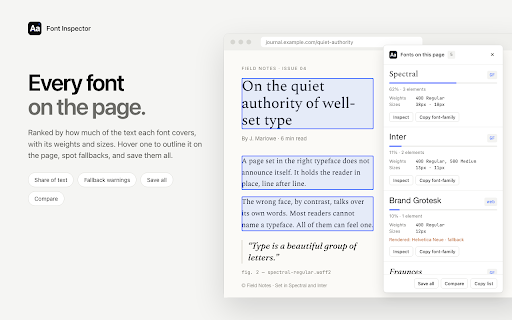
- Analyzing font inheritance and fallback fonts

- Collecting design ideas while browsing

Positive themes

- Ease of use

- Reliability

Negative themes

- Difficulty with complex web applications

- Lack of variable font support

Observed friction

- No pricing friction observed; no mention of payment in listing or reviews.

Evidence boundary: Data extracted from the Chrome Web Store listing and three user reviews. Extremely limited review sample size (3 reviews) prevents a comprehensive understanding of general user sentiment.
Complaint summaries
Review-backed complaint signals grouped by operational area.

Support

No support or account complaints observed.

Reliability

One report of the tool being nearly impossible to use on complex web apps like the Monaco editor.

Privacy

No privacy or security complaints observed.

Access & pricing

- Free usage observed

- No account requirement observed

- Free plan or free usage claimed

Store listing facts

Listing assets

- Screenshots: 5

- Videos: 0

- Languages: 52

Trust signals

- Privacy policy

- Developer contact

Store metadata

- Version: 2.1.0

- Size: 354KiB

- Last updated:

Listing SEO keywords

Search intent keywords
Keyword signals for evaluating how users may discover, compare, or search for this extension category.

Core discovery

identify fonts on websitefont finder chrome extensionweb typography inspectordetect font on webpage

Comparison

Font Inspector vs Chrome DevToolsbest font identifier extension

Problem

what font is this websitehow to find font name on websiteidentify website typography

Alternative

WhatFont alternativefont finder alternatives

Similar extensions

Jump to related discovery paths:

Screenshots

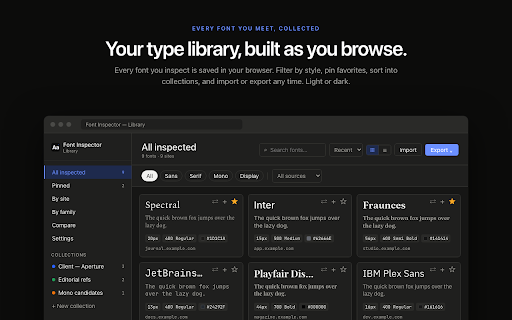
Font Inspector – Font Finder for Any Website screenshot

Links

Recommended Chrome extensions

Related listings from the same category, trending peers, and the same publisher portfolio.

Browse developer