Smart Audio Capture icon

Smart Audio Capture Chrome Extension Analysis

Video & Image Downloaders

Chrome extension ID: lfohcapleakcfmajfdeomgobhecliepj

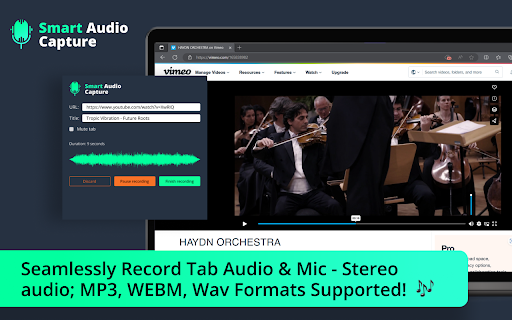
Smart Audio Capture is a Chrome extension designed to capture audio playing in a browser tab or through a microphone. It allows users to save recordings in MP3, WAV, or WEBM formats.

Developer:Alissandr Davis
Version:1.0.4
Size:386KiB
Last updated:

Overview

Installs

70K+

Rating

★ 4.2

100 reviews

Languages

54 locales

Includes Deutsch, English, English (United Kingdom), English (United States)...

Market analysis

Review-backed positioning, friction, and market signals for this Chrome extension.

Backed by review samples

Macro category

Video & Image Downloaders

Pricing friction

Low review signal

Complaint intensity

High review signal

Listing & review signals
Observed signals from store listing text and review samples.

Listing positioning

The product is positioned as a seamless solution for recording audio from browser tabs and microphones. It emphasizes high-quality stereo audio and support for multiple formats including MP3, WEBM, and WAV.

Inferred product pattern

A media capture utility that suffers from critical stability and data integrity issues during extended recording sessions.

Review-backed pain points

Users report extreme frustration when long recording sessions (multiple hours) result in failure to save or complete crashes, causing total loss of captured audio.

Observed feature gaps

The extension lacks transparent information regarding memory usage or limits for long-duration recordings.

Tags
Audio RecorderTab Audio CaptureMic RecordingMP3 Converter
Target users

- Content Creators

- Podcasters

- Remote Workers

- Students

Primary use cases

- Recording browser-based audio

- Capturing conference calls

- Creating voiceovers

- Recording music from tabs

Positive themes

No positive theme data.

Negative themes

- Frequent software crashes during saving

- Loss of recorded data due to bugs

- Production of silent audio files

- Perception of the tool being abandoned

Observed friction

- Performance complaints detected

- No pricing-related friction or information was observed in the provided data.

Evidence boundary: Analysis based on the store listing claims and a set of highly critical user reviews documenting technical failures. The provided review sample consists exclusively of low-rating reviews, which may not represent the full sentiment distribution of all users.
Complaint summaries
Review-backed complaint signals grouped by operational area.

Support

Users expressed concerns that the extension might be abandoned due to persistent bugs and lack of optimization for recent Chrome updates.

Reliability

Severe reliability issues reported, including app crashes, 'out of memory' errors, and the production of files with no audio content.

Privacy

No privacy or security complaints were observed.

Access & pricing

- No clear monetization signal

- No clear access signal

- No clear pricing signal

Store listing facts

Listing assets

- Screenshots: 1

- Videos: 0

- Languages: 54

Trust signals

- Privacy policy

- Developer contact

- Official website

Store metadata

- Version: 1.0.4

- Size: 386KiB

- Last updated:

Listing SEO keywords

Search intent keywords
Keyword signals for evaluating how users may discover, compare, or search for this extension category.

Core discovery

record tab audiochrome audio recorderrecord microphone chromebrowser audio capture

Comparison

Chrome Audio Capture alternative

Problem

audio recording crashcannot save audiosilent audio captureaudio recorder memory error

Alternative

Audacityonline audio recordersystem audio recorder

Similar extensions

Jump to related discovery paths:

Screenshots

Smart Audio Capture screenshot

Links

Recommended Chrome extensions

Related listings from the same category, trending peers, and the same publisher portfolio.

Browse workflow