Daily Planner icon

Daily Planner Chrome Extension Analysis

Automation & Workflow Efficiency

Chrome extension ID: ljehmbfngganjommhoccngadajbffeef

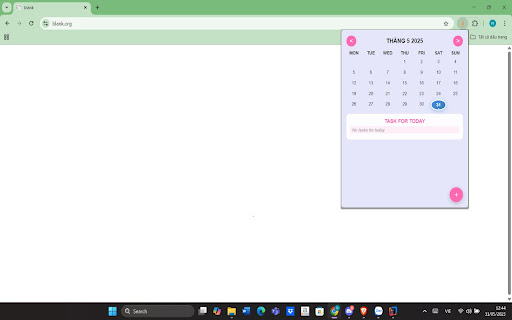
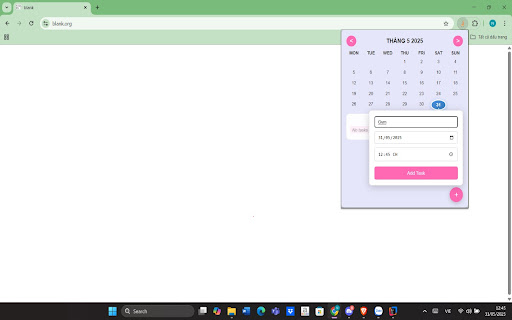
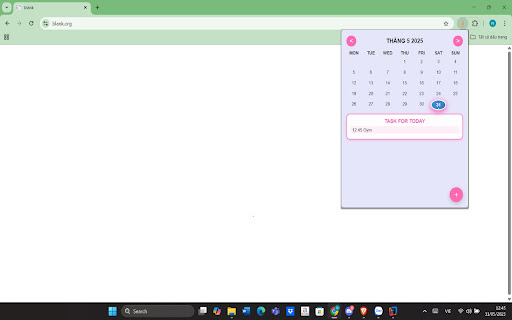
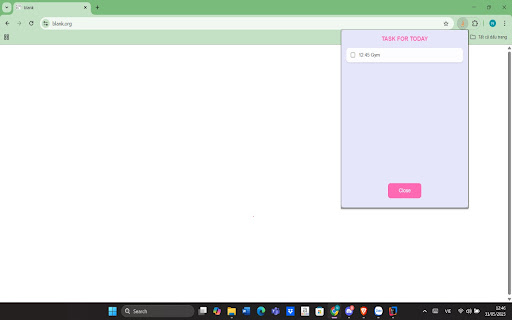
This Chrome extension provides a calendar-integrated interface for tracking daily tasks. It features a drag-and-drop window, task scheduling with time-specific entries, and automated system time zone synchronization to keep schedules accurate for travelers.

Version:1.0.1
Size:28.23KiB
Last updated:

Overview

Installs

67

Rating

★ 5.0

6 reviews

Languages

1 locales

Includes English

Market analysis

Review-backed positioning, friction, and market signals for this Chrome extension.

Backed by review samples

Macro category

Automation & Workflow Efficiency

Pricing friction

Low review signal

Complaint intensity

Low review signal

Listing & review signals
Observed signals from store listing text and review samples.

Listing positioning

Daily Planner positions itself as a privacy-focused, offline-capable task management tool that integrates directly into the browser. It emphasizes a 'set-and-forget' convenience through features like automatic global time zone adjustment and local data storage.

Inferred product pattern

Simple local-storage utility for personal productivity.

Review-backed pain points

Users have expressed a desire for updates to the user interface, though the core functionality is well-regarded.

Observed feature gaps

The current interface is described as basic; some users suggest UI modernization would improve the experience.

Tags
Task ManagementCalendarOffline FirstDaily Planner
Target users

- Students

- Remote Professionals

- Frequent Travelers

- Privacy-conscious Users

Primary use cases

- Tracking daily task lists

- Visualizing monthly schedules

- Managing time-sensitive appointments across different time zones

Positive themes

- Ease of use

- Utility for professional and academic planning

- Helpful simple task tracking

Negative themes

- Desire for UI improvements

Observed friction

- None observed; the extension is presented as a free, offline-first tool.

Evidence boundary: Data derived from Chrome Web Store listing, official description, and a set of five user reviews. Review sample size is small, representing a narrow user base; some feedback is limited to general positive sentiment.
Complaint summaries
Review-backed complaint signals grouped by operational area.

Support

No support complaints identified.

Reliability

No reliability or performance complaints identified.

Privacy

No privacy complaints identified; the developer explicitly claims data is stored locally without server transmission.

Access & pricing

- Free usage observed

- No account requirement observed

- Free plan or free usage claimed

Store listing facts

Listing assets

- Screenshots: 4

- Videos: 0

- Languages: 1

Trust signals

- Developer contact

- Official website

Store metadata

- Version: 1.0.1

- Size: 28.23KiB

- Last updated:

Listing SEO keywords

Search intent keywords
Keyword signals for evaluating how users may discover, compare, or search for this extension category.

Core discovery

Chrome task manageroffline daily plannercalendar extensiontime zone task tracker

Comparison

best chrome calendarsimple todo list extension

Problem

manage tasks onlinestay organized at work

Alternative

task management alternativesbrowser-based planner

Similar extensions

Jump to related discovery paths:

Screenshots

Daily Planner screenshot

Links

Website: facebook.com

Recommended Chrome extensions

Related listings from the same category, trending peers, and the same publisher portfolio.

Browse workflow