Chrome Notes icon

Chrome Notes Chrome Extension Analysis

Tab & Bookmark Productivity

Chrome extension ID: lnfempckkegmaeleniojhjplemmebgfi

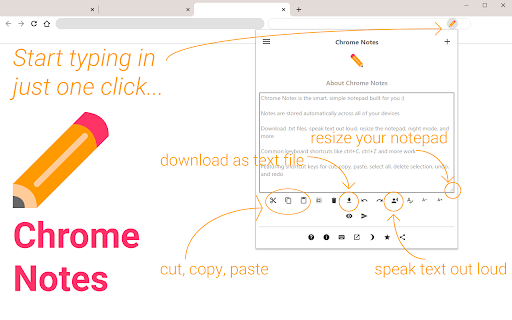
This extension provides a simple, resizable interface for writing and managing text notes directly within the Chrome browser. It includes features like font size customization, focus mode, and the ability to export and import notes as text backups.

Developer:RGB Studios
Version:1.5.4
Size:24.46KiB
Last updated:

Overview

Installs

100K+

Rating

4.4

303 reviews

Languages

1 locales

Includes English

Market analysis

Review-backed positioning, friction, and market signals for this Chrome extension.

Backed by review samples

Macro category

Tab & Bookmark Productivity

Pricing friction

Low review signal

Complaint intensity

Moderate review signal

Listing & review signals
Observed signals from store listing text and review samples.

Listing positioning

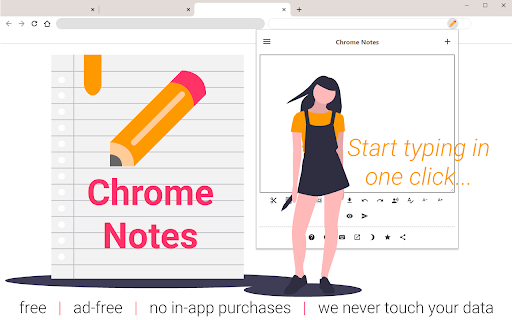
Chrome Notes is positioned as a lightweight, ad-free notepad extension designed for quick note-taking and clipboard management. It emphasizes local data storage, offline functionality, and convenience features like speech-to-text and keyboard shortcuts.

Inferred product pattern

Simple local-storage utility for browser-based text capture.

Review-backed pain points

Users frequently express frustration over notes disappearing or failing to persist, the inability to keep the note window open while navigating other browser elements, and the lack of advanced organization features like folders or pinning.

Observed feature gaps

Missing features include a persistent/pinable floating window that stays open across tabs, categorization/tagging for notes, and more stable state management for UI settings like font size or focus mode.

Tags
NotepadProductivityChrome ExtensionNotes
Target users

- Casual browser users

- Students

- Productivity-focused individuals

Primary use cases

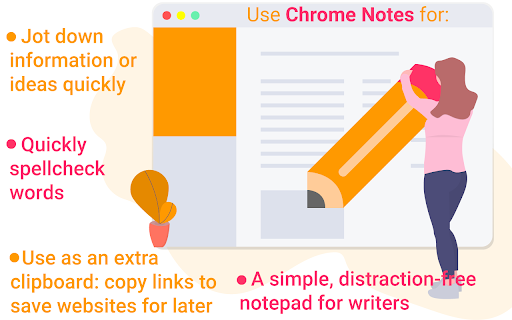
- Quickly jotting down thoughts

- Temporary clipboard storage

- Simple text management while browsing

Positive themes

- Ease of use

- Simplicity

- Convenience for quick tasks

Negative themes

- Data loss concerns

- Lack of floating/movable window options

- UI/UX behavior (auto-closing when clicking away)

- Lack of categorization features

Observed friction

- Performance complaints detected

- None; the product is positioned as free and ad-free.

Evidence boundary: Analysis based on 294 reviews, highlighting a mix of appreciation for simplicity and concerns regarding stability and UX limitations. Review samples represent a subset of the 100,000+ user base and may skew toward those experiencing technical issues.
Complaint summaries
Review-backed complaint signals grouped by operational area.

Support

No direct support staff complaints, but users report bugs regarding data persistence and UI behavior.

Reliability

Significant reports of data loss and intermittent UI bugs where notes fail to display unless new notes are created.

Privacy

None; users appreciate the local-storage-only approach.

Access & pricing

- Free usage observed

- No account requirement observed

- Free plan or free usage claimed

Store listing facts

Listing assets

- Screenshots: 4

- Videos: 0

- Languages: 1

Trust signals

- Privacy policy

- Developer contact

- Official website

Store metadata

- Version: 1.5.4

- Size: 24.46KiB

- Last updated:

Listing SEO keywords

Search intent keywords
Keyword signals for evaluating how users may discover, compare, or search for this extension category.

Core discovery

chrome notepadbrowser sticky notesquick notes extension

Comparison

alternative to quick-notesbest chrome notepad

Problem

lost chrome notesnotes not saving

Alternative

sticky notes chromebrowser scratchpad

Similar extensions

Jump to related discovery paths:

Screenshots

Chrome Notes screenshot

Links

Recommended Chrome extensions

Related listings from the same category, trending peers, and the same publisher portfolio.

Browse workflow