Black Apps Script icon

Black Apps Script Chrome Extension Analysis

Developer & Designer Tools

Chrome extension ID: lobpcflajoikohefjjdndofbfikadpfb

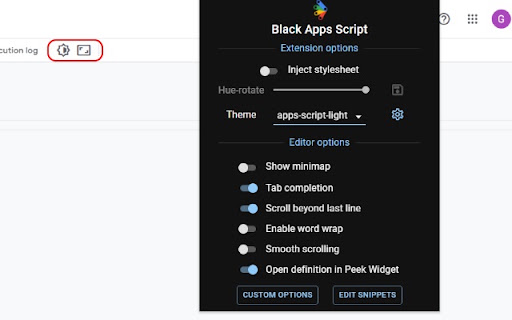
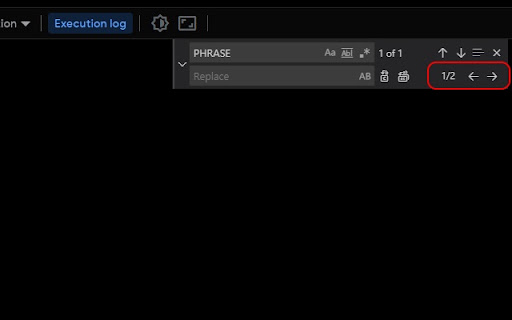
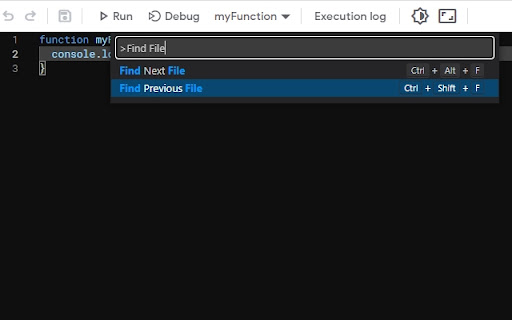
Black Apps Script is a browser utility designed to improve the development workflow within the Google Apps Script environment. It introduces a suite of VS Code-inspired tools, including a dark mode interface, advanced search-and-replace, and simulated folder systems for cleaner script management.

Developer:swroot.com
Version:1.0.20
Size:4.91MiB
Last updated:

Overview

Installs

20K+

Rating

4.8

53 reviews

Languages

1 locales

Includes English

Market analysis

Review-backed positioning, friction, and market signals for this Chrome extension.

Backed by review samples

Macro category

Developer & Designer Tools

Pricing friction

Moderate review signal

Complaint intensity

Moderate review signal

Listing & review signals
Observed signals from store listing text and review samples.

Listing positioning

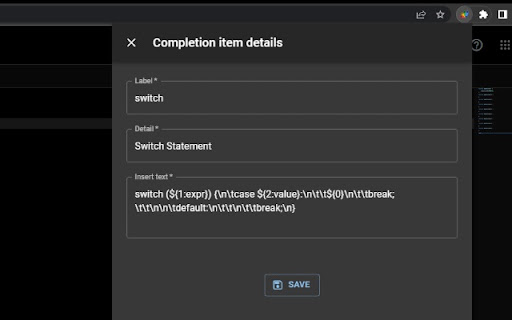
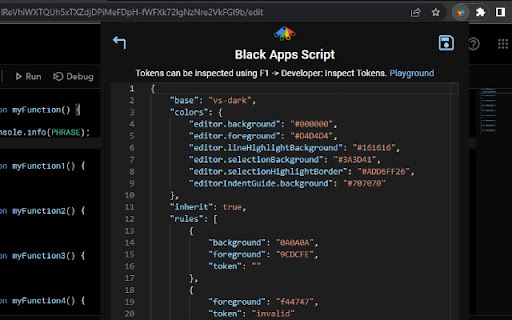
The extension positions itself as an essential upgrade for the Google Apps Script Monaco Editor. It targets developers looking to restore and enhance core IDE features that are natively limited or missing. Major listed benefits include global multi-file searching, customizable UI themes, side-by-side diff comparing, and folder structures.

Inferred product pattern

IDE productivity overlay injecting custom Monaco-compatible options and CSS directly into target script editors.

Review-backed pain points

Users encounter functionality drops where global search and customization icons completely disappear on standard Gmail accounts while working normally on paid Workspace accounts. Additionally, updates have occasionally disrupted custom styling, leaving some UI menus un-themed.

Observed feature gaps

Reviewers note that access to the global search interface is unintuitive and lacks written in-app documentation. There is also a requested feature gap for an in-editor function explorer that allows quick jumping to specific function definitions within active files.

Tags
Google Apps ScriptMonaco EditorDeveloper ToolsDark ModeGlobal Search
Target users

- Google Apps Script developers

- Google Workspace administrators

- JavaScript and automated workflow developers

Primary use cases

- Searching and replacing code patterns globally across multiple script files

- Switching the Google Apps Script interface to customized dark themes

- Structuring flat script files into virtual folders using slashes in filenames

Positive themes

- Successful workaround for Google's lack of native multi-file search

- Highly functional and visually clean dark mode themes

- Significant time savings when managing complex, multi-file codebases

Negative themes

- Loss of global search and UI icons on free personal Gmail accounts

- Bugs in the folder structure logic when utilizing external libraries

- Visual inconsistencies with theme templates not fully styling side panels

Observed friction

- Free-tier complaints detected

- While the extension is offered for free, users express frustration over an apparent division in functionality where core features work on premium Google Workspace instances but fail on standard personal Gmail accounts.

Evidence boundary: The analysis is constructed from the official store description emphasizing Monaco editor improvements alongside 10 detailed user reviews outlining developer workflow successes, visual bugs, and account-type limitations. The dataset is limited to a small selection of reviews, which restricts broader confirmation of why specific features exhibit discrepancies between Gmail and corporate Workspace accounts.
Complaint summaries
Review-backed complaint signals grouped by operational area.

Support

No direct complaints about customer support teams were identified, though users must rely on public reviews to report feature breakages caused by third-party cookie updates.

Reliability

Users document specific errors such as 'Cannot read properties of undefined (reading hueRotate)' alongside instances where the folder pathing mechanism fails to recognize backslashes within shared libraries.

Privacy

No privacy or security complaints were observed in the current review dataset.

Access & pricing

- Free usage observed

- No account requirement observed

- Free plan or free usage claimed

Store listing facts

Listing assets

- Screenshots: 5

- Videos: 1

- Languages: 1

Trust signals

- Developer contact

- Official website

Store metadata

- Version: 1.0.20

- Size: 4.91MiB

- Last updated:

Listing SEO keywords

Search intent keywords
Keyword signals for evaluating how users may discover, compare, or search for this extension category.

Core discovery

google apps script dark modegoogle apps script search all filesapps script code folders

Comparison

apps script monaco editor vs vscode

Problem

how to search all files in google apps scriptgoogle apps script theme change

Alternative

appsScriptColorclasp

Similar extensions

Jump to related discovery paths:

Screenshots

Black Apps Script screenshot

Links

Website: swroot.com

Videos: Watch

Recommended Chrome extensions

Related listings from the same category, trending peers, and the same publisher portfolio.

Browse developer