VIA Screen Share icon

VIA Screen Share Chrome Extension Analysis

Automation & Workflow Efficiency

Chrome extension ID: mafjndpogghbanhhkaclhkbknfdgjngm

A browser extension that allows users to wirelessly mirror their Chromebook or PC Chrome browser screen to a VIA-enabled display. It is designed to facilitate seamless presentations and collaborative brainstorming in professional settings.

Version:1.0.42
Size:173KiB
Last updated:

Overview

Installs

60K+

Rating

★ 2.8

5 reviews

Languages

1 locales

Includes English

Market analysis

Review-backed positioning, friction, and market signals for this Chrome extension.

Backed by review samples

Macro category

Automation & Workflow Efficiency

Pricing friction

Low review signal

Complaint intensity

Moderate review signal

Listing & review signals
Observed signals from store listing text and review samples.

Listing positioning

Positions itself as a wireless audio-visual integrator that enables BYOD (Bring Your Own Device) collaboration. It emphasizes the ability to stream content from a browser to a VIA hardware device without conventional meeting restrictions.

Inferred product pattern

Hardware-companion software for enterprise wireless AV collaboration.

Review-backed pain points

Users expressed strong concerns over the 'Read your browser history' permission and the absence of a privacy policy. Some users report the extension is non-functional on Linux.

Observed feature gaps

Lack of explicit privacy documentation and poor support/compatibility for Linux users.

Tags
Screen SharingWireless PresentationChromebook UtilityMeeting Tools
Target users

- Corporate employees

- Educators

- Chromebook users

- IT managers

Primary use cases

- Wireless screen mirroring

- Meeting presentations

- BYOD collaborative streaming

Positive themes

- Performance improvements over previous versions

- Smooth operation on Chromebooks

Negative themes

- Excessive permission requests

- Lack of privacy policy

- Linux compatibility issues

- General functional failure

Observed friction

- Performance complaints detected

- Privacy complaints detected

- No direct software pricing friction observed; however, the product requires the purchase of a VIA hardware device to function.

Evidence boundary: Data extracted from the official store listing and three sampled reviews covering performance and privacy. Very small review sample size (3 reviews) relative to the total user count.
Complaint summaries
Review-backed complaint signals grouped by operational area.

Support

No direct support tickets mentioned, though a user noted a lack of functionality on Linux despite a need for tech department alignment.

Reliability

Mixed reliability; while some users find it smooth, others describe it as 'complete garbage' due to total failure to operate on their system.

Privacy

Significant alarm regarding the requirement to read browser history, which users feel could leak sensitive corporate and personal information.

Access & pricing

- No clear monetization signal

- Account required for core usage

- Free plan or free usage claimed

Store listing facts

Listing assets

- Screenshots: 1

- Videos: 0

- Languages: 1

Trust signals

- Privacy policy

- Developer contact

Store metadata

- Version: 1.0.42

- Size: 173KiB

- Last updated:

Listing SEO keywords

Search intent keywords
Keyword signals for evaluating how users may discover, compare, or search for this extension category.

Core discovery

VIA screen sharewireless browser mirroringChromebook presentation tool

Comparison

VIA vs ChromecastVIA vs AirPlay

Problem

VIA extension not workingVIA screen share Linux issues

Alternative

wireless presentation alternativesVIA screen share alternative

Similar extensions

Jump to related discovery paths:

Screenshots

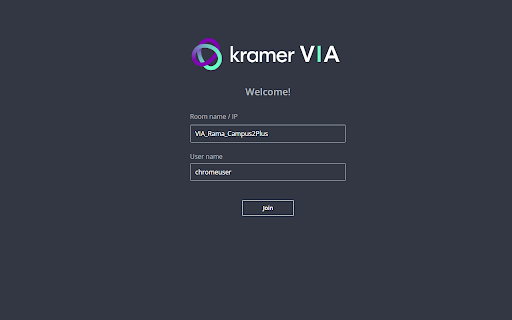
VIA Screen Share screenshot

Links

Recommended Chrome extensions

Related listings from the same category, trending peers, and the same publisher portfolio.

Browse workflow