Core Web Vitals Visualizer icon

Core Web Vitals Visualizer Chrome Extension Analysis

Developer & Designer Tools

Chrome extension ID: mcffmgagphgpgkdclllnilokablhjcge

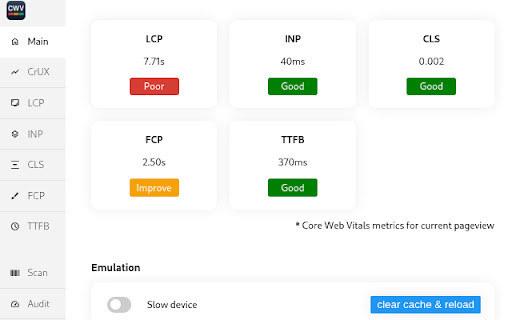
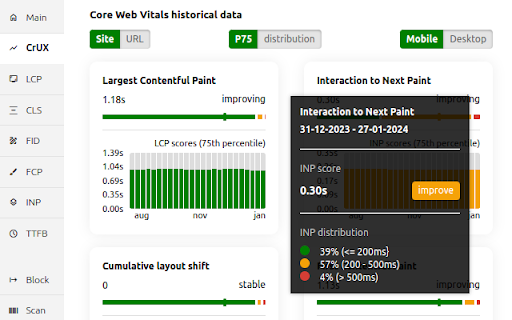
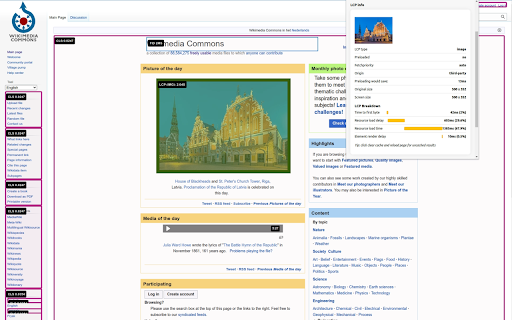
Core Web Vitals Visualizer is a Chrome extension that provides real-time measurement and visualization of LCP, CLS, and INP. It includes features like CrUX history analysis, performance experiments, and network throttling to assist in site optimization.

Developer:MarketingTracer
Version:1.21
Size:2.51MiB
Last updated:

Overview

Installs

10K+

Rating

4.9

19 reviews

Languages

1 locales

Includes English

Market analysis

Review-backed positioning, friction, and market signals for this Chrome extension.

Backed by review samples

Macro category

Developer & Designer Tools

Pricing friction

Low review signal

Complaint intensity

Low review signal

Listing & review signals
Observed signals from store listing text and review samples.

Listing positioning

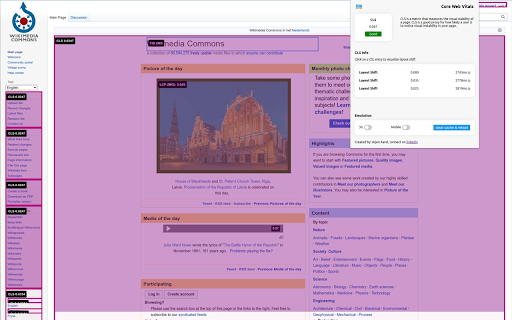
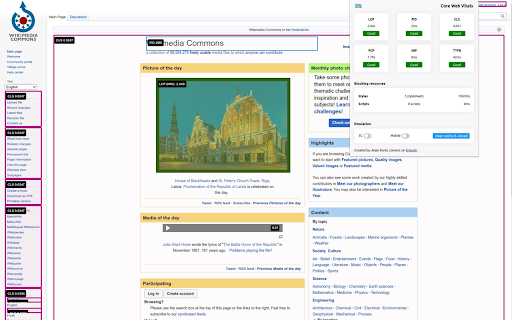
The extension positions itself as a real-time, on-page alternative to PageSpeed Insights for debugging Core Web Vitals. It emphasizes immediate visualization through color-coded overlays and granular metric breakdowns without requiring URL copy-pasting.

Inferred product pattern

Developer utility focused on real-time performance telemetry and visual debugging.

Review-backed pain points

The extension may cause Next.js hydration warnings by injecting 'elementtiming' attributes into the DOM.

Observed feature gaps

No feature gaps explicitly identified from the provided reviews or listing.

Tags
Web PerformanceCore Web VitalsDeveloper ToolSEO Debugging
Target users

- Web Developers

- SEO Specialists

- Performance Engineers

Primary use cases

- Real-time web performance monitoring

- Debugging layout shifts and LCP elements

- Testing performance experiments like disabling JS

- Analyzing CrUX historical data

Positive themes

- Highly effective for debugging Web Vitals

- Significantly reduces manual workload

- Excellent visualization of metrics

Negative themes

- Causes hydration errors in Next.js development environments

Observed friction

- No pricing information or friction observed in the provided data.

Evidence boundary: Extracted from store description and user reviews. Evidence is based on a limited set of 18 reviews and the store listing description; specific pricing details are not stated.
Complaint summaries
Review-backed complaint signals grouped by operational area.

Support

No support complaints were found in the reviews.

Reliability

A single report of Next.js hydration errors caused by injected attributes.

Privacy

No privacy complaints observed; listing claims no data collection and local execution.

Access & pricing

- No clear monetization signal

- No account requirement observed

- No clear pricing signal

Store listing facts

Listing assets

- Screenshots: 5

- Videos: 0

- Languages: 1

Trust signals

- Privacy policy

- Developer contact

- Official website

- Support link

Store metadata

- Version: 1.21

- Size: 2.51MiB

- Last updated:

Listing SEO keywords

Search intent keywords
Keyword signals for evaluating how users may discover, compare, or search for this extension category.

Core discovery

Core Web Vitals VisualizerLCP CLS INP debuggerWeb performance Chrome extensionCrUX history tool

Comparison

PageSpeed InsightsLighthouseWeb Vitals library

Problem

layout shift debuggingLCP element identificationINP breakdown

Alternative

Web Vitals extensionPerformance audit tool

Similar extensions

Jump to related discovery paths:

Screenshots

Core Web Vitals Visualizer screenshot

Links

Recommended Chrome extensions

Related listings from the same category, trending peers, and the same publisher portfolio.

Browse developer