HTML Elements Screenshot icon

HTML Elements Screenshot Chrome Extension Analysis

Developer & Designer Tools

Chrome extension ID: mckfdaahjhmnchjihljdiakamamondld

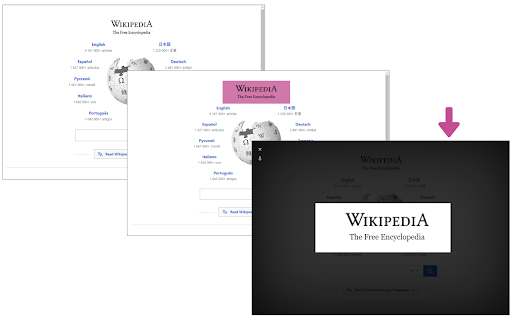
HTML Elements Screenshot is a browser extension that allows users to isolate and capture specific DOM elements rather than the entire visible page. It provides a visual feedback mechanism to help users select elements before triggering a rendering process to save the selection as an image.

Developer:Sevina
Version:0.1.6
Size:144KiB
Last updated:

Overview

Installs

10K+

Rating

3.7

40 reviews

Languages

1 locales

Includes English

Market analysis

Review-backed positioning, friction, and market signals for this Chrome extension.

Backed by review samples

Macro category

Developer & Designer Tools

Pricing friction

Low review signal

Complaint intensity

Moderate review signal

Listing & review signals
Observed signals from store listing text and review samples.

Listing positioning

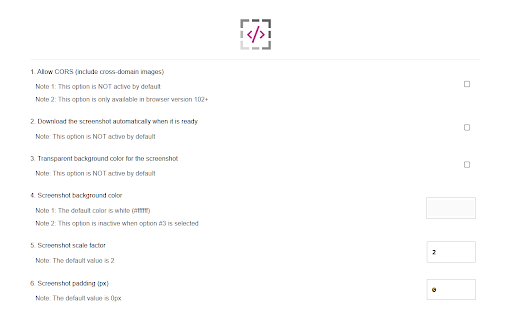
The listing positions the extension as a simple, one-click solution for capturing specific HTML5 elements on any webpage. It emphasizes its reliance on the html2canvas library and provides options for handling cross-domain images and adjusting screenshot resolution.

Inferred product pattern

Basic wrapper around the html2canvas library with minimal custom rendering logic for complex CSS.

Review-backed pain points

Users consistently report that the extension forces a white background on all captures, failing to inherit the actual webpage's background styling. Additionally, there are significant complaints regarding the failure to render modern CSS frameworks like Tailwind properly.

Observed feature gaps

The extension lacks robust support for CSS inheritance, SVG elements, and local file handling, leading to inconsistent or mangled output quality.

Tags
Screenshot ToolWeb DevelopmentHTML CaptureDesign UtilityUI Debugging
Target users

- Web Developers

- UI/UX Designers

- QA Testers

Primary use cases

- Capturing specific UI components

- Debugging web design layouts

- Extracting images of individual HTML elements

Positive themes

- Utility of the concept

- Ease of selecting specific elements

- Desire for Firefox-like screenshot functionality in Chrome

Negative themes

- Forced white background rendering

- Inaccurate styling/Tailwind CSS rendering

- Failure to capture SVGs correctly

- General poor capture quality

Observed friction

- Performance complaints detected

- None; the extension appears to be free with no documented paywalls.

Evidence boundary: Based on public store listing descriptions and user feedback, the extension is widely perceived as unreliable due to its rendering engine failing to match live site CSS. Review data primarily focuses on functional rendering bugs rather than user-interface or workflow issues.
Complaint summaries
Review-backed complaint signals grouped by operational area.

Support

No specific complaints regarding support, though users expressed frustration with the lack of updates addressing render bugs.

Reliability

High; users frequently complain about broken rendering, white background issues, and failure to capture specific component types like SVGs.

Privacy

None observed.

Access & pricing

- Free usage observed

- No account requirement observed

- Free plan or free usage claimed

Store listing facts

Listing assets

- Screenshots: 2

- Videos: 0

- Languages: 1

Trust signals

- Privacy policy

- Developer contact

- Official website

Store metadata

- Version: 0.1.6

- Size: 144KiB

- Last updated:

Listing SEO keywords

Search intent keywords
Keyword signals for evaluating how users may discover, compare, or search for this extension category.

Core discovery

chrome element screenshotcapture html elementsave div as imageweb design screen capture

Comparison

alternative to firefox screenshot toolhtml2canvas chrome extension

Problem

screenshot white background issueelement capture errortailwind css not rendering

Alternative

GoFullPageAwesome ScreenshotFireShot

Similar extensions

Jump to related discovery paths:

Screenshots

HTML Elements Screenshot screenshot

Links

Recommended Chrome extensions

Related listings from the same category, trending peers, and the same publisher portfolio.

Browse tools