Page Manipulator icon

Page Manipulator Chrome Extension Analysis

Developer & Designer Tools

Chrome extension ID: mdhellggnoabbnnchkeniomkpghbekko

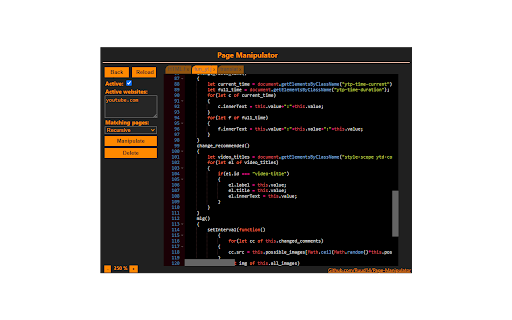
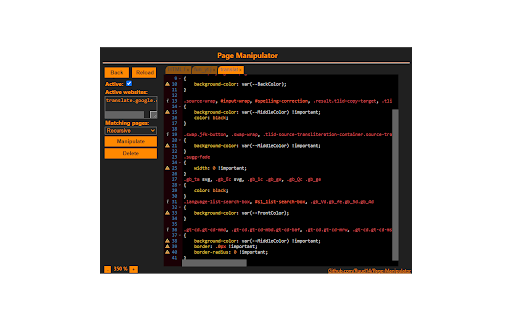
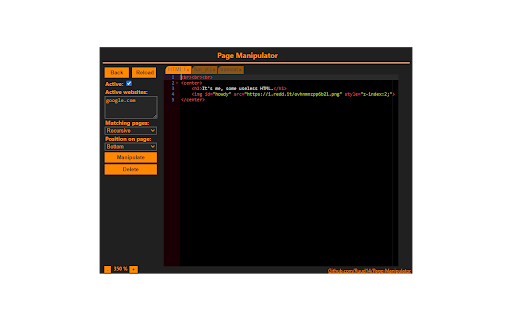
A browser extension that enables the injection of custom code into specified websites. It features a code editor, Google account syncing for small files, and the ability to run CSS before a page fully loads to prevent flicker.

Developer:Ruud14
Version:0.5.5
Size:2.17MiB
Last updated:

Overview

Installs

9K+

Rating

★ 3.7

41 reviews

Languages

1 locales

Includes English

Market analysis

Review-backed positioning, friction, and market signals for this Chrome extension.

Backed by review samples

Macro category

Developer & Designer Tools

Pricing friction

Low review signal

Complaint intensity

Moderate review signal

Listing & review signals
Observed signals from store listing text and review samples.

Listing positioning

The product is positioned as a persistent alternative to the 'Inspect Element' tool. It allows users to customize any webpage by injecting HTML, CSS, or JavaScript that remains active even after the page is reloaded.

Inferred product pattern

Client-side DOM and style persistence utility for developers.

Review-backed pain points

Users report a confusing UI where the 'Active' checkbox is hard to find or missing. Some users experienced critical bugs where the extension becomes unresponsive or saved code becomes blank.

Observed feature gaps

Lack of integrated tutorials/onboarding, inability to manipulate content within iFrames, and the requirement to refresh the page to fully remove JavaScript manipulations.

Tags
Web CustomizationJS InjectionCSS EditorDeveloper ToolsPage Modifier
Target users

- Web Developers

- Frontend Designers

- Power Users

- Web Testers

Primary use cases

- Testing website modifications locally

- Creating custom dark themes for websites

- Modifying page elements for personal preference

- Simple game modifications

Positive themes

- Long-term utility for specific users

- Helpful tool for page modification

Negative themes

- Broken or non-intuitive UI

- Failure to execute on certain websites

- Lack of onboarding and tutorials

- Stability regressions causing saved code to disappear

Observed friction

- Performance complaints detected

- No pricing mentioned in listing or reviews; appears to be a free tool.

Evidence boundary: Analysis based on the official store listing and 10 sampled reviews. The review sample is small and skewed toward low ratings, which may not represent the experience of the total user base.
Complaint summaries
Review-backed complaint signals grouped by operational area.

Support

Users expressed frustration over the lack of a short tutorial or clear guidance to get the extension working.

Reliability

Multiple reports of the extension not working on various sites, including Google, and cases where the tool stopped functioning after years of use.

Privacy

No privacy or security complaints observed.

Access & pricing

- Free usage observed

- No account requirement observed

- Free plan or free usage claimed

Store listing facts

Listing assets

- Screenshots: 3

- Videos: 1

- Languages: 1

Trust signals

- Developer contact

- Support link

Store metadata

- Version: 0.5.5

- Size: 2.17MiB

- Last updated:

Listing SEO keywords

Search intent keywords
Keyword signals for evaluating how users may discover, compare, or search for this extension category.

Core discovery

inject custom css chrome extensionpersistent javascript injectionmodify webpage htmlcustom css for websites

Comparison

Page Manipulator vs Inspect ElementPage Manipulator vs StylusPage Manipulator vs Tampermonkey

Problem

how to permanently change website cssinject javascript into webpagesave custom css for website

Alternative

Stylus alternativesTampermonkey alternativesUser CSS extension

Similar extensions

Jump to related discovery paths:

Screenshots

Page Manipulator screenshot

Links

Recommended Chrome extensions

Related listings from the same category, trending peers, and the same publisher portfolio.

Browse developer